Gutscheinbedingungen

*Gültig bis 05.07.2026 auf (fast) alles. Ausgeschlossen sind Smartboxen, Zeitschriften, Tickets, Lebensmittel, Gaming-Elektroartikel, Tinte/Toner, Gutscheine, Geschenkkarten, Blumen und Abos | Einlösbar in allen Buchhandlungen von Orell Füssli, Barth Bücher, Buchladen Rapunzel, Papeterie Köhler, Schuler Orell Füssli, Stauffacher und ZAP unter Vorweisung des Gutscheins, auf www.orellfüssli.ch durch Eingabe des Gutscheincodes. Beim Service „eBooks verschenken“ und bei eBook-Käufen via eReader nicht einlösbar | Mindesteinkaufswert: Fr. 30.- | Nicht mit anderen Rabatten kumulierbar.

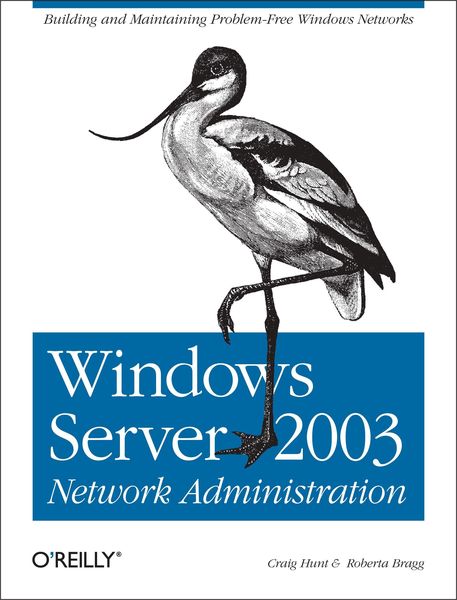
Produktbild: Windows Server 2003 Network Administration

Windows Server 2003 Network Administration Building and Maintaining Problem-Free Windows Networks

Fr. 69.90

inkl. gesetzl. MwSt., Versandkostenfrei


Beschreibung

Produktdetails

Einband

Taschenbuch

Erscheinungsdatum

18.10.2005

Verlag

O'Reilly Media

Seitenzahl

677

Maße (L/B/H)

23.7/17.7/3.4 cm

Gewicht

999 g

Auflage

1. Auflage

Sprache

Englisch

ISBN

978-0-596-00800-0

Beschreibung

Produktdetails

Einband

Taschenbuch

Erscheinungsdatum

18.10.2005

Verlag

O'Reilly Media

Seitenzahl

677

Maße (L/B/H)

23.7/17.7/3.4 cm

Gewicht

999 g

Auflage

1. Auflage

Sprache

Englisch

ISBN

978-0-596-00800-0

Herstelleradresse

Libri GmbH
Europaallee 1
36244 Bad Hersfeld
DE

Email: GPSR Kontakt

Noch keine Bewertungen vorhanden

Verfassen Sie die erste Bewertung zu diesem Artikel

Helfen Sie anderen Kundinnen und Kunden durch Ihre Meinung.

Kundinnen und Kunden meinen

Bewertungen (0)

Die Leseprobe wird geladen.
  • Produktbild: Windows Server 2003 Network Administration
  • Dedication; Preface; Who Should Read This Book; What's in This Book; Conventions Used in This Book; Using Code Examples; We'd Like to Hear from You; Safari Enabled; Acknowledgments; Chapter 1: Overview of TCP/IP; 1.1 TCP/IP and the Internet; 1.2 A Data Communications Model; 1.3 TCP/IP Protocol Architecture; 1.4 Network Access Layer; 1.5 Internet Layer; 1.6 Transport Layer; 1.7 Application Layer; 1.8 Summary; Chapter 2: Delivering the Data; 2.1 Addressing, Routing, and Multiplexing; 2.2 The IP Address; 2.3 Internet Routing Architecture; 2.4 The Routing Table; 2.5 Address Resolution; 2.6 Protocols, Ports, and Sockets; 2.7 Summary; Chapter 3: Network Services; 3.1 Names and Addresses; 3.2 The HOSTS File; 3.3 LMHOSTS; 3.4 Domain Name System; 3.5 Windows Internet Name Service; 3.6 SMB and CIFS; 3.7 Mail Services; 3.8 Dynamic Host Configuration Protocol; 3.9 Dynamic DNS; 3.10 Active Directory Basics; 3.11 Summary; Chapter 4: Basic TCP/IP Configuration; 4.1 Network Device Configuration; 4.2 General TCP/IP Configuration; 4.3 Adding More Configuration Details; 4.4 Summary; Chapter 5: Managing DHCP Services; 5.1 Basic Microsoft DHCP Concepts; 5.2 Planning for DHCP; 5.3 Installing the DHCP Server; 5.4 Using the DHCP Console; 5.5 DHCP Server Administration; 5.6 Creating a MADCAP Server; 5.7 Summary; Chapter 6: Creating a DNS Server; 6.1 Domains Versus Zones; 6.2 The Microsoft DNS Server; 6.3 Planning a DNS Server Installation; 6.4 Installing the DNS Server; 6.5 Initial Configuration; 6.6 The DNS Files; 6.7 The DNS Console; 6.8 Using nslookup; 6.9 Summary; Chapter 7: Using AD to Support Network Administration; 7.1 Moving from Workgroups to Domain Environments; 7.2 TCP/IP for AD Transport, Access, and Support; 7.3 Using Group Policy to Manage Network Protocols; 7.4 Summary; Chapter 8: Controlling Remote Communications with Microsoft Routing and Remote Access Service; 8.1 Routing Services; 8.2 Protocol Filtering (Basic Firewall Services); 8.3 Remote Access Planning and Deployment; 8.4 Configuring Dial-up or VPN Access; 8.5 Advanced Virtual Private Network (VPN) Process and Configuration; 8.6 Configuring Clients to Use Remote Access; 8.7 Configuring Logging and Accounting (Auditing) for Remote Access; 8.8 Summary; Chapter 9: Protecting Hosts with Windows Host Firewalls; 9.1 Firewall Basics; 9.2 Internet Connection Sharing; 9.3 Windows Firewall; 9.4 Routing and Remote Access Basic Firewall; 9.5 Protocol Filters; 9.6 Which Firewall Services Should You Use?; 9.7 Summary; Chapter 10: Centralizing Authentication and Authorization with Internet Authentication Server; 10.1 The RADIUS Protocol; 10.2 Installing and Configuring IAS; 10.3 Configuring IAS as a RADIUS Proxy; 10.4 Securing Communications Between RRAS and IAS; 10.5 Configuring IAS for Use with VLANs; 10.6 Securing Wireless Access with IAS; 10.7 Using Backup and Restore (Importing IAS Configuration); 10.8 Providing Load Balancing for Multiple RAS Servers; 10.9 Using IAS to Protect the Network from Bad Computers; 10.10 Summary; Chapter 11: Protecting Network Communications with Internet Protocol Security; 11.1 IPSec Basics; 11.2 Specifics of the Windows Implementation; 11.3 Configuring a Windows IPSec Policy; 11.4 Extending IPSec Operations; 11.5 Designing IPSec Policies to Meet Secure Communications Needs; 11.6 Hardening IPSecurity Policies; 11.7 Summary; Chapter 12: Configuring Internet and Intranet Web Services with IIS; 12.1 Server Preparation and IIS Installation; 12.2 Installing and Configuring Web Servers and Sites; 12.3 IIS Mail Services; 12.4 Installing and Running IIS Applications; 12.5 Summary; Chapter 13: Network Security Administration; 13.1 Security Administration Framework; 13.2 Windows Security Posture; 13.3 Configuring Advanced Network Security Features; 13.4 Summary; Chapter 14: Troubleshooting TCP/IP; 14.1 Approaching a Problem; 14.2 Diagnostic Tools; 14.3 Testing Basic Connectivity; 14.4 Troubleshooting Network Access; 14.5 Checking Routing; 14.6 Checking Name Service; 14.7 Analyzing Protocol Problems; 14.8 Protocol Case Study; 14.9 Summary; Appendix A: DHCP Options; Appendix B: DHCP Audit Log Identifiers; Appendix C: DNS Resource Records; C.1 Basic Resource Records; C.2 Less Commonly Used Resource Records; C.3 The Boot File; Colophon;