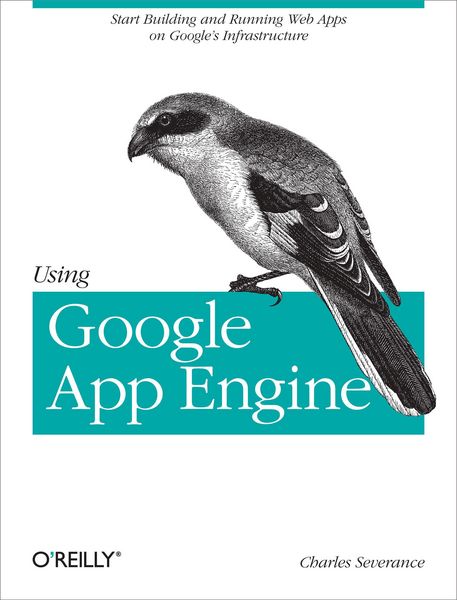
Produktbild: Using Google App Engine

Using Google App Engine Start Building and Running Web Apps on Google's Infrastructure

Fr. 45.90

inkl. gesetzl. MwSt., Versandkostenfrei


Beschreibung

Produktdetails

Einband

Taschenbuch

Erscheinungsdatum

16.06.2009

Verlag

O'Reilly Media

Seitenzahl

262

Maße (L/B/H)

23.2/17.9/1.7 cm

Gewicht

370 g

Sprache

Englisch

ISBN

978-0-596-80069-7

Beschreibung

Produktdetails

Einband

Taschenbuch

Erscheinungsdatum

16.06.2009

Verlag

O'Reilly Media

Seitenzahl

262

Maße (L/B/H)

23.2/17.9/1.7 cm

Gewicht

370 g

Sprache

Englisch

ISBN

978-0-596-80069-7

Herstelleradresse

Libri GmbH
Europaallee 1
36244 Bad Hersfeld
DE

Email: gpsr@libri.de

Kundinnen und Kunden meinen

0 Bewertungen

Informationen zu Bewertungen

Zur Abgabe einer Bewertung ist eine Anmeldung im Konto notwendig. Die Authentizität der Bewertungen wird von uns nicht überprüft. Wir behalten uns vor, Bewertungstexte, die unseren Richtlinien widersprechen, entsprechend zu kürzen oder zu löschen.

Die Bewertungen sind nach Format, Anzahl Sterne und Datum sortiert.

Verfassen Sie die erste Bewertung zu diesem Artikel

Helfen Sie anderen Kund*innen durch Ihre Meinung

Kundinnen und Kunden meinen

0 Bewertungen filtern

Die Leseprobe wird geladen.
  • Produktbild: Using Google App Engine
  • Inhaltsverzeichnis

    * Preface

    * Who Should Read This Book?

    * What’s in This Book?

    * Teaching with This Book

    * Conventions Used in This Book

    * Using Code Examples

    * Safari® Books Online

    * Comments and Questions

    * Acknowledgments

    * Chapter 1Programming on the Web

    * The Request/Response Cycle

    * What Is Google App Engine?

    * What Is a “Cloud”?

    * Why Did Google Build App Engine and Give It Away for

    Free?

    * What Is the Google Infrastructure Cloud?

    * Enter the Application Engine

    * Your Application Must Be a Good Citizen in the Google

    Cloud

    * How the Cloud Runs Your Application

    * Why You Really Want to Run in the Cloud

    * The Simplest App Engine Application

    * Summary

    * Exercises

    * Chapter 2HTML and CSS

    * A Brief History of HTML and CSS

    * HyperText Markup Language (HTML)

    * A Well-Formed HTML Document

    * Validating Your HTML

    * HyperText Links (Anchor Tags)

    * Multiple Files

    * Lists in HTML

    * Specifying Styles Using CSS

    * Exerting More Control over Markup

    * Building the Navigation Menu

    * Summary

    * Exercises

    * Chapter 3Python

    * What Is Programming?

    * About Python

    * The Essence of Programming

    * Conditional Steps: A Number-Guessing Web Application

    * Object-Oriented Python

    * The Tao of Programming

    * Summary

    * Exercises

    * Chapter 4Sending Data to Your Application

    * Making an HTTP Request

    * Hacking the HTTP Protocol

    * The HTTP Protocol Standards

    * Watching HTTP in Action

    * HTML: Building a Form

    * Sending Form Data to the Server Using POST

    * Handling Form Data in the App Engine Server

    * Sending Form Data to the Server Using GET

    * App Engine Log

    * Looking at All the Data Available on an HTTP Request

    * Advanced: Multipart POST Data with File Upload

    * Summary

    * Exercises

    * Chapter 5The App Engine webapp Framework

    * A Trivial App Engine Application

    * An Equivalent Trivial webapp Application

    * The Handler Callback Pattern

    * Looking at the Handler Code

    * What Is “self” and Why Is It There?

    * Number Guessing Using the webapp Framework

    * Web Server Logs

    * Summary

    * Exercises

    * Chapter 6Templates

    * Template Syntax

    * Using the Templates from Python

    * The Number-Guessing Game Using Templates

    * Abstraction and Separation of Concerns: “Model View

    Controller”

    * Building a Multiscreen Application

    * Static Files in App Engine

    * Generalizing Template Lookup with Multiple Templates

    * Extending Base Templates

    * Conditional Processing Templates

    * Extending Our Application

    * Syntax Errors

    * More on Templates

    * Summary

    * Exercises

    * Chapter 7Cookies and Sessions

    * HTTP Cookies

    * Logging In and Logging Out Using Sessions

    * Installing the Simple Session Utility

    * Using the Session to Mark Login and Logout

    * Changing the User Interface for a Logged-In User

    * Summary

    * Exercises

    * Chapter 8App Engine Datastore

    * The Model-View-Controller Pattern

    * Looking Through the Datastore

    * Terminology: Different Types of Keys

    * References Between Data Models

    * Summary

    * Exercises

    * Chapter 9JavaScript, jQuery, and AJAX

    * jQuery

    * Create a View of the Chat Messages in HTML

    * Asynchronously Updating a Using AJAX

    * Summary

    * Exercises

    * Chapter 10Running Your Application on the Google Infrastructure

    * Application Engine Accounts

    * Creating an Application on App Engine

    * Logs, Statistics, and Other Features

    * Collaboration on Applications

    * Summary

    * Exercises

    * Chapter 11Memory Cache

    * The Rules of Memory Cache

    * Using the Memory Cache

    * Using the Application Console to Examine Memory Cache

    * Using a Memory Cache in Your Application

    * Building a Session Store Using Memory Cache

    * Sessions and Memory Cache

    * Summary

    * Exercises

    * Installing and Running Google App Engine on Windows XP

    * Download and Install

    * Making Your First Application

    * Dealing with Errors

    * Shutting Down the Server

    * Installing and Running Google App Engine on Windows Vista

    * Download and Install

    * Making Your First Application

    * Dealing with Errors

    * Shutting Down the Server

    * Installing and Running Google App Engine on a Macintosh

    System

    * Download and Install

    * Making Your First Application

    * Dealing with Errors

    * Shutting Down the Server

    * Installing and Running Google App Engine on a Linux System

    * Checking for Python

    * Download and Install

    * Making Your First Application

    * Dealing with Errors

    * Shutting Down the Server

    * Colophon