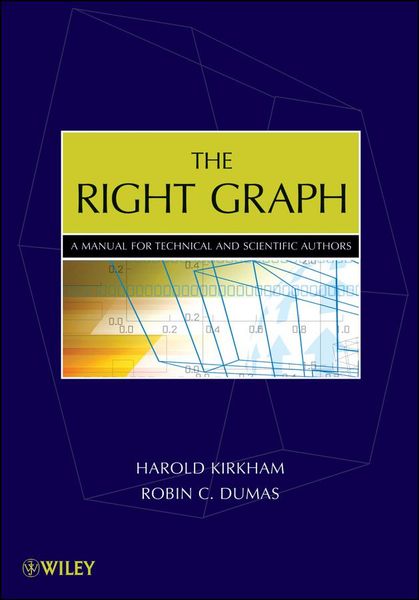
Produktbild: The Right Graph

The Right Graph A Manual for Technical and Scientific Authors

Fr. 129.00

inkl. gesetzl. MwSt., Versandkostenfrei


Beschreibung

Produktdetails

Einband

Taschenbuch

Erscheinungsdatum

01.08.2009

Verlag

John Wiley & Sons Inc

Seitenzahl

392

Maße (L/B/H)

25.5/17.7/2.7 cm

Gewicht

680 g

Auflage

1. Auflage

Sprache

Englisch

ISBN

978-0-470-40547-5

Beschreibung

Produktdetails

Einband

Taschenbuch

Erscheinungsdatum

01.08.2009

Verlag

John Wiley & Sons Inc

Seitenzahl

392

Maße (L/B/H)

25.5/17.7/2.7 cm

Gewicht

680 g

Auflage

1. Auflage

Sprache

Englisch

ISBN

978-0-470-40547-5

Herstelleradresse

Libri GmbH
Europaallee 1
36244 Bad Hersfeld
DE

Email: gpsr@libri.de

Kundinnen und Kunden meinen

0 Bewertungen

Informationen zu Bewertungen

Zur Abgabe einer Bewertung ist eine Anmeldung im Konto notwendig. Die Authentizität der Bewertungen wird von uns nicht überprüft. Wir behalten uns vor, Bewertungstexte, die unseren Richtlinien widersprechen, entsprechend zu kürzen oder zu löschen.

Die Bewertungen sind nach Format, Anzahl Sterne und Datum sortiert.

Verfassen Sie die erste Bewertung zu diesem Artikel

Helfen Sie anderen Kund*innen durch Ihre Meinung

Kundinnen und Kunden meinen

0 Bewertungen filtern

  • Produktbild: The Right Graph
  • Preface, ix

    1 Basics, 1

    What the Book Is About, 1

    Some Basics, 2

    Definitions, 3

    Guidelines, 5

    Summary, 31

    Exercises, 32

    2 Which Kind of Graph?, 35

    Choosing a Graph, 37

    Trend Plot, 37

    Stacked Trend, 40

    Pie Chart, 42

    Histogram and Bar Chart, 44

    Scatter Graphs, 48

    Showing Linearity, 50

    Regressions, 52

    Other Graphs, 54

    Summary, 60

    Exercises, 61

    3 Connecting the Dots, 63

    Example 1: Grouped Results, 66

    Example 2a: Different Parameters, 68

    Example 2b: Different Parameters, 70

    Example 3: Missing Data, 70

    Example 4: ATrend in Time, 72

    Example 5: Interaction with the Axis, 74

    Example 6: Histograms in All

    But Name, 75

    Example 7: Increasing Resolution, 77

    Example 8: Showing Noise, 78

    Example 9: Leader Lines, 80

    Summary, 81

    Exercises, 82

    4 The Nondata Parts of the Graph, 85

    Axes, 92

    Captions, 97

    Callouts, 100

    Summary, 105

    Exercises, 106

    5 Getting the Most Out of Your Software, 109

    Keyboard Shortcuts, 110

    Drawing Shortcuts, 111

    Line Shortcuts, 112

    Object Shortcuts, 115

    Lining Things Up, 119

    Snap-to-Grid is Your Friend (or Not), 122

    Saving Work by Copying, 122

    Layout Basics, 130

    Inserting Graphics into Microsoft Word, 135

    The Trick for Word, 136

    Inserting Graphics into

    WordPerfect, 139

    Summary, 141

    Exercises, 143

    6 Presentations or How to Succeed in Business, 145

    Purpose or Objective, 147

    Structure and Outline, 148

    Using a Summary, 148

    Storyboard, 149

    Putting the Presentation Together, 155

    Rules for Slides, 155

    Backgrounds, 163

    Putting the Software to Use, 166

    Starting the Talk, 167

    The Body of the Talk, 168

    Finishing the Talk, 170

    Etiquette, 171

    Summary, 171

    Exercises, 172

    7 An Introduction to Spreadsheets, 175

    Getting the Numbers, 176

    Scope of the Remaining Spreadsheet Chapters, 177

    Time Axes, 178

    Summary, 179

    8 Using Spreadsheets: Excel, 181

    Bar Charts, 181

    Histograms, 189

    Pie Charts, 191

    Scatter Graphs, 192

    Multiple Series, 196

    A Complicated Example, 200

    Inserting Data, 203

    Floating Bars, 204

    Multiple Type: Combining Trend and Histogram, 205

    Summary, 207

    Exercises, 208

    9 Using Spreadsheets: QuattroPro, 211

    Bar Charts, 211

    Histograms, 217

    Pie Charts, 219

    Scatter Graphs, 221

    Multiple Series, 226

    A Complicated Example, 229

    Inserting Data, 232

    Floating Bars, 233

    Multiple Type: Combining Trend and Histogram, 235

    Summary, 239

    Exercises, 240

    10 Fixes Using Graphics Programs, 241

    Getting the Graph into a Graphics Program, 241

    Maintaining Relationships, 243

    Fixing a Pie Chart, 249

    Some Excel/PowerPoint Tips, 251

    Some QuattroPro/Presentations Tips, 252

    Data Manipulation: The Carbon Dioxide Data, 253

    Scanning and Tracing, 259

    Tracing Example 1: Electron Velocity, 261

    Tracing Example 2: Rainfall and Audible Noise, 272

    Tracing Example 3: Investment Comparison, 274

    Summary, 276

    Exercises, 277

    11 Something Beginning with "P", 279

    Perspective, 279

    Perspective: The Technical Approach, 283

    Perspective: The Nontechnical Approach, 291

    Perspective: The Z Dimension, 293

    Patent Drawings, 294

    Basic Principles, 295

    What Must Be in Your Drawing, 295

    Peculiarities of Patent Drawings, 295

    Summary, 297

    Exercises, 298

    12 File Formats and Conversions, 299

    Conversion Problems, 299

    Two Questions, 300

    File Varieties, 301

    Back to the Two Questions, 305

    A File Taxonomy, 306

    A Sample File Format, 306

    Some Real Formats: A Quick Look, 309

    Filters, 311

    Summary, 316

    Exercises, 317

    13 Style Matters, 319

    Developing Your Own Style, 320

    Some (General) Alternatives, 323

    Your Options, 327

    Adapting Somebody Else's Style, 327

    Some Advice, 329

    Summary, 329

    Exercises, 330

    14 Case Studies, 333

    Case Study Number 1: Voltage Regulator, 333

    Case Study Number 2: Baseball Performances, 334

    Case Study Number 3: Amplifier Performance, 336

    Case Study Number 4: Radio Communication in Ice, 338

    Case Study Number 5: Nucleotides in DNA, 343

    Case Study Number 6: The Graph Behind the MMR--Autism

    Controversy, 347

    Summary, 356

    Exercises, 357

    15 Summaries, 359

    Chapter 1: Basics, 359

    Chapter 2: Which Kind of Graph? 360

    Chapter 3: Connecting the Dots, 361

    Chapter 4: The Nondata Parts of the Graph, 362

    Chapter 5: Getting the Most Out of Your Software, 363

    Chapter 6: Presentations or How to Succeed in Business, 364

    Chapter 7: An Introduction to Spreadsheets, 365

    Chapter 8: Using Spreadsheets: Excel, 366

    Chapter 9: Using Spreadsheets: QuattroPro, 368

    Chapter 10: Fixes Using Graphics Programs, 369

    Chapter 11: Something Beginning with "P", 370

    Chapter 12: File Formats and Conversions, 371

    Chapter 13: Style Matters, 372

    Chapter 14: Case Studies, 373

    Index, 375