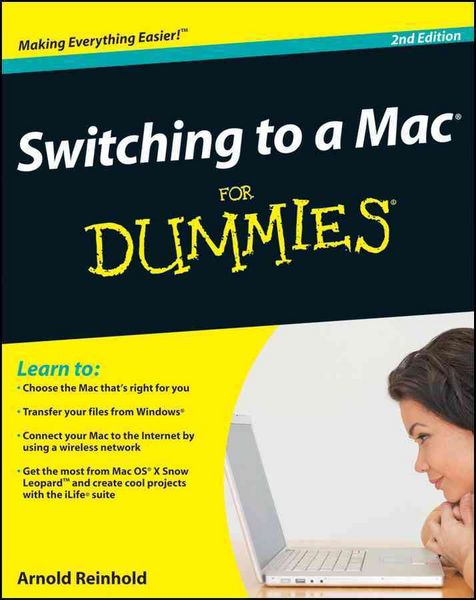
Switching to a Mac For Dummies
-
- Taschenbuch ausgewählt
- eBook
-
Sprache:Englisch
-
Verlag:Wiley
- Wiley Fr. 31.90 ausgewählt
- John Wiley & Sons Inc Fr. 39.90
-
Auflage:2. Auflage
- 2. Auflage Fr. 31.90 ausgewählt
- 1. Auflage Fr. 27.90
Fr. 31.90
inkl. gesetzl. MwSt.,
Beschreibung
Produktdetails
Einband
Taschenbuch
Erscheinungsdatum
September 2009
Verlag
WileySeitenzahl
408
Maße (L/B/H)
2.7/19/23.5 cm
Gewicht
607 g
Auflage
2. Auflage
Sprache
Englisch
ISBN
978-0-470-46661-2
Switch to a Mac with ease using this practical, humorous guide
Want to try life outside of Windows? You've come to the right place. Users are switching from PCs to Macs in droves, and now you can, too, with this helpful guide.
In a fun, but practical way, the book walks you through the entire process-hardware and software-including selecting a Mac, moving files, setting up security, and getting the most out of all the fun stuff that makes Macs famous, such as the iLife suite, and more.
This book is fully updated for the new generation of Mac hardware and software, including Mac OS X Snow Leopard, the iLife suite, and the latest trends and tools
Explore running Windows on your Mac via Boot Camp, how to switch your applications, converting your business to a Mac, getting online, and more
Plus, you don't even have to give up Microsoft Office, thanks to Microsoft Office for Mac-so get this indispensable book and join the fun! Making Everything Easier!
Switching to a Mac(r) for Dummies
2nd Edition
Learn to:
Choose the Mac that's right for you
Transfer your files from Windows(r)
Connect your Mac to the Internet by using a wireless network
Get the most from Mac OS(r) X Snow Leopard and create cool projects with the iLife(r) suite
Arnold Reinhold
Switching is almost as easy as using a Mac, and we'll guide you all the way!
So you've decided to join the more intuitive, less virus-prone world of the Mac? Congratulations! This book tells you what to expect, how to choose a Mac (if you haven't already), and how to make the switch a breeze. Discover all the cool preloaded software, how to make your Mac talk to your iPhone and iPod(r), and how to work the Mac way.
Meet the family - compare MacBooks and the Mac mini, iMac(r), and Mac Pro
I'm a Mac, and you're leaving a PC - see what's alike and what's different, and learn to use Apple menus and the Finder
Can I keep it? - find out what peripherals will still work with your Mac
Moving day - transfer your files, address book, and content stored on other media
Get connected - set up your Internet service and e-mail application, and connect to your printer and other peripherals
iLove all these apps - play, buy, and organize music with iTunes(r); edit, sort, and share photos with iPhoto(r); make movies with iMovie(r); and more
Safety first - learn what makes Macs safer and why strong passwords are still important
If you just can't say goodbye - see how to run Windows(r) on your Mac
Open the book and find:
How a Mac can simplify your life
Special advice for seniors and parents of young kids
Tips on keeping your Mac updated and secure
Ways to unleash your creativity with photos, audio, and video
How to configure your new Mac
Help with switching specialized software to your Mac
Mac networking instructions
How to get both WiFi and backup capability by using Time Capsule(r)
Want to try life outside of Windows? You've come to the right place. Users are switching from PCs to Macs in droves, and now you can, too, with this helpful guide.
In a fun, but practical way, the book walks you through the entire process-hardware and software-including selecting a Mac, moving files, setting up security, and getting the most out of all the fun stuff that makes Macs famous, such as the iLife suite, and more.
This book is fully updated for the new generation of Mac hardware and software, including Mac OS X Snow Leopard, the iLife suite, and the latest trends and tools
Explore running Windows on your Mac via Boot Camp, how to switch your applications, converting your business to a Mac, getting online, and more
Plus, you don't even have to give up Microsoft Office, thanks to Microsoft Office for Mac-so get this indispensable book and join the fun! Making Everything Easier!
Switching to a Mac(r) for Dummies
2nd Edition
Learn to:
Choose the Mac that's right for you
Transfer your files from Windows(r)
Connect your Mac to the Internet by using a wireless network
Get the most from Mac OS(r) X Snow Leopard and create cool projects with the iLife(r) suite
Arnold Reinhold
Switching is almost as easy as using a Mac, and we'll guide you all the way!
So you've decided to join the more intuitive, less virus-prone world of the Mac? Congratulations! This book tells you what to expect, how to choose a Mac (if you haven't already), and how to make the switch a breeze. Discover all the cool preloaded software, how to make your Mac talk to your iPhone and iPod(r), and how to work the Mac way.
Meet the family - compare MacBooks and the Mac mini, iMac(r), and Mac Pro
I'm a Mac, and you're leaving a PC - see what's alike and what's different, and learn to use Apple menus and the Finder
Can I keep it? - find out what peripherals will still work with your Mac
Moving day - transfer your files, address book, and content stored on other media
Get connected - set up your Internet service and e-mail application, and connect to your printer and other peripherals
iLove all these apps - play, buy, and organize music with iTunes(r); edit, sort, and share photos with iPhoto(r); make movies with iMovie(r); and more
Safety first - learn what makes Macs safer and why strong passwords are still important
If you just can't say goodbye - see how to run Windows(r) on your Mac
Open the book and find:
How a Mac can simplify your life
Special advice for seniors and parents of young kids
Tips on keeping your Mac updated and secure
Ways to unleash your creativity with photos, audio, and video
How to configure your new Mac
Help with switching specialized software to your Mac
Mac networking instructions
How to get both WiFi and backup capability by using Time Capsule(r)
Kundinnen und Kunden meinen
Verfassen Sie die erste Bewertung zu diesem Artikel
Helfen Sie anderen Kund*innen durch Ihre Meinung