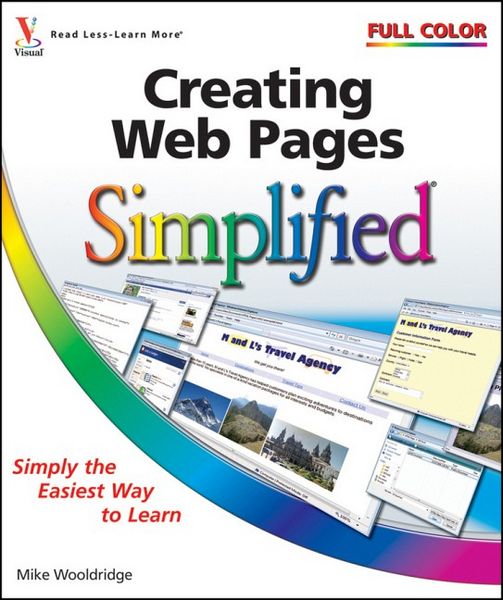
Creating Web Pages Simplified
-
- Taschenbuch ausgewählt
- eBook
-
Sprache:Englisch
-
Verlag:Wiley
- Wiley Fr. 31.90 ausgewählt
- John Wiley & Sons Inc Fr. 31.90
Fr. 31.90
inkl. gesetzl. MwSt.,
Beschreibung
Produktdetails
Einband
Taschenbuch
Erscheinungsdatum
Juni 2009
Verlag
WileySeitenzahl
304
Maße (L/B/H)
1.9/21.8/25.4 cm
Gewicht
889 g
Auflage
1. Auflage
Sprache
Englisch
ISBN
978-0-470-48192-9
The easiest way to learn how to create a Web page for your family or organization
Do you want to share photos and family lore with relatives far away? Have you been put in charge of communication for your neighborhood group or nonprofit organization? A Web page is the way to get the word out, and Creating Web Pages Simplified offers an easy, visual way to learn how to build one. Full-color illustrations and concise instructions take you through all phases of Web publishing, from laying out and formatting text to enlivening pages with graphics and animation.
This easy-to-follow visual guide shows you the building blocks of a Web page and how to work with images, create links and forms, generate dynamic content using JavaScript, use style sheets, and publish a page on the Web. You'll learn to use HTML, create simple yet attractive Web pages, and enhance them with frames, multimedia effects, links, and more.
Features full-color illustrations with step-by-step instructions
Covers everything you need to get started, including how to use HTML, how to lay out pages and format text, and how to add graphics and visual effects
Shows how to make your pages more interesting with animation and sound, add links to other sites, include e-mail addresses, and more
Includes a tear card with HTML tag references and a Web-safe color chart to keep handy as you build your pages
If you've ever thought about building a Web page, Creating Web Pages Simplified is simply the easiest way to make it happen. Are you new to computers? Does new technology make you nervous? Relax! You're holding in your hands the easiest guide ever to creating Web pages - a book that skips the long-winded explanations and shows you how things work. All you have to do is open the book and discover just how easy it is to get up to speed.
Learn to create a page using basic HTML
Add text, photos, logos, and clickable buttons
Build links into your pages
Control layout by using style sheets
Create forms so your visitors can contact you
Include multimedia and publish your pages
"Simplify It" sidebars offer real-world advice
Succinct explanations walk you through step by step
Full-color screen shots demonstrate each task
Self-contained, two-page lessons make learning a snap
Do you want to share photos and family lore with relatives far away? Have you been put in charge of communication for your neighborhood group or nonprofit organization? A Web page is the way to get the word out, and Creating Web Pages Simplified offers an easy, visual way to learn how to build one. Full-color illustrations and concise instructions take you through all phases of Web publishing, from laying out and formatting text to enlivening pages with graphics and animation.
This easy-to-follow visual guide shows you the building blocks of a Web page and how to work with images, create links and forms, generate dynamic content using JavaScript, use style sheets, and publish a page on the Web. You'll learn to use HTML, create simple yet attractive Web pages, and enhance them with frames, multimedia effects, links, and more.
Features full-color illustrations with step-by-step instructions
Covers everything you need to get started, including how to use HTML, how to lay out pages and format text, and how to add graphics and visual effects
Shows how to make your pages more interesting with animation and sound, add links to other sites, include e-mail addresses, and more
Includes a tear card with HTML tag references and a Web-safe color chart to keep handy as you build your pages
If you've ever thought about building a Web page, Creating Web Pages Simplified is simply the easiest way to make it happen. Are you new to computers? Does new technology make you nervous? Relax! You're holding in your hands the easiest guide ever to creating Web pages - a book that skips the long-winded explanations and shows you how things work. All you have to do is open the book and discover just how easy it is to get up to speed.
Learn to create a page using basic HTML
Add text, photos, logos, and clickable buttons
Build links into your pages
Control layout by using style sheets
Create forms so your visitors can contact you
Include multimedia and publish your pages
"Simplify It" sidebars offer real-world advice
Succinct explanations walk you through step by step
Full-color screen shots demonstrate each task
Self-contained, two-page lessons make learning a snap
Kundinnen und Kunden meinen
Verfassen Sie die erste Bewertung zu diesem Artikel
Helfen Sie anderen Kund*innen durch Ihre Meinung