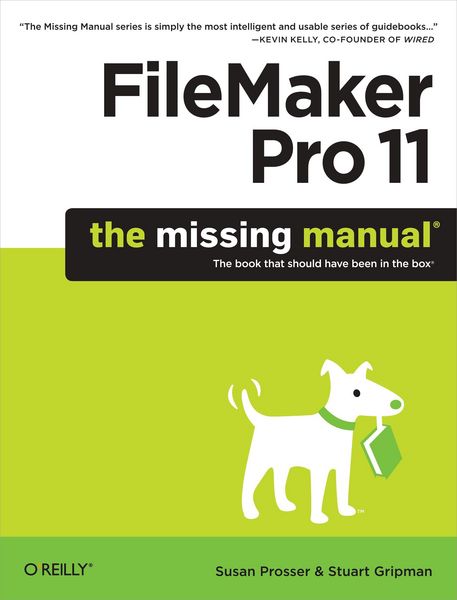
Produktbild: FileMaker Pro 11: The Missing Manual

FileMaker Pro 11: The Missing Manual The book that should have been in the box

Fr. 49.90

inkl. gesetzl. MwSt., Versandkostenfrei


Beschreibung

Produktdetails

Einband

Taschenbuch

Erscheinungsdatum

29.06.2010

Verlag

O'Reilly Media

Seitenzahl

608

Maße (L/B/H)

23.6/17.9/4.5 cm

Gewicht

1303 g

Sprache

Englisch

ISBN

978-1-4493-8259-9

Beschreibung

Produktdetails

Einband

Taschenbuch

Erscheinungsdatum

29.06.2010

Verlag

O'Reilly Media

Seitenzahl

608

Maße (L/B/H)

23.6/17.9/4.5 cm

Gewicht

1303 g

Sprache

Englisch

ISBN

978-1-4493-8259-9

Herstelleradresse

Libri GmbH
Europaallee 1
36244 Bad Hersfeld
DE

Email: gpsr@libri.de

Noch keine Bewertungen vorhanden

Verfassen Sie die erste Bewertung zu diesem Artikel

Helfen Sie anderen Kundinnen und Kunden durch Ihre Meinung.

Kundinnen und Kunden meinen

Bewertungen (0)

Die Leseprobe wird geladen.
  • Produktbild: FileMaker Pro 11: The Missing Manual
  • The Missing Credits; About the Authors; About the Creative Team; Acknowledgments; The Missing Manual Series; Introduction; Why FileMaker Pro?; What's New in FileMaker Pro 11; The Very Basics; About This Book; Part one: Getting Started with FileMaker; Chapter 1: Working with a Database; 1.1 A Very Quick Database Tour; 1.2 Opening and Closing Database Files; 1.3 Adding Data to Your Database; 1.4 Navigating Your Database; 1.5 Finding Records; 1.6 Sorting Records; 1.7 Same Database, Different Views; 1.8 Saving Your Database; 1.9 Using FileMaker's Help Menu; Chapter 2: Organizing and Editing Records; 2.1 Views; 2.2 Advanced Find Techniques; 2.3 Editing What's in Your Fields; 2.4 Changing Text Appearance; 2.5 Checking Spelling; 2.6 Preview Mode and Printing; Part two: Building Your First Database; Chapter 3: Creating a Custom Database; 3.1 Creating a New Database; 3.2 Creating and Managing Fields in Table View; 3.3 Understanding Layouts; 3.4 Customizing a Layout; 3.5 Creating a New Layout; 3.6 Arrange and Align Tools; Chapter 4: Adding Power to Your Database; 4.1 Creating a Simple Calculation; 4.2 Creating a Related Table; 4.3 Creating and Using Portals; 4.4 Using Tab Controls; 4.5 Adding Merge Fields; 4.6 Writing a Basic Script; 4.7 Creating a Dynamic Report with the Assistant; 4.8 Creating a Trailing Group Report; 4.9 Changing the Default Account; 4.10 Summing Up; Part three: Thinking Like a Developer; Chapter 5: Creating and Managing a Relational Database; 5.1 Understanding Relational Databases; 5.2 Modeling Your Database; 5.3 Creating a Relational Database; 5.4 Using Relational Database Power; 5.5 Lookups; 5.6 Reviewing Relationship Concepts; Chapter 6: Field Options; 6.1 Understanding Field Types; 6.2 Auto-Enter Field Options; 6.3 Validation Options; 6.4 Storage Options; 6.5 Beyond Text: Container Fields; Chapter 7: Layout Tools; 7.1 Layout Parts; 7.2 Layout Types; 7.3 The Inspector's Data Tab; 7.4 Advanced Field Controls; 7.5 Data Formatting; 7.6 Buttons; 7.7 Tab Order; 7.8 Merge Fields; 7.9 Merge Variables; 7.10 Tooltips; 7.11 Autoresizing; 7.12 Creating Layouts for Printing; Chapter 8: Understanding Calculations; 8.1 Understanding Calculations; 8.2 The Structure of a Calculation; 8.3 Using a Related Field in a Calculation; 8.4 Understanding the Specify Calculation Dialog Box; 8.5 Auto-Enter Calculations; 8.6 Validate Data Entry with a Calculation; 8.7 Replacing Data Using a Calculation; 8.8 Comments; Chapter 9: More Calculations and Data Types; 9.1 Number Crunching Calculations; 9.2 Going Beyond Basic Calculations; 9.3 Text Calculations; 9.4 Date and Time Calculations; 9.5 Containers in Calculations; Chapter 10: Understanding Scripts; 10.1 Understanding Scripts; 10.2 Your First Script; 10.3 Shortcuts to the Edit Script Window; 10.4 The Importance of the Layout; 10.5 Running Scripts; 10.6 Organizing Your Scripts; 10.7 Branching and Looping in Scripts; 10.8 Script Triggers; Chapter 11: Exploring Script Steps; 11.1 Go to Layout; 11.2 Go to Object; 11.3 Scripting for Fields; 11.4 Working with Records; 11.5 Finding Records; 11.6 Sorting Records; 11.7 Working with Windows; 11.8 Working with Files; 11.9 Printing; 11.10 Other Script Steps; Part four: Becoming a Power Developer; Chapter 12: Applying Developer Utilities; 12.1 Copying and Pasting Database Structure; 12.2 Script Debugger; 12.3 The Data Viewer; 12.4 Disable Script Steps; 12.5 The Database Design Report; 12.6 Custom Functions; 12.7 Custom Menus; 12.8 Developer Utilities; 12.9 File Maintenance; Chapter 13: Advanced Relationship Techniques; 13.1 Advanced Relationships; 13.2 Portal Filtering; 13.3 Understanding Table Occurrences; 13.4 Table Occurrence Groups; 13.5 Understanding Graph Arrangements; 13.6 Connecting Database Files; 13.7 Using Multiple Relationship Techniques; Chapter 14: Reporting and Analysis; 14.1 Summary Fields and Sub-summary Parts; 14.2 Web Viewer Objects; 14.3 Conditional Formatting; 14.4 Basic Charting (Found Set Charts); 14.5 Chart Formatting; 14.6 Charting and Reports; 14.7 Advanced Charting; Chapter 15: Advanced Calculations; 15.1 Understanding Boolean Functions; 15.2 Using Storage Options; 15.3 Logical Functions; 15.4 The Let() Function and Variables; 15.5 Recursion; 15.6 Plug-Ins; Chapter 16: Advanced Scripting; 16.1 Commenting Scripts; 16.2 Importing Scripts; 16.3 Communicating with Database Users; 16.4 Organizing Complex Scripts; 16.5 Script Parameters; 16.6 Script Variables; 16.7 Handling Errors; 16.8 Advanced Script Triggers; 16.9 Putting a Complex Script Together; Part five: Integration and Security; Chapter 17: Sharing Your Database; 17.1 FileMaker Network Sharing; 17.2 Sharing over the Internet; 17.3 FileMaker Server; 17.4 Server Hardware; Chapter 18: Adding Security; 18.1 How Security Works; 18.2 Privilege Sets; 18.3 Managing Accounts; 18.4 Extended Privileges; 18.5 Managing External File Access; 18.6 Scripts and Security; Chapter 19: Sharing Data with Other Systems; 19.1 Sharing Your Data with Others; 19.2 Snapshot Link; 19.3 External SQL Sources; 19.4 Exporting Data; 19.5 Importing Data; 19.6 Import Data Sources; 19.7 Importing and Exporting in a Script; Part six: Appendixes; Getting Help; Getting Help from FileMaker Pro; FileMaker's Installed Extras; The Quick Start Screen; Getting Help from the Community; FileMaker Error Codes;