Gutscheinbedingungen

*Gültig bis 05.07.2026 auf (fast) alles. Ausgeschlossen sind Smartboxen, Zeitschriften, Tickets, Lebensmittel, Gaming-Elektroartikel, Tinte/Toner, Gutscheine, Geschenkkarten, Blumen und Abos | Einlösbar in allen Buchhandlungen von Orell Füssli, Barth Bücher, Buchladen Rapunzel, Papeterie Köhler, Schuler Orell Füssli, Stauffacher und ZAP unter Vorweisung des Gutscheins, auf www.orellfüssli.ch durch Eingabe des Gutscheincodes. Beim Service „eBooks verschenken“ und bei eBook-Käufen via eReader nicht einlösbar | Mindesteinkaufswert: Fr. 30.- | Nicht mit anderen Rabatten kumulierbar.

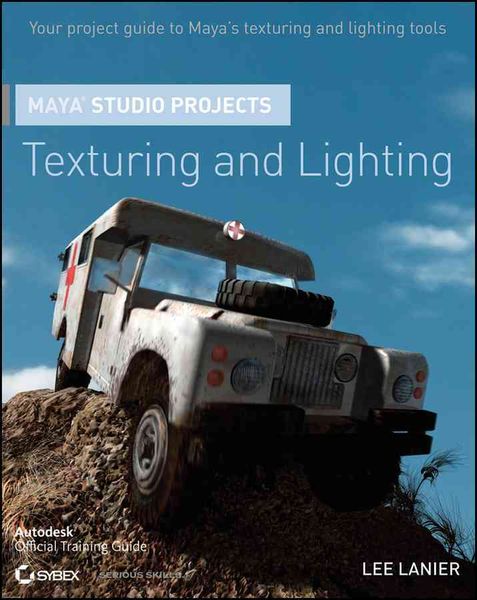
Produktbild: Maya Studio Projects Texturing

Maya Studio Projects Texturing Texturing and Lighting

Fr. 58.90

inkl. gesetzl. MwSt., Versandkostenfrei


Beschreibung

Produktdetails

Einband

Taschenbuch

Erscheinungsdatum

Mai 2011

Verlag

Sybex

Seitenzahl

240

Maße (L/B/H)

23.2/18.9/1.5 cm

Gewicht

545 g

Sprache

Englisch

ISBN

978-0-470-90327-8

Beschreibung

Produktdetails

Einband

Taschenbuch

Erscheinungsdatum

Mai 2011

Verlag

Sybex

Seitenzahl

240

Maße (L/B/H)

23.2/18.9/1.5 cm

Gewicht

545 g

Sprache

Englisch

ISBN

978-0-470-90327-8

Noch keine Bewertungen vorhanden

Verfassen Sie die erste Bewertung zu diesem Artikel

Helfen Sie anderen Kundinnen und Kunden durch Ihre Meinung.

Kundinnen und Kunden meinen

Bewertungen (0)

  • Produktbild: Maya Studio Projects Texturing
  • Introduction xiii Chapter 1: Texturing and Lighting a Product, Part 1 1 Project: Reviewing the Scene File 2 Material Types and Critical Attributes 4 Hypershade Functionality 8 Project: Assigning Materials 9 Lighting Techniques and Maya Light Types 12 Project: Creating Lights and Shadows 16 2D and 3D Procedural Textures 19 Project: Applying Textures 21 Scanline and Raytraced Rendering 31 Project: Raytracing Reflections 33 Chapter 2: Texturing and Lighting a Product, Part 2 35 Project: Accentuating the Logos 36 Batch Rendering 38 Project: Adding Strategic Fill Light 40 Project: Splitting Material Assignments 41 Project: Fine-Tuning the Shadow 43 Light Width 44 Project: Switching to mental ray 46 Anti-Aliasing Theory 47 Project: Blurring Reflections 52 The Final Gathering System 53 Project: Activating Final Gathering 54 Optimizing the Scene 59 Project: Creating the Final Render 60 Chapter 3: Texturing and Lighting a Character, Part 1 63 Project: Preparing the Scene 64 Project: Assigning Materials 67 1-, 2-, and 3-Point Lighting 68 Project: Roughing in the Lighting 72 Examining the UVs of NURBS Surfaces 75 Translucence 76 Project: Roughing in the Textures 76 Project: Creating a Custom Skin Bitmap 87 Project: Switching to mental ray 90 Chapter 4: Texturing and Lighting a Character, Part 2 93 Custom Connections in the Hypershade 94 Project: Adjusting the Skin-Shading Network 96 Project: Activating Image-Based Lighting 100 Project: Deactivating Shadows 104 Project: Addressing Texture Warp 105 Project: Fine-Tuning 108 Color Space and Monitor Calibration 112 Maya Color Profiles 115 Chapter 5: Texturing and Lighting a Vehicle, Part 1 119 Project: Preparing the Scene 120 UV Maps 123 Project: Assigning Materials 126 Project: Roughing in the Lighting 128 Project: Creating a Sky in Maya 131 Project: Roughing in the Textures 135 Displacement Maps 140 Project: Displacing the Hill 142 Paint Effects 143 Project: Painting Grass 144 Chapter 6: Texturing and Lighting a Vehicle, Part 2 147 Project: Completing the Texture Maps 148 Project: Refining the Materials 158 Motion Blur 163 Project: Adding Motion Blur 166 The Render Layer Editor 166 Project: Breaking the Scene into 170 Render Layers Project: Adding Reflectivity 172 Project: Creating the Final Render 174 Chapter 7: Texturing and Lighting an Environment, Part 1 177 Project: Preparing the Scene 178 mental ray Shaders 178 Project: Assigning Materials 181 Physical Sun and Sky and Portal Lights 182 Project: Setting Up the Skylights 183 Project: Adding Textures 187 Global Illumination 192 Project: Activating Global Illumination 194 Chapter 8: Texturing and Lighting an Environment, Part 2 197 Project: Preparing the Scene 198 Ambient Occlusion 198 Project: Adding Occlusion 198 Multirender Passes 200 Project: Creating Multirender Passes 202 Project: Fine-Tuning the Render 205 Stereoscopic 3D 206 Project: Setting Up a Stereoscopic Camera 208 Appendix: About the Companion DVD 211 What You'll Find on the DVD 212 System Requirements 212 Using the DVD 213 Troubleshooting 213 Customer Care 214 Index 215