• Produktbild: Graphics Programming in C++
  • Produktbild: Graphics Programming in C++

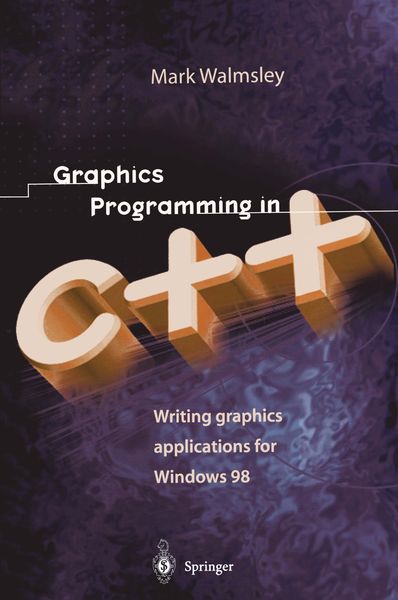
Graphics Programming in C++ Writing Graphics Applications for Windows 98

Fr. 73.90

inkl. gesetzl. MwSt., Versandkostenfrei


Beschreibung

Produktdetails

Einband

Taschenbuch

Erscheinungsdatum

27.09.2011

Verlag

Springer London

Seitenzahl

250

Maße (L/B/H)

23.5/15.5/1.5 cm

Gewicht

406 g

Auflage

Softcover reprint of the original 1st ed. 1998

Sprache

Englisch

ISBN

978-1-4471-1231-0

Beschreibung

Produktdetails

Einband

Taschenbuch

Erscheinungsdatum

27.09.2011

Verlag

Springer London

Seitenzahl

250

Maße (L/B/H)

23.5/15.5/1.5 cm

Gewicht

406 g

Auflage

Softcover reprint of the original 1st ed. 1998

Sprache

Englisch

ISBN

978-1-4471-1231-0

Herstelleradresse

Springer-Verlag KG
Sachsenplatz 4-6
1201 Wien
AT

Email: ProductSafety@springernature.com

Kundinnen und Kunden meinen

0 Bewertungen

Informationen zu Bewertungen

Zur Abgabe einer Bewertung ist eine Anmeldung im Konto notwendig. Die Authentizität der Bewertungen wird von uns nicht überprüft. Wir behalten uns vor, Bewertungstexte, die unseren Richtlinien widersprechen, entsprechend zu kürzen oder zu löschen.

Die Bewertungen sind nach Format, Anzahl Sterne und Datum sortiert.

Verfassen Sie die erste Bewertung zu diesem Artikel

Helfen Sie anderen Kund*innen durch Ihre Meinung

Kundinnen und Kunden meinen

0 Bewertungen filtern

  • Produktbild: Graphics Programming in C++
  • Produktbild: Graphics Programming in C++
  • 1. Message-Based Programming.- 1.1 Windows 98 Programming.- 1.2 Window Components.- 1.3 Message Queues.- 1.4 Window Callback Functions.- 1.5 The WinMain () Function.- 1.6 Windows 98 Messages.- 1.7 Some Important Messages.- 1.8 Summary.- 2. Window Management.- 2.1 Window Classes.- 2.2 Creating a Window.- 2.3 WinMain () Revisited.- 2.4 Message Handlers.- 2.5 The Hello Program.- 2.6 Windows 98 Program Framework.- 2.7 Summary.- 3. Object Orientation.- 3.1 Object Oriented Programming.- 3.2 The Manager Object.- 3.3 Windows and Objects.- 3.4 Message Boxes.- 3.5 Popup Menus.- 3.6 The VIEW Class.- 3.7 Summary.- 4. Pens and Brushes.- 4.1 Graphics Device Interface.- 4.2 GDI Objects.- 4.3 Windows 98 Coordinate Systems.- 4.4 GDI Drawing Functions.- 4.5 Tracking the Mouse.- 4.6 Summary.- 5. Bitmaps.- 5.1 Pixels and Colours.- 5.2 Windows 98 Resources.- 5.3 Displaying a Bitmap Resource.- 5.4 The DIB Class.- 5.5 Storing Images in Files.- 5.6 Summary.- 6. Palettes.- 6.1 Logical and System Palettes.- 6.2 Palette Messages.- 6.3 Creating a Palette.- 6.4 The PALETTE Class.- 6.5 Updating the DIB Class.- 6.6 Summary.- 7. Sprite Animation.- 7.1 The SPRITE Class.- 7.2 Animation.- 7.3 Flicker.- 7.4 Transparency.- 7.5 Threads.- 7.6 Summary.- 8. Wire-Frame Graphics.- 8.1 Polygon Worlds.- 8.2 The WORLD and SCENE Objects.- 8.3 Line Drawing.- 8.4 Line Clipping.- 8.5 Summary.- 9. Polygon-Fill Techniques.- 9.1 The GDI Approach.- 9.2 Polygon Outlines.- 9.3 Filling with a Solid Colour.- 9.4 Drawing 3D Images.- 9.5 Virtual World Chunks.- 9.6 Summary.- 10. Assembly Language Programming.- 10.1 Computer Basics.- 10.2 Updating the Message Loop.- 10.3 The 80x86 Registers.- 10.4 Data Transfer.- 10.5 Arithmetic and Logical Operations.- 10.6 Flow Control.- 10.7 Faster Polygon-Fill Routines.- 10.8 Program Stack.- 10.9 Summary.- 11. Mathematics of 3D Geometry.- 11.1 Vectors and Matrices.- 11.2 The VECTOR Class.- 11.3 Scalar Product.- 11.4 Vector Product.- 11.5 Triple Product.- 11.6 Lines and Planes.- 11.7 Summary.- 12. Projection of the Viewing Volume.- 12.1 Perspective Projections.- 12.2 The Viewing Volume.- 12.3 Taking a Snapshot.- 12.4 Projecting and Clipping.- 12.5 A Vanishing Cube.- 12.6 Summary.- 13. Hidden Pixel Removal.- 13.1 Constructing a Scene Image.- 13.2 The Painter’s Algorithm.- 13.3 Separating Planes.- 13.4 Binary Space Partitioning.- 13.5 Drawing in Reverse.- 13.6 Z-Buffers.- 13.7 Summary.- 14. Colour Shading and Textures.- 14.1 Lights and Surfaces.- 14.2 Shading Options.- 14.3 Texture Mapping.- 14.4 Implementation Optimizations.- 14.5 Depth Perception.- 14.6 Summary.- 15. In Motion.- 15.1 The Graphics Pipeline.- 15.2 Animating the Virtual World.- 15.3 Translations.- 15.4 Rotations.- 15.5 Transforming Coordinates.- 15.6 Summary.- Postscript.