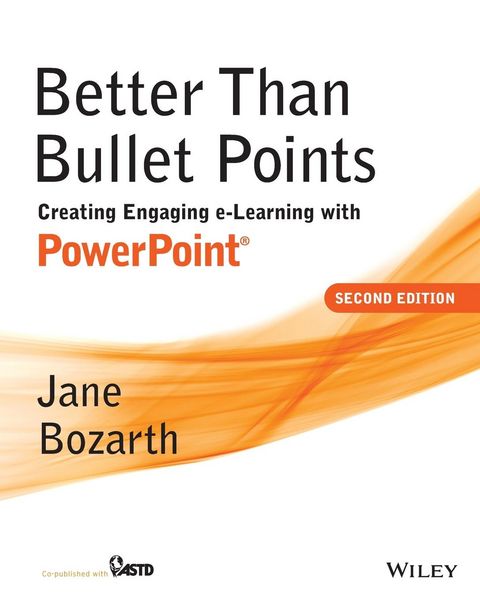
Better Than Bullet Points Creating Engaging e-Learning with PowerPoint
-
- Taschenbuch ausgewählt
- eBook
-
Sprache:Englisch
-
Verlag:John Wiley & Sons
- John Wiley & Sons Fr. 81.90 ausgewählt
- Pfeiffer Fr. 61.90
Fr. 81.90
inkl. gesetzl. MwSt.,
Beschreibung
Produktdetails
Einband
Taschenbuch
Erscheinungsdatum
03.09.2013
Verlag
John Wiley & SonsSeitenzahl
320
Maße (L/B/H)
25.4/20.3/1.7 cm
Gewicht
694 g
Auflage
2. Auflage
Sprache
Englisch
ISBN
978-1-118-67427-7
Featuring a complete update of the previous edition to reflect the new and expanded tools of PowerPoint 2013. By providing in-depth guidance, specific instructions, and helpful exercises, the book helps everyday trainers to create potent e-learning through the readily available popular desktop application. Established expert Jane Bozarth guides readers through the powerful new and updated features of the soon-to-be-released 2013 version, covering everything from text to art, animation to interactivity. If you have PowerPoint, this book will immediately put free real-world tools in your hands. Also features many online tools, including relevant technical design elements from older PowerPoint versions as well as a wealth of additional tools, templates, and examples.
SECTION ONE: FOUNDATIONS
Chapter One: Creating E-Learning with PowerPoint
Chapter Two: It's About Design, Not Software
SECTION TWO: INTERFACE AND CONTENT
Chapter Three: The Graphic User Interface and Course Architecture
Chapter Five: Creating and Editing Art
Chapter Six: Animation
Chapter Seven: Interactivity
Chapter Eight: Add-Ons, Blending, Performance Support, and Job Aids
Chapter Nine: Adding Narration and Multimedia
SECTION THREE: DELIVERY AND SUPPORT
Chapter Ten: Saving, Uploading, and Distributing
Appendix: PowerPoint Basics
References and Other Sources
Other Resources
SECTION ONE: FOUNDATIONS
Chapter One: Creating E-Learning with PowerPoint
Chapter Two: It's About Design, Not Software
SECTION TWO: INTERFACE AND CONTENT
Chapter Three: The Graphic User Interface and Course Architecture
Chapter Five: Creating and Editing Art
Chapter Six: Animation
Chapter Seven: Interactivity
Chapter Eight: Add-Ons, Blending, Performance Support, and Job Aids
Chapter Nine: Adding Narration and Multimedia
SECTION THREE: DELIVERY AND SUPPORT
Chapter Ten: Saving, Uploading, and Distributing
Appendix: PowerPoint Basics
References and Other Sources
Other Resources
Kundinnen und Kunden meinen
Verfassen Sie die erste Bewertung zu diesem Artikel
Helfen Sie anderen Kund*innen durch Ihre Meinung