• Produktbild: Mathematica Graphics
  • Produktbild: Mathematica Graphics

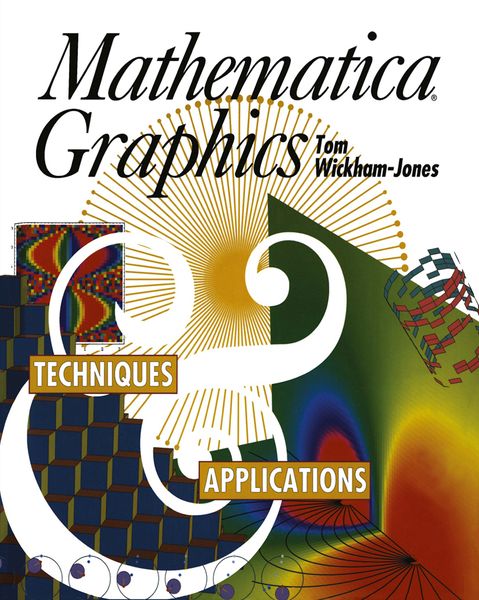
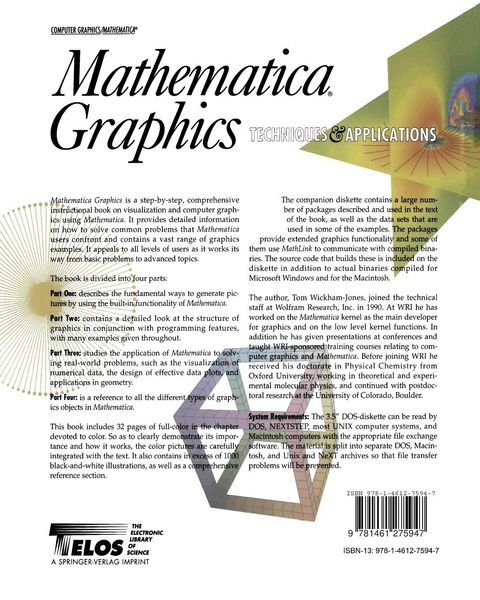
Mathematica Graphics Techniques & Applications

Fr. 72.90

inkl. gesetzl. MwSt., Versandkostenfrei


Beschreibung

Produktdetails

Einband

Taschenbuch

Erscheinungsdatum

30.09.2011

Verlag

Springer Us

Seitenzahl

721

Maße (L/B/H)

25.4/20.3/4 cm

Gewicht

1558 g

Auflage

Softcover reprint of the original 1st ed. 1994

Sprache

Englisch

ISBN

978-1-4612-7594-7

Beschreibung

Rezension

"The book accomplishes its objectives completely. The presentation of the ideas and instructions is clear, and the examples fully illustrate the system's capabilities." - Computing Reviews

Produktdetails

Einband

Taschenbuch

Erscheinungsdatum

30.09.2011

Verlag

Springer Us

Seitenzahl

721

Maße (L/B/H)

25.4/20.3/4 cm

Gewicht

1558 g

Auflage

Softcover reprint of the original 1st ed. 1994

Sprache

Englisch

ISBN

978-1-4612-7594-7

Herstelleradresse

Springer-Verlag GmbH
Tiergartenstr. 17
69121 Heidelberg
DE

Email: ProductSafety@springernature.com

Kundinnen und Kunden meinen

0 Bewertungen

Informationen zu Bewertungen

Zur Abgabe einer Bewertung ist eine Anmeldung im Konto notwendig. Die Authentizität der Bewertungen wird von uns nicht überprüft. Wir behalten uns vor, Bewertungstexte, die unseren Richtlinien widersprechen, entsprechend zu kürzen oder zu löschen.

Die Bewertungen sind nach Format, Anzahl Sterne und Datum sortiert.

Verfassen Sie die erste Bewertung zu diesem Artikel

Helfen Sie anderen Kund*innen durch Ihre Meinung

Kundinnen und Kunden meinen

0 Bewertungen filtern

  • Produktbild: Mathematica Graphics
  • Produktbild: Mathematica Graphics
  • I The Built-in Functions.- 1. Introduction to Mathematica.- 1.1 Basic Input and Output.- 1.2 Mathematica Expressions.- 1.3 Different Interfaces to Mathematica.- 1.4 Learning More about Mathematica.- 2. A Tour of Plotting.- 2.1 Function Plotting.- 2.2 Data Plotting.- 2.3 Mathematica Graphics Objects.- 2.4 GraphicsArray.- 2.5 Advanced Function Plotting.- 2.6 Summary.- 3. Graphics Options.- 3.1 Using Mathematica Options.- 3.2 Two-Dimensional Graphics Options.- 3.3 Graphics Commands.- 3.4 Three-Dimensional Graphics Options.- 3.5 Contour Plots.- 3.6 Density Plots.- 3.7 Summary.- 4. Interfacing with the Rest of Mathematica.- 4.1 Importing and Manipulating Data.- 4.2 Saving and Restoring a Graphics Object.- 4.3 Numerical Functions.- 4.4 Mathematica Graphics Packages.- 4.5 Summary.- 5. Animating Graphics.- 5.1 Animation Methods.- 5.2 The Animation Package.- 5.3 Summary.- 6. The Mathematica Front End.- 6.1 Notebook Front Ends.- 6.2 Printing.- 6.3 Animation.- 6.4 Saving and Restoring Notebooks.- 6.5 Displaying and Copying Coordinates.- 6.6 The Three-Dimensional ViewPoint Selector.- 6.7 Non-Notebook Front Ends.- II Graphics Programming.- 7. Mathematica Programming.- 7.1 Defining a New Function.- 7.2 Replacement Rules.- 7.3 Pure Functions.- 7.4 High-Level Mathematica Functions.- 7.5 Summary.- 8. Two-Dimensional Graphical Primitives.- 8.1 Primitives.- 8.2 Style Directives.- 8.3 Rectangle.- 8.4 Text.- 8.5 Summary.- 9. Three-Dimensional Graphical Primitives.- 9.1 Primitives.- 9.2 Style Directives.- 9.3 Polygon Triangulation.- 9.4 Three-Dimensional Realism.- 9.5 Summary.- 10. Coordinate Systems.- 10.1 Two Dimensions.- 10.2 The Transformation in Two Dimensions.- 10.3 Three Dimensions.- 10.4 The Transformation in Three Dimensions.- 10.5 Summary.- 11. Color.- 11.1 Style Directives.- 11.2 Function Evaluation.- 11.3 Lighting.- 11.4 Color Output.- 11.5 Summary.- 12. Combining and Converting Graphics.- 12.1 Combining Objects with Show.- 12.2 How Objects Are Converted.- 12.3 Surface, Contour, and Density Plots.- 12.4 Summary.- 13. Programming Examples.- 13.1 Avoiding Asymptotes in Plot.- 13.2 Plotting Smooth Contours.- 13.3 Constraining Contour Plots.- 13.4 Choosing Tick Mark Positions.- 13.5 Setting the Style of Tick Marks.- 13.6 Adding Labels to a Plot.- 13.7 Defining a New Graphics Object.- 13.8 Forming Contour Lines in Three Dimensions.- 13.9 Using Three-Dimensional Symbols.- 13.10 MathLink and Fractal Images.- 13.11 Summary.- III Applications in Visualization and Computer Graphics.- 14. The Design of Effective Graphics.- 14.1 The Basic Graph of Data.- 14.2 Changing the Style.- 14.3 Adding Lines to Organize the Data.- 14.4 Changing the Shape.- 14.5 Advanced Labeling Features.- 14.6 Multiple Data Sets.- 14.7 Rescaling the Data.- 14.8 The Bar Chart.- 14.9 The Pie Chart.- 14.10 Primitive Styles and Summary.- 15. Labeling Contour Plots.- 15.1 Labeling Contour Lines.- 15.2 Labeling ContourPlots with a Legend.- 15.3 Labeling in Version 2.2 Mathematica.- 15.4 Automatic Placement of Labels.- 15.5 Summary.- 16. Two-Dimensional Geometry.- 16.1 Basic Geometric Objects.- 16.2 Geometric Transformations.- 16.3 Geometric Results.- 16.4 Computational Geometry.- 16.5 Summary.- 17. Three-Dimensional Geometry.- 17.1 Basic Geometric Objects.- 17.2 Geometric Transformations.- 17.3 Geometric Results.- 17.4 Projection and Embedding.- 17.5 Clipping.- 17.6 Polygon Triangulation.- 17.7 Extruding Solids.- 17.8 Summary.- 18. Visualizing Numeric Data.- 18.1 One-Dimensional Data.- 18.2 Two-Dimensional Data.- 18.3 Three-Dimensional Data.- 18.4 Triangulation and Resampling.- 18.5 Summary of Three-Dimensional Visualization.- 18.6 Four-Dimensional Data.- 18.7 Multidimensional Data.- 18.8 Summary.- 19. Visualizing Vectors.- 19.1 Two-Dimensional Vectors.- 19.2 Flow around an Object.- 19.3 Three-Dimensional Vectors.- 19.4 Field Lines.- 19.5 Summary.- IV A Reference to Graphics in Mathematica.- 20. Graphics Reference.- 20.1 Basic Structure.- 20.2 Primitives.- 20.3 Style Directives.- 20.4 Graphics Options.- 20.5 Generating Graphics Objects.- 21. Graphics3D Reference.- 21.1 Basic Structure.- 21.2 Primitives.- 21.3 Style Directives.- 21.4 Graphics3D Options.- 21.5 Generating Graphics3D Objects.- 21.6 Converting Graphics3D Objects.- 22. SurfaceGraphics Reference.- 22.1 Basic Structure.- 22.2 SurfaceGraphics Options.- 22.3 Generating SurfaceGraphics Objects.- 22.4 Converting SurfaceGraphics Objects.- 23. ContourGraphics Reference.- 23.1 Basic Structure.- 23.2 ContourGraphics Options.- 23.3 Generating ContourGraphics Objects.- 23.4 Converting ContourGraphics Objects.- 24. DensityGraphics Reference.- 24.1 Basic Structure.- 24.2 DensityGraphics Options.- 24.3 Generating DensityGraphics Objects.- 24.4 Converting DensityGraphics Objects.- 25. GraphicsArray Reference.- 25.1 Basic Structure.- 25.2 GraphicsArray Options.- 26. Rendering and Exporting Graphics.- 26.1 Show.- 26.2 Display.- 26.3 Notebook Graphics Formats.- 26.4 Exporting Graphics: The Notebook Front End.- 26.5 Exporting Graphics: The Kernel.- Appendix A.1 ExtendGraphics Installation.- Appendix A.2 ExtendGraphics Reference.- Appendix A.3 Loading Mathematica Packages.