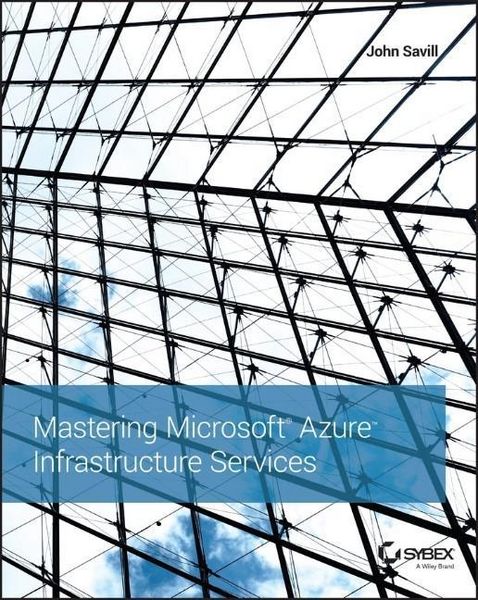
Produktbild: Mastering Microsoft Azure Infrastructure Services

Mastering Microsoft Azure Infrastructure Services

Fr. 79.90

inkl. gesetzl. MwSt., Versandkostenfrei


Beschreibung

Produktdetails

Einband

Taschenbuch

Erscheinungsdatum

10.04.2015

Abbildungen

mit Illustrationen

Verlag

John Wiley & Sons Inc

Seitenzahl

384

Maße (L/B/H)

23.7/18.7/2.4 cm

Gewicht

526 g

Auflage

1. Auflage

Sprache

Englisch

ISBN

978-1-119-00327-4

Beschreibung

Produktdetails

Einband

Taschenbuch

Erscheinungsdatum

10.04.2015

Abbildungen

mit Illustrationen

Verlag

John Wiley & Sons Inc

Seitenzahl

384

Maße (L/B/H)

23.7/18.7/2.4 cm

Gewicht

526 g

Auflage

1. Auflage

Sprache

Englisch

ISBN

978-1-119-00327-4

Noch keine Bewertungen vorhanden

Verfassen Sie die erste Bewertung zu diesem Artikel

Helfen Sie anderen Kundinnen und Kunden durch Ihre Meinung.

Kundinnen und Kunden meinen

Bewertungen (0)

Die Leseprobe wird geladen.
  • Produktbild: Mastering Microsoft Azure Infrastructure Services
  • Introduction xvii

    Chapter 1 The Cloud and Microsoft Azure 101 1

    Understanding the Cloud (or Why Everyone Should Play Titanfall) 1

    Introducing the Cloud 2

    Microsoft Azure 101 11

    Microsoft Azure Compute 12

    Microsoft Azure Data Services 14

    Microsoft Azure App Services 15

    Reliable vs. Best-Effort IaaS 16

    Getting Access to Microsoft Azure 17

    Free Azure Trials and Pay-as-You-Go 18

    Azure Benefits from MSDN Subscriptions 19

    Azure Open Licensing 21

    Enterprise Enrollments for Azure 21

    Increasing Azure Limits 25

    The Bottom Line 26

    Chapter 2 When to Use IaaS: Cost and Options 29

    Understanding Why an Organization Wants IaaS in the Public Cloud 29

    On-premises Costs 30

    Azure Costs 32

    Comparing the Costs and Evaluating Solutions 33

    Understanding Costs, Options, and Licensing 35

    Creating VMs in Azure 41

    Using the Legacy Azure Portal 41

    Using the Preview Azure Portal 47

    Other Ways to Interact with Azure 54

    Azure IaaS-Supported Configurations 57

    Understanding Azure Architecture 61

    Azure Regions 61

    Server Structure in Azure 63

    The Bottom Line 64

    Chapter 3 Customizing VM Storage 65

    Basic Virtual Machine Storage 65

    Understanding Types of VM Storage 65

    Using Storage Accounts and Types of Replication 74

    Caching in Azure Storage 79

    Large and High-Performance Volumes 80

    Using Disks and Images 84

    Leveraging Azure Files 85

    Azure Storage 101 86

    Azure Storage Architecture 87

    Interacting with Azure Storage .88

    Performing a Bulk Import/Export 91

    Understanding StorSimple 91

    The Bottom Line 93

    Chapter 4 Enabling External Connectivity 95

    Cloud Services 95

    Cloud Service Basics 95

    Using a Virtual IP 102

    Dynamic IP Addresses 106

    Using Endpoints and Load Balancing 109

    Endpoint Basics 110

    Creating Endpoints 112

    Deleting Endpoints 114

    Endpoint Access Control Lists 115

    Instance-Level IP Addresses 116

    Load-Balanced Sets 117

    Internal Load-Balanced Sets 120

    The Bottom Line 122

    Chapter 5 Using Virtual Networks 123

    Virtual Network Basics 123

    A Very Brief History of the Affinity Group 123

    Virtual Networks 101 125

    Creating a Virtual Network 127

    Adding a VM to a Virtual Network 131

    Reserved IP for VM 134

    Configuring DNS 136

    Using Multiple Network Adapters 137

    Network Security Groups 138

    The Bottom Line 142

    Chapter 6 Enabling On-Premises Connectivity 143

    Using S2S Virtual Private Networks 143

    S2S VPN Basics 143

    Creating an S2S Gateway 146

    Azure Gateway Internals and Maximum Speed 152

    Enabling a High-Performance VPN Gateway 155

    Using Forced Tunneling 156

    Connecting a Virtual Network to Multiple On-Premises Gateways 158

    Virtual Network-to-Virtual Network Connectivity 160

    Using Point-to-Site Virtual Private Networking 162

    Using ExpressRoute 164

    ExpressRoute Fundamentals 164

    Using an ExpressRoute Exchange Provider 164

    Using an ExpressRoute Network Service Provider 166

    ExpressRoute Key Points 167

    The Bottom Line 168

    Chapter 7 Extending AD to Azure and Azure AD 171

    Using Active Directory Domain Services in Azure 171

    Making Active Directory Available in Azure 171

    Active Directory Site Configuration 174

    Placing a Domain Controller in Azure 178

    Active Directory Federated Services in Azure 183

    Azure Active Directory 184

    Why Do You Need Azure AD? 184

    What Is Azure AD? 187

    Obtaining Azure AD 188

    Connecting to Azure AD 191

    Using Azure AD 194

    The Bottom Line 199

    Chapter 8 Setting Up Replication, Backup, and Disaster Recovery 201

    The Need for Disaster Recovery and DR Basics .201

    Planning for Disaster Recovery 201

    Asynchronous vs. Synchronous Replication 205

    Planning for Service Protection 206

    Orchestrating Failover with Azure Site Recovery 210

    ASR Version 1, Hyper-V Recovery Manager 211

    Replicating to Azure with ASR 212

    OS-Level Replication with InMage Scout 215

    Other Supported Technologies 217

    Enabling Hyper-V VM Protection to Azure with ASR 218

    Licensing of Azure Site Recovery 222

    Migrating VMs to Azure 222

    Backing Up to Azure 223

    The Bottom Line 226

    Chapter 9 Customizing Azure Templates and PowerShell Management 227

    Using Availability Sets and Autoscale 227

    Availability Set Basics 227

    Using Availability Sets 231

    Understanding and Configuring IaaS Autoscale 235

    Managing Azure with PowerShell 238

    Obtaining the Azure PowerShell Modules 238

    Configuring Azure PowerShell for Your Azure Subscription 239

    Useful PowerShell in Azure 243

    Other Azure Interface Options 247

    VM and Template Management 247

    Maintaining VMs in Azure 248

    Using the Azure VM Agent 250

    Moving VMs to Azure 256

    Creating New VM Images 258

    JSON and the Future of Templates 259

    The Bottom Line 263

    Chapter 10 Managing Hybrid Environments with System Center 265

    Looking Beyond the Azure Portal 265

    Introduction to System Center 266

    System Center Configuration Manager 269

    System Center Virtual Machine Manager and App Controller 269

    System Center Operations Manager 271

    System Center Data Protection Manager 272

    System Center Service Manager and System Center Orchestrator 272

    Implementing a Private Cloud 275

    Enabling a Single Pane of Glass 283

    Buying the Cloud Platform System 289

    The Bottom Line 290

    Chapter 11 Completing Your Azure Environment 291

    Azure Websites 291

    Azure Traffic Manager 297

    Azure Automation 300

    Azure Scheduler 306

    Azure RemoteApp 307

    Azure AD Application Proxy 309

    Azure Operational Insights 311

    The Bottom Line 313

    Chapter 12 What to Do Next 315

    Understanding and Addressing Azure Barriers 315

    Building Trust 316

    Understanding Risks for Azure 316

    Data Encryption in Azure 324

    Why You Should Use Azure and Getting Started 326

    Understanding Azure's Place in the Market 327

    First Steps with Azure IaaS 329

    The Bottom Line 332

    Appendix The Bottom Line 333

    Chapter 1: The Cloud and Microsoft Azure 101 333

    Chapter 2: When to Use IaaS: Cost and Options 334

    Chapter 3: Customizing VM Storage 335

    Chapter 4: Enabling External Connectivity 336

    Chapter 5: Using Virtual Networks 337

    Chapter 6: Enabling On-Premises Connectivity 337

    Chapter 7: Extending AD to Azure and Azure AD 338

    Chapter 8: Setting Up Replication, Backup, and Disaster Recovery 339

    Chapter 9: Customizing Azure Templates and PowerShell Management 340

    Chapter 10: Managing Hybrid Environments with System Center 340

    Chapter 11: Completing Your Azure Environment 341

    Chapter 12: What to Do Next 342

    Index 345