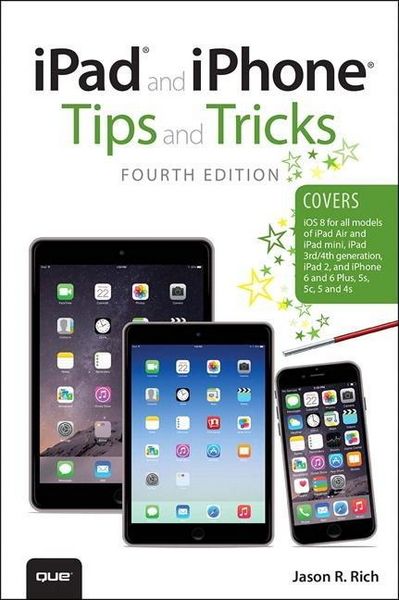
Produktbild: Rich, J: iPad and iPhone Tips and Tricks

Rich, J: iPad and iPhone Tips and Tricks

Fr. 28.90

inkl. gesetzl. MwSt., zzgl. Versandkosten


  • Kostenlose Lieferung ab Fr. 30 Einkaufswert

    Schweiz & Liechtenstein:

    Versandkostenfrei ab Fr. 30.00
    Versandkosten bis Fr. 30.00: Fr. 3.50

    Andere Lieferländer

    Fr. 18.00 unabhängig vom Warenwert

Beschreibung

Produktdetails

Einband

Taschenbuch

Erscheinungsdatum

07.11.2014

Verlag

QUE

Seitenzahl

512

Maße (L/B/H)

22.8/15.1/3.5 cm

Gewicht

800 g

Auflage

4. Auflage

Sprache

Englisch

ISBN

978-0-7897-5355-7

Beschreibung

Produktdetails

Einband

Taschenbuch

Erscheinungsdatum

07.11.2014

Verlag

QUE

Seitenzahl

512

Maße (L/B/H)

22.8/15.1/3.5 cm

Gewicht

800 g

Auflage

4. Auflage

Sprache

Englisch

ISBN

978-0-7897-5355-7

Noch keine Bewertungen vorhanden

Verfassen Sie die erste Bewertung zu diesem Artikel

Helfen Sie anderen Kundinnen und Kunden durch Ihre Meinung.

Kundinnen und Kunden meinen

Bewertungen (0)

  • Produktbild: Rich, J: iPad and iPhone Tips and Tricks
  • Introduction Chapter 1: Tips and Tricks for Customizing Settings Using the Settings App Main Options Available from the Settings App Control Center Gives You Quick Access to Popular Features and Functions Organize Apps on Your Home Screen with Folders Moving App Icons Around on the Home Screen Add Frequently Used Web Page Icons to Your Home Screen Discover What's Now Possible from the Lock Screen Manage Your Customized Notification Center Screen Chapter 2: Using Siri, Dictation, and CarPlay to Interact with Your Mobile Device What You Should Know Before Using Siri Customizing Siri Ways to Activate Siri Discover How Siri Can Help You Find, Display, or Use Information Related to Your Contacts Initiate a Call Find Your Friends Set Up Reminders and To-Do Items Read or Send Text Messages Check the Weather or Your Investments Find Information on the Web or Get Answers to Questions Schedule and Manage Meetings and Events Send Email and Access New (Incoming) Email Set an Alarm or Timer Get Directions Using the Maps App Control the Music App Forget Sticky Notes-Dictate Notes to Yourself Siri Knows All About Sports, Movies, and Restaurants, Too Practice (with Siri) Makes Perfect Use Dictation Mode Instead of the Virtual Keyboard Connect or Link Your iPhone to Your Car to Use the CarPlay Feature Chapter 3: Strategies for Finding, Buying, and Using Third-Party Apps App Store Basics How New Apps Install Themselves Free or Purchased? Restoring or Reinstalling Apps You've Already Downloaded Where To Find Apps, Music, and More Everything You Need To Know About Apps Compatibility: Does the App Run on Multiple Devices? Quick Guide to App Pricing How to Shop with the App Store App Quick Tips for Finding Apps Relevant to You Keep Your Apps Up to Date with the Latest Versions Manage Your Kids' App Acquisitions Chapter 4: Sync, Share, and Print Files Using AirDrop, AirPlay, AirPrint, and Handoff Stream Content from Your iPhone or iPad to Other Compatible Devices Using AirPlay Print Files Wirelessly Using an AirPrint-Compatible Printer Continue a Task on One Device Exactly Where You Left Off on Another Using Handoff Chapter 5: Ways to Use iCloud's Latest Features with Your iPhone and/or iPad Content Saved to iCloud Is Available Anywhere Access Your Purchased iTunes Store Content from Any Device Use iCloud to Sync Your App-Specific Data, Documents, and Files Customizing iCloud to Work with Your Apps Access Your App-Specific Data Online from iCloud.com Automatically Transfer Documents Using iCloud Create a Photo Library Using iCloud Using a Unique Apple ID for iCloud Backing Up with iCloud Family Sharing Allows for the Sharing of Purchased Content iCloud: Many Uses, One Storage Space Chapter 6: Navigating with the Maps App Get the Most from Using the Maps App's Features Overview of the Maps App's Screen View a Map from Multiple Perspectives The Updated Maps App's Info Screen Obtain Turn-by-Turn Directions Between Two Locations Look Up Contact Entries, Businesses, Restaurants, Landmarks, and Points of Interest Use the Interactive Location Screens to Find More Information The Maps App's Flyover View Chapter 7: Make the Most of Online Social Networking Apps Facebook, Twitter, Flickr, and Vimeo Integration Is Built In to iOS 8 Manage Your Facebook Account Using the Official Facebook App Participate in Chats Using the Facebook Messenger App Read Your News Feed Using the Facebook App Manage Your Twitter Account(s) Using the Official Twitter App Discover the Official Apps for Other Popular Online Social Networking Services The YouTube App The Vine App The Instagram App Discover the SnapChat Alternative The LinkedIn App Become a Blogger and Start Blogging from Your iPhone or iPad Chapter 8: Shoot, Edit, and Share Photos and Videos Some Camera App Features Are Available on Only Certain iPhone and iPad Models The Camera and Photos Apps Are Chock Full of New Features Methods for Loading Digital Images into Your iPhone or iPad The Redesigned Camera App Ways to Launch the Camera App How to Shoot Photos or Video with the Camera App Take Advantage of the New Autofocus and Exposure Control Options How to Snap a Photo How to Shoot a Panoramic Photo How to Shoot 1080p HD Video Tips for Shooting Eye-Catching Photos How to Use the Rule of Thirds When Shooting Using the Photos App to View, Edit, Enhance, Print, and Share Photos and Videos View an Image in Full-Screen Mode Editing Videos Commands for Editing Photos Enhance Crop Filters Adjust Red-Eye Removal Printing Photos Third-Party Apps for Ordering Prints from Your Images Sharing Photos and Videos Deleting Photos Stored on Your iOS Device iCloud Integration with the Photos App The Photos App Supports iCloud's Family Sharing Chapter 9: Make and Receive Calls with an iPhone Answering an Incoming Call Use iOS 8's New Handoff Feature to Answer Incoming iPhone Calls on Your iPad or Mac Managing the Do Not Disturb Feature Manage Calls in Progress from the Call in Progress Screen Respond to a Call Waiting Signal While on the Phone Making Calls from Your iPhone Manual Dialing Dialing from a Contacts Entry in the Phone App Use Siri to Initiate Calls Reestablish Contact from the App Switcher's Recents Listing Use iOS 8's New Call Over Wi-Fi Calling Feature Managing Your Voicemail Record Your Outgoing Message How to Play and Delete Voicemail Messages Create and Use a Favorites List Accessing Your Recents Call Log Do You Talk too Much? Keeping Track of USAGE Customizing Ringtones Custom Ringtones for Specific Contacts More Information About Bluetooth Wireless Headsets Chapter 10: Improve Your Health and Automate Your Home Using Your iOS Mobile Device Discover the New iPhone-Specific Health App Start Using the Health App Right Away Every iPhone User Should Utilize the Health App's Medical ID Feature Fitness Trackers Can Also Communicate with the Health App Home Automation Is Easy Using Your iPhone/iPad Chapter 11: Send and Receive Emails, Texts, and Instant Messages with the Mail and Messages Apps How to Add Email Accounts to the Mail App How to Customize Mail Options from Settings Tips for Viewing Your Incoming Email Composing an Email Message Insert a Photo or Video into Your Outgoing Email Using Select, Select All, Cut, Copy, and Paste How to Save an Unsent Draft of an Email Message Tips for Reading Email The Mail App's Inbox Communicate Effectively with the Messages App Get Started Using the Messages App with Apple's iMessage Service Set Up a Free iMessage Account Pros and Cons of Using iMessage Tips and Tricks for Using the Messages App Create and Send a Text Message Record and Send an Audio Message Record and Send a Video Message Participating in a Text-Message Conversation Responding to an Incoming Message Relaunch or Review Past Conversations Participating in a Group Conversation Share More Information from the Details Screen During a Conversation via the Messages App Customize the Messages App Chapter 12: Surf the Web More Efficiently Using Safari Customize Your Web Surfing Experience How to Use Tabbed Browsing with Safari Switching Between Web Pages on an iPhone Tabbed Browsing on the iPad Remove Screen Clutter with Safari's Reader Option Create and Manage Reading Lists Options for Sharing Web Content in Safari Create, Manage, and Sync Safari Bookmarks Sync Usernames and Passwords Using iCloud Keychain Launch Your Favorite Websites Quickly with Home Screen Icons Additional New Features Added to Safari Switch Between Mobile and Desktop Versions of Websites Scan Credit and Debit Card Information Using Your iPhone or iPad's Camera How to View YouTube Videos Chapter 13: Tips for Using Calendar, Contacts, Reminders, and Notes Sync App-Specific Data with Online-Based Apps Sync App-Specific Data with iCloud Get Acquainted with the Calendar App Controlling the Calendar View How to Enter a New Event into the Calendar App Use Siri to Enter New Events into the Calendar App Viewing Individual Appointment Details How to Delete an Event from the Calendar App Quickly Find Appointment or Event Details Customizing the Calendar App Use the Contacts App to Keep Track of People You Know You Determine What Information You Add to Each Content Entry The Contacts App Works Seamlessly with Other Apps Who Do You Know? How to View Your Contacts Meet Someone New? Create a New Contacts Entry How to Add a Photo to a Contacts Entry Editing or Deleting an Entry Sharing Contact Entries Organize Your Life with the Notes and Reminders Apps Use Reminders to Manage Your To-Do Lists How to Delete an Entire To-Do List Perform Basic Text Editing and Note Taking with the Notes App Chapter 14: Get Acquainted with the Music, Videos, and iTunes Store Apps Tips for Using the Music App Music App Controls on the iPhone Create a Music App Playlist Find Your Way Around the Now Playing Screen Music App Controls on iPad More Music App Features Stream Music to Your iPhone or iPad Using iTunes Radio Use the Videos App to Watch TV Shows, Movies, and More Use the iTunes Store App to Acquire New Music, TV Shows, Movies, and More Quickly Find TV Episodes You Want to Purchase on iTunes Streaming Video on Your iOS Mobile Device HuluPlus Xfinity TV and TWC TV Netflix YouTube Chapter 15: Customize Your Reading Experience with iBooks and Newsstand Customize iBooks Settings Organize Your Personal eBook Library The iBooks Main Library Screen Find eBooks Using the Command Icons Displayed when Using an iPhone Find eBooks Using the Command Icons Displayed when Using an iPad Learn More About Specific eBooks While Visiting iBookstore How to Find a Specific eBook-Fast Learn About an eBook from Its Description Purchasing an eBook Customize Your eBook Reading Experience Using iBooks Read PDF and ePUB Files with iBooks Create Your Own eBooks Using Apple's iBooks Author Software Alternative Methods for Reading Your eBooks Acquire Digital Editions of Newspapers and Magazines with the Newsstand App Working with the Newsstand App Reading Digital Publications Managing Your Newspaper and Magazine Subscriptions Appendix A: Set Up Your New iPhone or iPad How to Activate Your New iPhone or iPad Appendix B: Introduction to Apple Watch Apple Watch Utilizes Apps, Just Like Your IPhone Apple Watch Offers Multiple Models, with Dozens of Style Configurations Discover Apple Watch's Features and Functions Apple Watch's Evolution Has Already Begun 9780789753557 TOC 10/24/2014