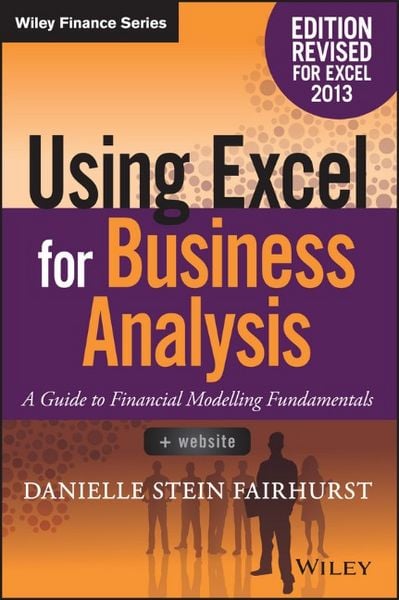
Using Excel for Business Analysis A Guide to Financial Modelling Fundamentals, Edition Revised for Excel 2013
-
- Taschenbuch ausgewählt
- eBook
-
Sprache:Englisch
-
Verlag:John Wiley & Sons Inc
- Wiley Fr. 83.90
- John Wiley & Sons Inc Fr. 99.90 ausgewählt
Fr. 99.90
inkl. gesetzl. MwSt.,
Beschreibung
Produktdetails
Einband
Taschenbuch
Erscheinungsdatum
16.03.2015
Abbildungen
mit Illustrationen
Verlag
John Wiley & Sons IncSeitenzahl
448
Maße (L/B/H)
22.8/14.9/2.5 cm
Gewicht
565 g
Auflage
2. Auflage
Sprache
Englisch
ISBN
978-1-119-06246-2
Utilise Excel 2013 capabilities to build effective financial models
Using Excel for Business Analysis, Revised Edition provides practical guidance for anyone looking to build financial models. Whether for business proposals, opportunity evaluation, financial reports, or any other business finance application, this book shows you how to design, create, and test your model, then present your results effectively using Excel 2013. The book opens with a general guide to financial modelling, with each subsequent chapter building skill upon skill until you have a real, working model of your own. Financial tools, features, and functions are covered in detail from a practical perspective, and put in context with application to real-world examples. Each chapter focuses on a different aspect of Excel modelling, including step-by-step instructions that walk you through each feature, and the companion website provides live model worksheets that give you the real hands-on practice you need to start doing your job faster, more efficiently, and with fewer errors.
Financial modelling is an invaluable business tool, and Excel 2013 is capable of supporting the most common and useful models most businesses need. This book shows you how to dig deeper into Excel's functionality to craft effective financial models and provide important information that informs good decision-making.
* Learn financial modelling techniques and best practice
* Master the formulas and functions that bring your model to life
* Apply stress testing and sensitivity analysis with advanced conditionals
* Present your results effectively, whether graphically, orally, or written
A deceptively powerful application, Excel supports many hundreds of tools, features, and functions; Using Excel for Business Analysis eliminates the irrelevant to focus on those that are most useful to business finance users, with detailed guidance toward utilisation and best practice.
Using Excel for Business Analysis, Revised Edition provides practical guidance for anyone looking to build financial models. Whether for business proposals, opportunity evaluation, financial reports, or any other business finance application, this book shows you how to design, create, and test your model, then present your results effectively using Excel 2013. The book opens with a general guide to financial modelling, with each subsequent chapter building skill upon skill until you have a real, working model of your own. Financial tools, features, and functions are covered in detail from a practical perspective, and put in context with application to real-world examples. Each chapter focuses on a different aspect of Excel modelling, including step-by-step instructions that walk you through each feature, and the companion website provides live model worksheets that give you the real hands-on practice you need to start doing your job faster, more efficiently, and with fewer errors.
Financial modelling is an invaluable business tool, and Excel 2013 is capable of supporting the most common and useful models most businesses need. This book shows you how to dig deeper into Excel's functionality to craft effective financial models and provide important information that informs good decision-making.
* Learn financial modelling techniques and best practice
* Master the formulas and functions that bring your model to life
* Apply stress testing and sensitivity analysis with advanced conditionals
* Present your results effectively, whether graphically, orally, or written
A deceptively powerful application, Excel supports many hundreds of tools, features, and functions; Using Excel for Business Analysis eliminates the irrelevant to focus on those that are most useful to business finance users, with detailed guidance toward utilisation and best practice.
Noch keine Bewertungen vorhanden
Verfassen Sie die erste Bewertung zu diesem Artikel
Helfen Sie anderen Kundinnen und Kunden durch Ihre Meinung.