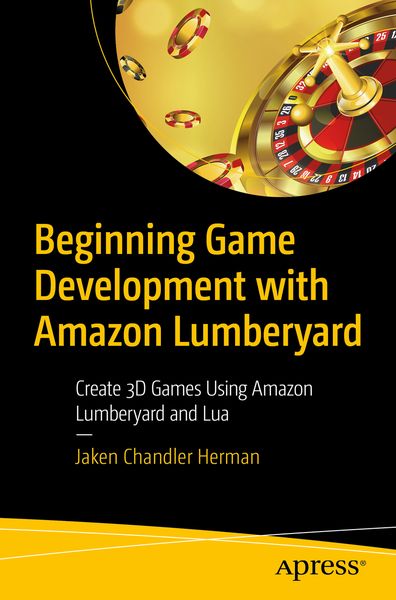
Produktbild: Beginning Game Development with Amazon Lumberyard

Beginning Game Development with Amazon Lumberyard Create 3D Games Using Amazon Lumberyard and Lua

Fr. 56.90

inkl. gesetzl. MwSt., Versandkostenfrei


Beschreibung

Produktdetails

Einband

Taschenbuch

Erscheinungsdatum

26.09.2019

Abbildungen

XI, 107 illus., 2 illus. in color., schwarz-weiss Illustrationen, farbige Illustrationen

Verlag

Apress

Seitenzahl

234

Maße (L/B/H)

23.5/15.5/1.4 cm

Gewicht

382 g

Auflage

1st ed.

Sprache

Englisch

ISBN

978-1-4842-5072-3

Beschreibung

Produktdetails

Einband

Taschenbuch

Erscheinungsdatum

26.09.2019

Abbildungen

XI, 107 illus., 2 illus. in color., schwarz-weiss Illustrationen, farbige Illustrationen

Verlag

Apress

Seitenzahl

234

Maße (L/B/H)

23.5/15.5/1.4 cm

Gewicht

382 g

Auflage

1st ed.

Sprache

Englisch

ISBN

978-1-4842-5072-3

Herstelleradresse

Libri GmbH
Europaallee 1
36244 Bad Hersfeld
DE

Email: gpsr@libri.de

Kundinnen und Kunden meinen

0 Bewertungen

Informationen zu Bewertungen

Zur Abgabe einer Bewertung ist eine Anmeldung im Konto notwendig. Die Authentizität der Bewertungen wird von uns nicht überprüft. Wir behalten uns vor, Bewertungstexte, die unseren Richtlinien widersprechen, entsprechend zu kürzen oder zu löschen.

Die Bewertungen sind nach Format, Anzahl Sterne und Datum sortiert.

Verfassen Sie die erste Bewertung zu diesem Artikel

Helfen Sie anderen Kund*innen durch Ihre Meinung

Kundinnen und Kunden meinen

0 Bewertungen filtern

  • Produktbild: Beginning Game Development with Amazon Lumberyard
  • Chapter 1: Environment Setup and Introduction to the Engine  

    Chapter Goal: This chapter will walk the reader through the process of downloading and installing the correct required components necessary to create their game.

    Subtopics:

    ·         Downloading, Installing, and Setting up Lumberyard

    ·         Other needed components outside of the Lumberyard engine

      Chapter 2:  Learning to Navigate the Engine

    Chapter Goal: This chapter will focus on introducing the reader how to navigate the Amazon Lumberyard engine, keyboard shortcuts, pane navigation, and other terminology.

    Subtopics:

    ·         Pane Navigation

    ·         Useful hotkeys

    ·         Terminology of Engine-related topics


    Chapter 3: Creating your first Project

    Chapter Goal: This chapter will teach the user how to create a project, decide which default project setting they would like to start out with, as well as detail the differences between projects and levels.

    Sub Topics :

    ·         Projects and the myriad of default project settings

    ·         Projects & Levels : What’s the difference?

      Chapter 4: Terrain Development

    Chapter Goal: Now that the reader has a project and a level created, their character will need some terrain to interact with. This chapter will focus on how to generate terrain. This will be a long chapter.

    Sub - Topics:

    ·         Heightmaps

    ·         Mega Textures and Textures

    ·         Vegetation

    ·         Detailing

    ·         Time of Day & Sun Patterns

      Chapter 5: Entities and Slices

    Chapter Goal: This chapter will walk the reader through the creation of a player, buildings, roads, and all other various props that will go in their video game. This chapter will discuss how to create child entities within others and how to create re-usable entities, known as slices.

    Sub - Topics:

    ·         Entities

    ·         Child Entities

    ·         Slices

      Chapter 6: Components

    Chapter Goal: This chapter will walk the reader through the component editor. This is an important chapter because it introduces meshes, colliders, weather, simple physics and other necessary elements to the entities the reader created in Chapter 5.

    Sub - Topics:

    ·         Meshes

    ·         Colliders

    ·         Weather

      Chapter 7: Creating the Enemy

    Chapter Goal: This chapter will show the reader how to create the enemy of the game, describe how the enemy will interact with the player, and how the reader can duplicate this enemy.

    Sub Topics:

    ·        Your First Enemy

    ·        Introduction to Enemy Artificial Intelligence

    ·        Cloning the Enemy

      Chapter 8: Scripting and Physics

    Chapter Goal: This chapter will walk the reader through editing lua scripts to have characters, enemy characters, and gameplay do their bidding.

    Sub Topics:

    ·         Gravity

    ·         Lua Scripting Introduction

      Chapter 9: Polishing

    Chapter Goal: This chapter will detail how the reader can add some spice to their game. This will go over how to add particles, other light sources, sounds, and other polishing features to their levels.

    Sub - Topics:

    ·         Light Sources

    ·         Particles

    ·         Sounds

      Chapter 10: Setting up a User Interface

    Chapter Goal: Game Over! Without seeing these two words at the end of the game, was it really a game at all? This chapter will go over how to create a user interface, so the reader can create a start menu, as well as a “game over” - or “mission complete” screen.

    Sub-Topics:

    ·         User Interfaces

    o   Start Menu

    o   Game Over

    ·         Heads-up Display

      Chapter 11: Exporting the Game

    Chapter Goal: This chapter will show the reader how to export their game to an executable to share with friends and family – or many even to sell it.

    Sub-Topics:

    ·        Compiling your game for release

    ·        Where and how to distribute your game