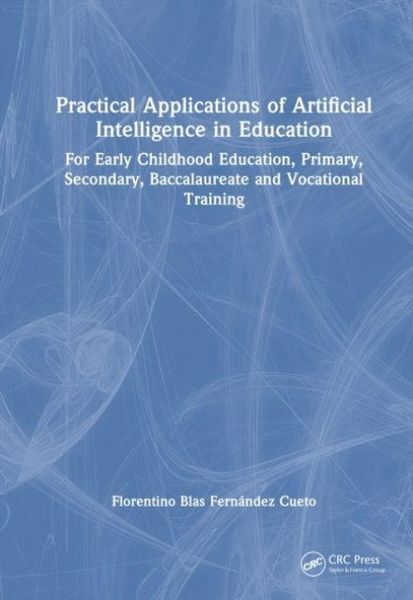
Produktbild: Practical Applications of Artificial Intelligence in Education
Vorbesteller Neu

Practical Applications of Artificial Intelligence in Education For Early Childhood Education, Primary, Secondary, Baccalaureate and Vocational Training

Fr. 242.00

inkl. gesetzl. MwSt., Versandkostenfrei


Beschreibung

Produktdetails

Einband

Gebundene Ausgabe

Erscheinungsdatum

16.10.2026

Abbildungen

schwarz-weiss Illustrationen, Zeichnungen, schwarz-weiss, Tabellen, schwarz-weiss

Verlag

Taylor and Francis

Seitenzahl

200

Maße (L/B)

25.4/17.8 cm

Sprache

Englisch

ISBN

978-1-04-133092-9

Beschreibung

Produktdetails

Einband

Gebundene Ausgabe

Erscheinungsdatum

16.10.2026

Abbildungen

schwarz-weiss Illustrationen, Zeichnungen, schwarz-weiss, Tabellen, schwarz-weiss

Verlag

Taylor and Francis

Seitenzahl

200

Maße (L/B)

25.4/17.8 cm

Sprache

Englisch

ISBN

978-1-04-133092-9

Herstelleradresse

Libri GmbH
Europaallee 1
36244 Bad Hersfeld
DE

Email: gpsr@libri.de

Noch keine Bewertungen vorhanden

Verfassen Sie die erste Bewertung zu diesem Artikel

Helfen Sie anderen Kundinnen und Kunden durch Ihre Meinung.

Kundinnen und Kunden meinen

Bewertungen (0)

  • Produktbild: Practical Applications of Artificial Intelligence in Education
  • CHAPTER 1 - UNDERSTANDING AI FOR EDUCATION
    1.1 The book is not only read, it is also listened to
    1.2 Definition of artificial intelligence (AI) in education
    1.3 Characteristics of AI in the educational context
    1.4 Ethics and transparency: Using AI with your head and your heart
    1.5 Inclusion of UNESCO recommendations
    1.6 Obstacles to the implementation of AI
    1.7 Multidisciplinary approach

    CHAPTER 2 - INITIAL CONSIDERATIONS
    2.1 QR codes: Your keys to more resources
    2.2 Activity 1: Presentation of the book by Cervantes
    2.3 Key AI terms for better understanding
    2.4 Gmail account: Your universal passport
    2.5 Google Drive: Your personal file cabinet in the cloud (and it's free!)
    2.6 Assistants for each educational level

    CHAPTER 3 - PREPARING THE WORK ENVIRONMENT
    3.1 Using AI on a mobile phone
    3.2 Using AI on a computer
    3.3 Activity 2: Creating an email account
    3.4 Activity 3: Creating folders in Google Drive
    3.5 Organising AI apps on your mobile phone
    3.6 Limitations of AI tools
    3.7 Ethics and security: A necessary reminder

    CHAPTER 4 - FIRST STEPS WITH AI
    4.1 AI assistant for education
    4.2 Activity 4: Installing Expert AI on your mobile phone
    4.3 Activity 5: How to use Expert AI
    4.3.1 Activity 5.1: Creating a story for early childhood education
    4.3.2 Activity 5.2: Interactive exercise for primary school
    4.3.3 Activity 5.3: Summary of the French Revolution in secondary school
    4.3.4 Activity 5.4: Study of thermodynamics in sixth form
    4.3.5 Activity 5.5: Team management in vocational training
    4.4 How to improve the educational assistant's responses
    4.5 Activity 6: Using documents with Expert\_IA
    4.6 OpenAI artificial intelligence
    4.7 Activity 7: Installing the Chat-GPT app
    4.8 How to create an educational activity using AIs on your mobile

    CHAPTER 5 - INSTALLING AIs ON A MOBILE AND A PC
    5.1 Preparing the web browser
    5.2 Activity 8: Configuring Google Chrome
    5.3 Other AI tools for education
    5.4 Comparative table of three educational AIs
    5.5 Activity 9: Installing Perplexity AI
    5.6 Activity 10: Installing NotebookLM AI
    5.7 Activity 11: Installing the Brisk Teaching plug-in

    CHAPTER 6 - CREATING EDUCATIONAL DOCUMENTATION WITH AIs
    6.1 How to write a good prompt to generate documentation with AI
    6.2 Activity 12: Online educational prompt generator
    Example of creating an activity for primary school
    6.3 Educational assistant for students with SEN
    6.4 Activity 13: Adapting an educational activity to a student with SEN
    6.5 Ideas on how to use and combine these AIs in education
    6.5.1 Before class: Preparing materials
    6.5.2 During class: Application and facilitation
    6.5.3 After class: Evaluation and improvement
    6.6 Preparing a class for secondary school students
    6.6.1 Activity 14: Using ChatGPT together with Expert\_IA
    6.6.2 Activity 15: Using Perplexity AI and Brisk Teaching
    6.6.3 Activity 16: Using NotebookLM
    6.7 Other artificial intelligences for generating documentation

    CHAPTER 7 - CREATING AUDIOVISUAL AND INTERACTIVE MATERIALS
    7.1 Generating images with artificial intelligence
    7.2 Activity 17: Creating a realistic image of a historical figure
    7.3 Activity 18: How to create a lesson cover
    7.4 Working with voices and music with AIs
    7.5 Activity 19: Generating a voice for Philip V