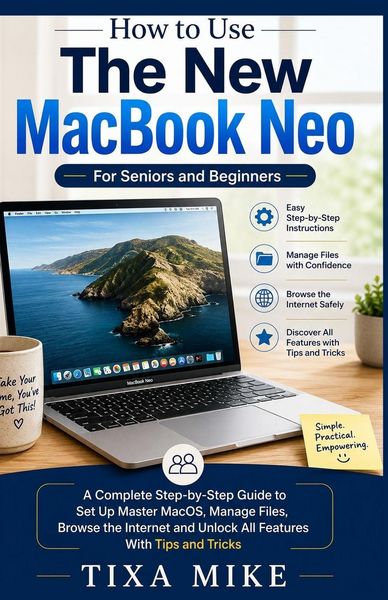
How to Use The New MacBook Neo For Seniors and Beginners A Complete Step-by-Step Guide to Set Up Master MacOS, Manage Files, Browse the Internet and Unlock All Features With Tips and Tricks
-
- Englisch ausgewählt
Fr. 27.90
inkl. gesetzl. MwSt.,
-
Kostenlose Lieferung ab Fr. 30 Einkaufswert
Schweiz & Liechtenstein:
Versandkostenfrei ab Fr. 30.00
Versandkosten bis Fr. 30.00: Fr. 3.50Andere Lieferländer
Fr. 18.00 unabhängig vom Warenwert
Beschreibung
Produktdetails
Einband
Taschenbuch
Erscheinungsdatum
23.05.2026
Verlag
Independently PublishedSeitenzahl
358
Maße (L/B/H)
21.6/14/1.9 cm
Gewicht
416 g
Sprache
Englisch
EAN
9798198356498
Welcome to your new MacBook Neo - and to a simpler way of learning how to use it.
If you're holding this book, you've probably just unboxed a shiny new MacBook Neo. Or maybe you've had it for a while, but it still feels a little... intimidating. Don't worry. You are not alone - and you are not "bad with technology." You just haven't had someone explain things in a way that makes sense to you.
That's exactly why I wrote this book.
Who this book is for
This guide is for seniors, first-time computer users, and anyone who feels overwhelmed by technical jargon. You don't need to know what "the cloud" is. You don't need to understand RAM, processors, or operating systems. All you need is the desire to learn at your own pace - and a MacBook Neo.
Inside, you won't find confusing shortcuts, geeky terms, or steps that skip ahead. Instead, you'll find:
Large, easy-to-read text (no squinting!)
Step-by-step instructions - one small thing at a time
Plain English - no "device initialization" or "system optimization"
What you'll learn
This book focuses on the things real people actually use every day. You will learn how to:
Set up your MacBook Neo right out of the box - safely and easily
Connect to the internet and send your first email
Make video calls with Zoom or FaceTime to see your family and friends
Organize your photos so you never lose a memory
Use iCloud to keep your important files safe without doing anything complicated
Stay private and secure online - without being paranoid
Every chapter builds on the last one, but you can also jump straight to whatever you need help with today. Forgot how to change the text size? Turn to Chapter 4. Not sure how to accept a Zoom call? Chapter 8 is waiting for you.
How to use this book
Go slowly. Read one section, then try it on your MacBook Neo. Close the book and practice. When you're comfortable, move on. There is no test, no timer, and no "right way" to learn.
If you make a mistake - and you will, because everyone does - don't worry. Computers are designed to let you try again. Nothing you do in this book will break your MacBook Neo. I promise.
A note about the "Neo" name
You might have noticed that the official name from Apple is slightly different. This book works for any modern MacBook (Air, Pro, or similar). But I've kept the friendly name "MacBook Neo" throughout so it feels like your computer - not some technical model number.
Are you ready?
Take a deep breath. You've already taken the hardest step: deciding to learn. Now turn the page, open your MacBook Neo, and let's begin. One click at a time.
You've got this.
- Your guide
Kundinnen und Kunden meinen
Verfassen Sie die erste Bewertung zu diesem Artikel
Helfen Sie anderen Kund*innen durch Ihre Meinung