Gutscheinbedingungen

*Gültig bis 20.09.2026 auf (fast) alles. Ausgeschlossen sind Smartboxen, Zeitschriften, Tickets, Lebensmittel, Gaming-Elektroartikel, Tinte/Toner, Gutscheine, Geschenkkarten, Blumen und Abos | Einlösbar in allen Buchhandlungen von Orell Füssli, Barth Bücher, Buchladen Rapunzel, Schuler Orell Füssli, Stauffacher und ZAP unter Vorweisung des Gutscheins, auf www.orellfüssli.ch durch Eingabe des Gutscheincodes. Beim Service „eBooks verschenken“ und bei eBook-Käufen via eReader nicht einlösbar | Mindesteinkaufswert: Fr. 100.- | Nicht mit anderen Rabatten kumulierbar.

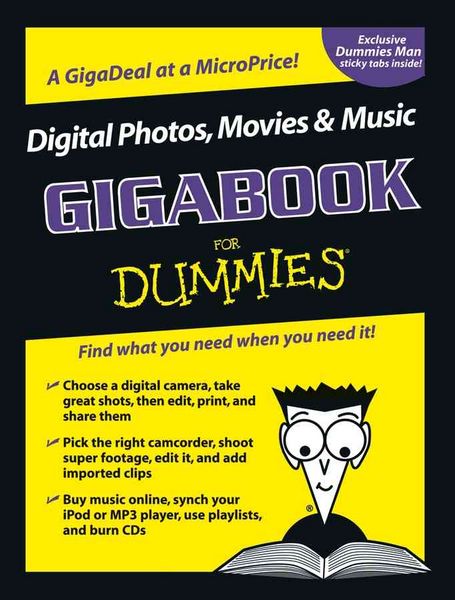
Produktbild: Digital Photos, Movies, & Music Gigabook For Dummies

Digital Photos, Movies, & Music Gigabook For Dummies

Fr. 42.90

inkl. gesetzl. MwSt., Versandkostenfrei


Beschreibung

Produktdetails

Einband

Taschenbuch

Herausgeber

Mark L. Chambers + weitere

Verlag

John Wiley & Sons Inc

Seitenzahl

960

Maße (H)

27.5 cm

Gewicht

1846 g

Sprache

Englisch

ISBN

978-0-7645-7414-6

Beschreibung

Produktdetails

Einband

Taschenbuch

Herausgeber

Verlag

John Wiley & Sons Inc

Seitenzahl

960

Maße (H)

27.5 cm

Gewicht

1846 g

Sprache

Englisch

ISBN

978-0-7645-7414-6

Noch keine Bewertungen vorhanden

Verfassen Sie die erste Bewertung zu diesem Artikel

Helfen Sie anderen Kundinnen und Kunden durch Ihre Meinung.

Kundinnen und Kunden meinen

Bewertungen (0)

  • Produktbild: Digital Photos, Movies, & Music Gigabook For Dummies
  • Introduction.

    Book I: Digital Photography.

    Part I: Getting Ready for Digital Photography.

    Chapter 1: Becoming a Digital Photography Maven.

    Chapter 2: Choosing the Right Camera.

    Chapter 3: Solving the Computer Side of the Digital Equation.

    Chapter 4: Connecting the Camera and Computer.

    Chapter 5: Choosing a Printer and Scanner.

    Chapter 6: Accessorizing Your Digital Camera.

    Part II: Snap To! Shooting Great Pictures.

    Chapter 7: Understanding Photo Composition.

    Chapter 8: Moving into Close-Up Photography.

    Chapter 9: Photographing People.

    Chapter 10: Shooting for Publication.

    Chapter 11: Sports and Action Photography.

    Chapter 12: Travel Photography.

    Part III: Editing with Photoshop Elements.

    Chapter 13: Comparing Photoshop Elements to Other Image Editors.

    Chapter 14: Making Selections.

    Chapter 15: Brushing Away Your Digital Images' Imperfections.

    Chapter 16: Restoring Images.

    Chapter 17: Correcting Faded, Funny, and Funky Colors.

    Chapter 18: Restoring and Enhancing Photos with Filters and Special Effects.

    Part IV: Organizing, Printing, and Sharing Your Pictures.

    Chapter 19: Storing and Organizing Your Digital Photos.

    Chapter 20: Printing Your Final Result.

    Chapter 21: Sharing Pictures on the Web.

    Book II: Digital Movies.

    Part I: Getting Ready for Video.

    Chapter 1: Introducing Digital Video.

    Chapter 2: Choosing a Camcorder.

    Chapter 3: Preparing Your Computer for Video.

    Chapter 4: Getting the Right Accessories.

    Part II: Action! Shooting Fun Footage.

    Chapter 5: Shooting Great Digital Video.

    Chapter 6: Importing Video Clips.

    Chapter 7: Importing Audio.

    Part III: The Cutting Room Floor: Editing Your Video.

    Chapter 8: Choosing Your Video-Editing Software.

    Chapter 9: Basic Video Editing.

    Chapter 10: Adding Transitions and Titles.

    Chapter 11: Using Special Effects in iMovie and Adobe Premiere Pro.

    Chapter 12: Adding Audio to the Mix.

    Part IV: Outputting Your Movies.

    Chapter 13: Exporting Digital Video to Tape.

    Chapter 14: Putting Your Movies on the Internet.

    Part V: Filmography Tips.

    Chapter 15: Video Preproduction: Planning, Storyboarding, and Scripting.

    Chapter 16: Digital Video Production Tips.

    Book III: Digital Music.

    Part I: Transforming Your Computer into a Music Machine.

    Chapter 1: Digital Music Hath Charms.

    Chapter 2: Using Your Computer as a Music Platform.

    Chapter 3: Playing MP3 Files on Your Computer and Home Stereo.

    Chapter 4: Internet Radio on Your Computer.

    Chapter 5: Attending Internet Concerts.

    Part II: Getting Music on Your Hard Drive.

    Chapter 6: Ripping CDs into MP3s.

    Chapter 7: Choosing an Online Music Vendor.

    Chapter 8: Buying Music with iTunes.

    Part III: Organizing Your Music.

    Chapter 9: Downloading and Editing Song Information.

    Chapter 10: Organizing Your iTunes Music Library.

    Part IV: Using a Portable Music Player.

    Chapter 11: Choosing a Portable Music Player.

    Chapter 12: Syncing an iPod to Your Mac.

    Book IV: CD & DVD Recording.

    Part I: Shake Hands with Your Recorder.

    Chapter 1: Optical Storage (Or It's All in the Pits).

    Chapter 2: Buying Your Recording Beast.

    Chapter 3: DVD Is the Cat's Meow.

    Chapter 4: Poof! You're a Computer Technician.

    Part II: Measure Twice, Cut Once: Preparing for Recording.

    Chapter 5: Choosing Recording Software.

    Chapter 6: Preparing Your Computer for CD and DVD Recording.

    Chapter 7: Making Choices Before Your Recording Session.

    Part III: Starting the Recording Process.

    Chapter 8: Taking Easy Media Creator for a Spin.

    Chapter 9: Toasting Mac Discs.

    Chapter 10: Burning Data with Drag-to-Disc.

    Part IV: Meeting Your Data Storage Needs.

    Chapter 11: Heavy-Duty Recording.

    Chapter 12: Burning Large Files to DVD.

    Index.