Gutscheinbedingungen

*Gültig bis 05.07.2026 auf (fast) alles. Ausgeschlossen sind Smartboxen, Zeitschriften, Tickets, Lebensmittel, Gaming-Elektroartikel, Tinte/Toner, Gutscheine, Geschenkkarten, Blumen und Abos | Einlösbar in allen Buchhandlungen von Orell Füssli, Barth Bücher, Buchladen Rapunzel, Papeterie Köhler, Schuler Orell Füssli, Stauffacher und ZAP unter Vorweisung des Gutscheins, auf www.orellfüssli.ch durch Eingabe des Gutscheincodes. Beim Service „eBooks verschenken“ und bei eBook-Käufen via eReader nicht einlösbar | Mindesteinkaufswert: Fr. 30.- | Nicht mit anderen Rabatten kumulierbar.

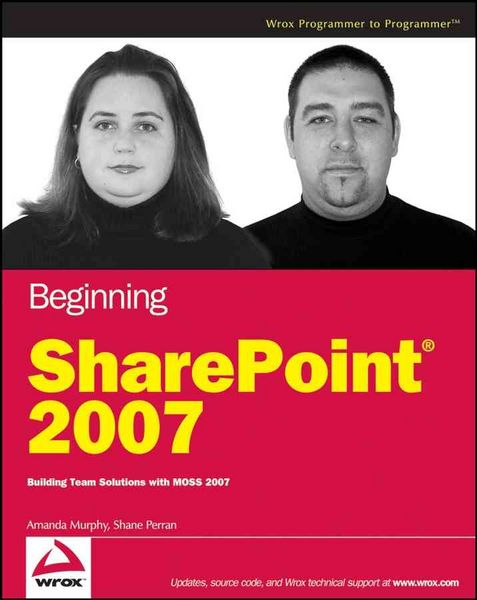
Produktbild: Beginning SharePoint 2007

Beginning SharePoint 2007 Building Team Solutions with MOSS 2007

Fr. 45.90

inkl. gesetzl. MwSt., Versandkostenfrei


Beschreibung

Produktdetails

Einband

Taschenbuch

Erscheinungsdatum

Mai 2007

Abbildungen

schwarzweisse Abbildungen

Verlag

John Wiley & Sons Inc

Seitenzahl

600

Maße (L/B/H)

2.8/18.5/23.1 cm

Gewicht

818 g

Auflage

1. Auflage

Sprache

Englisch

ISBN

978-0-470-12449-9

Beschreibung

Produktdetails

Einband

Taschenbuch

Erscheinungsdatum

Mai 2007

Abbildungen

schwarzweisse Abbildungen

Verlag

John Wiley & Sons Inc

Seitenzahl

600

Maße (L/B/H)

2.8/18.5/23.1 cm

Gewicht

818 g

Auflage

1. Auflage

Sprache

Englisch

ISBN

978-0-470-12449-9

Noch keine Bewertungen vorhanden

Verfassen Sie die erste Bewertung zu diesem Artikel

Helfen Sie anderen Kundinnen und Kunden durch Ihre Meinung.

Kundinnen und Kunden meinen

Bewertungen (0)

  • Produktbild: Beginning SharePoint 2007
  • Introduction.

    Chapter 1: Getting Started with Microsoft Office SharePoint Server.

    Introducing Portal Technologies and SharePoint.

    Comparing WSS and SharePoint.

    SharePoint Components Overview.

    Chapter 2: Working with SharePoint Lists.

    What Is a List?

    Understanding the Standard List Templates.

    Working with Lists.

    Chapter 3: Working with SharePoint Libraries.

    Understanding Libraries and Documents.

    Understanding SharePoint Library Templates.

    Chapter 4: Managing and Customizing Lists and Libraries.

    Creating an Environment that Reflects Your Business.

    Best Practices for Building a Dynamic System for Managing Content.

    Working with Columns.

    Creating and Customizing Views.

    Working with Custom Lists and Libraries.

    Chapter 5: Working with Workflow.

    Types of Workflow Solutions.

    Using Workflow Templates.

    Custom Workflows with SharePoint Designer.

    Chapter 6: Working with Content Types.

    Content Types Overview.

    Base Content Types.

    The Anatomy of a Content Type.

    Managing Content Types.

    Chapter 7: Working with Web Parts.

    The Anatomy of a Web Part Page.

    Web Parts Basics.

    Using the Various SharePoint Web Parts.

    Chapter 8: Working with Sites and Workspaces.

    Understanding Sites and Site Collections.

    Site Management Overview.

    Understanding and Working with the SharePoint Site Templates.

    Modifying the Look and Feel of a Site.

    Chapter 9: User Management, Audiences, and Profiles.

    Understanding User Access Management and Personalization.

    Managing Access in SharePoint.

    Understanding User Profiles.

    Working with Audiences.

    Chapter 10: Working with Forms Services.

    What Is InfoPath?

    Creating and Customizing an InfoPath Form.

    Using the Design Tasks Pane.

    Working with Form Templates.

    Chapter 11: Working with Excel Services.

    Excel Services Overview.

    Data Connections.

    Business Scorecards.

    Chapter 12: Working with the Business Data Catalog.

    Business Data Catalog Overview.

    Configuring a BDC Application.

    Working with Web Parts and Lists in the BDC.

    SharePoint List Integration.

    Chapter 13: Getting Started with Web Content Management.

    Web Content Management.

    Publishing Features Overview.

    Working with Variations.

    Customizing the Look and Feel of a WCM Site.

    Enabling Publishing on a Team Site.

    Chapter 14: Working with Search.

    Understanding SharePoint Search.

    Working with the Search Feature.

    Customizing and Managing Search.

    Appendix A: Answers to Exercises.

    Index.