KI-Beratung Beta

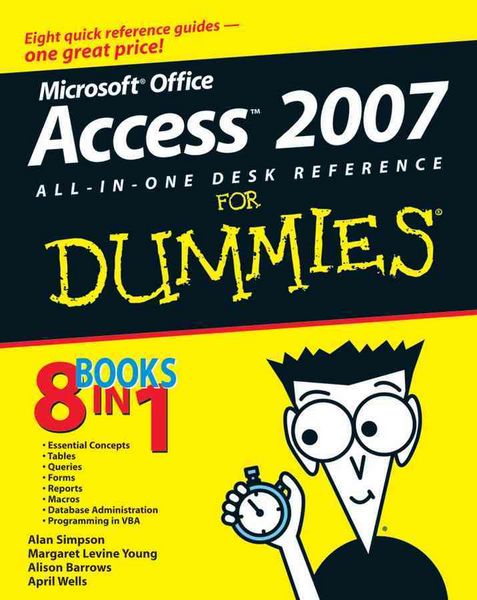
Produktbild: Access 2007 All-in-One Desk Reference For Dummies

Access 2007 All-in-One Desk Reference For Dummies

Aus der Reihe For Dummies

Fr. 38.90

inkl. gesetzl. MwSt., Versandkostenfrei


Beschreibung

Give your Access confidence a boost by mastering the new interface! Your one-stop guide to the revised, mode user-friendly release of Access. Access 2007 got a total makeover, and this all-in-one guide helps you work with confidence even if you're all new to Access. The individual work with confidence...

Beschreibung

Give your Access confidence a boost by mastering the new interface!
Your one-stop guide to the revised, mode user-friendly release of Access.
Access 2007 got a total makeover, and this all-in-one guide helps you work with confidence even if you're all new to Access. The individual work with confidence even if you're all new to Access. The individual minibooks show you how to create and work with tables, queries, forms, reports, and macros; manage databases; and program Access with VBA.
Discover how to:
Create a database quickly and easily from templates
Sort, find, and filter data
Use queries to gather data
Perform calculations in forms
Automate actions with macros
Secure your Access database

Produktdetails

Einband

Taschenbuch

Verlag John Wiley & Sons Inc
Seitenzahl

840

Maße (H)

23.3 cm

Produktdetails

Einband

Taschenbuch

Verlag John Wiley & Sons Inc
Seitenzahl

840

Maße (H)

23.3 cm

Gewicht

1098 g

Auflage

1. Auflage

Sprache

Englisch

ISBN

978-0-470-03649-5

Noch keine Bewertungen vorhanden

Verfassen Sie die erste Bewertung zu diesem Artikel

Helfen Sie anderen Kundinnen und Kunden durch Ihre Meinung.

Kundinnen und Kunden meinen

Bewertungen (0)

Die Leseprobe wird geladen.
  • Produktbild: Access 2007 All-in-One Desk Reference For Dummies
  • Introduction.
    Book I: Essential Concepts.
    Chapter 1: Introducing Access 2007.
    Chapter 2: Getting Started, Getting Around.
    Chapter 3: Creating a Database from Templates.
    Chapter 4: Designing Your Database the Relational Way.
    Book II: Tables.
    Chapter 1: Creating and Modifying Tables.
    Chapter 2: Entering and Editing Data in Datasheets.
    Chapter 3: Sorting, Finding, and Filtering Data.
    Chapter 4: Importing and Exporting Data.
    Chapter 5: Avoiding "Garbage In, Garbage Out".
    Chapter 6: Relating Your Tables and Protecting Your Data.
    Book III: Queries.
    Chapter 1: Creating Select Queries.
    Chapter 2: Letting Queries Do the Math.
    Chapter 3: Doing Neat Things with Action Queries and Query Wizards.
    Chapter 4: Viewing Your Data from All Angles Using Crosstabs and PivotTables.
    Book IV: Forms.
    Chapter 1: Designing and Using Forms (and Reports).
    Chapter 2: Jazzing Up Your Forms (and Reports).
    Chapter 3: Creating Smarter Forms.
    Chapter 4: Doing Calculations in Forms (and Reports).
    Book V: Reports.
    Chapter 1: Creating and Spiffing Up Reports.
    Chapter 2: Printing Beautiful Reports.
    Chapter 3: Creating Charts and Graphs from Your Data.
    Book VI: Macros: Automating Stuff in Access.
    Chapter 1: Making Macros Do the Work.
    Chapter 2: Making Macros Smarter.
    Book VII: Database Administration.
    Chapter 1: Database Housekeeping.
    Chapter 2: Sharing the Fun -- and the Database: Managing Multiuser Access.
    Chapter 3: Securing Your Access Database.
    Book VIII: Programming in VBA.
    Chapter 1: What the Heck Is VBA?
    Chapter 2: Writing Code.
    Chapter 3: Writing Smarter Code.
    Chapter 4: Controlling Forms with VBA.
    Chapter 5: Using SQL and Recordsets.
    Chapter 6: Debugging Your Code.
    Appendix: Installing Microsoft Access.
    Index.