KI-Beratung Beta

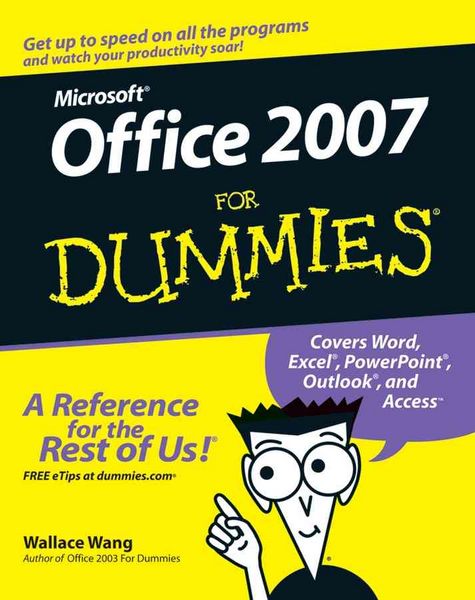
Produktbild: Office 2007 For Dummies

Office 2007 For Dummies

Fr. 29.90

inkl. gesetzl. MwSt., zzgl. Versandkosten


  • Kostenlose Lieferung ab Fr. 30 Einkaufswert

    Schweiz & Liechtenstein:

    Versandkostenfrei ab Fr. 30.00
    Versandkosten bis Fr. 30.00: Fr. 3.50

    Andere Lieferländer

    Fr. 18.00 unabhängig vom Warenwert

Beschreibung

Produktdetails

Einband

Taschenbuch

Verlag

John Wiley & Sons

Seitenzahl

432

Maße (H)

23.3 cm

Gewicht

630 g

Auflage

1. Auflage

Sprache

Englisch

ISBN

978-0-470-00923-9

Beschreibung

Rezension

"...I found it a very useful book and intend keeping it on the corner of my desk." (ARP Webbers Newsletter, Winter Edition)

Produktdetails

Einband

Taschenbuch

Verlag

John Wiley & Sons

Seitenzahl

432

Maße (H)

23.3 cm

Gewicht

630 g

Auflage

1. Auflage

Sprache

Englisch

ISBN

978-0-470-00923-9

Noch keine Bewertungen vorhanden

Verfassen Sie die erste Bewertung zu diesem Artikel

Helfen Sie anderen Kundinnen und Kunden durch Ihre Meinung.

Kundinnen und Kunden meinen

Bewertungen (0)

Die Leseprobe wird geladen.
  • Produktbild: Office 2007 For Dummies
  • Introduction.

    Part I: Getting to Know Microsoft Office 2007.

    Chapter 1: Getting to Know Microsoft Office 2007.

    Chapter 2: Editing Data.

    Chapter 3: Getting Help from Office 2007.

    Part II: Working with Word.

    Chapter 4: Typing Text in Word.

    Chapter 5: Formatting Text.

    Chapter 6: Designing Your Pages.

    Part III: Playing the Numbers with Excel.

    Chapter 7: The Basics of Spreadsheets: Numbers, Labels, and Formulas.

    Chapter 8: Playing with Formulas.

    Chapter 9: Charting and Analyzing Data.

    Part IV: Making Presentations with PowerPoint.

    Chapter 10: Creating a PowerPoint Presentation.

    Chapter 11: Adding Color and Pictures to a Presentation.

    Chapter 12: Showing Off a Presentation.

    Part V: Getting Organized with Outlook.
    Chapter 13: Organizing E-Mail with Outlook.

    Chapter 14: Storing Contacts and Organizing Tasks.

    Chapter 15: Scheduling Your Time.

    Part VI: Storing Stuff in Access.

    Chapter 16: Using a Database.

    Chapter 17: Searching, Sorting, and Querying a Database.

    Chapter 18: Creating a Database Report.

    Part VII: The Part of Tens.

    Chapter 19: Ten Tips for Using Office 2007.

    Chapter 20: Ten Keystroke Shortcuts for Office 2007.

    Index.