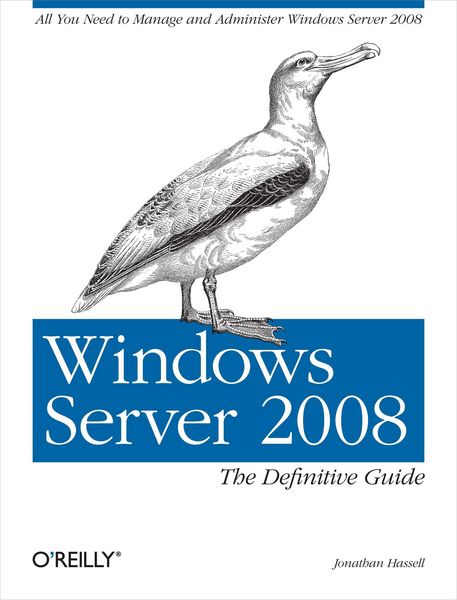
Produktbild: Windows Server 2008: The Definitive Guide

Windows Server 2008: The Definitive Guide The Definitive Guide

Fr. 79.90

inkl. gesetzl. MwSt., Versandkostenfrei


Beschreibung

Produktdetails

Einband

Taschenbuch

Erscheinungsdatum

22.04.2008

Verlag

O'Reilly Media

Seitenzahl

492

Maße (L/B/H)

23.3/17.7/3.1 cm

Gewicht

775 g

Sprache

Englisch

ISBN

978-0-596-51411-2

Beschreibung

Produktdetails

Einband

Taschenbuch

Erscheinungsdatum

22.04.2008

Verlag

O'Reilly Media

Seitenzahl

492

Maße (L/B/H)

23.3/17.7/3.1 cm

Gewicht

775 g

Sprache

Englisch

ISBN

978-0-596-51411-2

Herstelleradresse

Libri GmbH
Europaallee 1
36244 Bad Hersfeld
DE

Email: GPSR Kontakt

Noch keine Bewertungen vorhanden

Verfassen Sie die erste Bewertung zu diesem Artikel

Helfen Sie anderen Kundinnen und Kunden durch Ihre Meinung.

Kundinnen und Kunden meinen

Bewertungen (0)

Die Leseprobe wird geladen.
  • Produktbild: Windows Server 2008: The Definitive Guide
  • Preface; Audience; Organization and Structure; Conventions Used in This Book; Using Code Examples; We'd Like to Hear from You; Safari® Books Online; Acknowledgments; Chapter 1: Introducing Windows Server 2008; 1.1 The Biggest Changes; 1.2 Networking Improvements; 1.3 Security Improvements; 1.4 Manageability Improvements; 1.5 Performance and Reliability Upgrades; 1.6 Windows Server 2008 Editions; 1.7 Hardware Requirements; 1.8 The Last Word; Chapter 2: Installation and Deployment; 2.1 Installing Windows Server 2008; 2.2 Initial Configuration Tasks; 2.3 Deployment; 2.4 The Last Word; Chapter 3: File Services; 3.1 File and Print Server Features; 3.2 Setting Up File Sharing Services; 3.3 NTFS File and Folder Permissions; 3.4 The File Server Resource Manager; 3.5 Disk-Based Quotas; 3.6 Using Offline Files and Folders; 3.7 Using Previous Versions; 3.8 The Distributed File System; 3.9 Command-Line Utilities; 3.10 The Last Word; Chapter 4: Domain Name System; 4.1 Nuts and Bolts; 4.2 Zones Versus Domains; 4.3 Resource Records; 4.4 Using Primary and Secondary Nameservers; 4.5 Building a Nameserver; 4.6 Subdomains and Delegation; 4.7 Dynamic DNS; 4.8 Active Directory-Integrated Zones; 4.9 Forwarding; 4.10 The Split DNS Architecture; 4.11 Backup and Recovery; 4.12 Command-Line Utilities; 4.13 The Last Word; Chapter 5: Active Directory; 5.1 Active Directory Domain Services Objects and Concepts; 5.2 Building an AD DS Structure; 5.3 Understanding Operations Master Roles; 5.4 Understanding Directory Replication; 5.5 Active Directory Troubleshooting and Maintenance; 5.6 The Last Word; Chapter 6: Group Policy and IntelliMirror; 6.1 An Introduction to Group Policy; 6.2 Group Policy Implementation; 6.3 Local Group Policy; 6.4 Domain Group Policy; 6.5 Deployment Considerations; 6.6 Troubleshooting Group Policy; 6.7 Other Group Policy Management Tools; 6.8 Command-Line Utilities; 6.9 The Last Word; Chapter 7: Windows Security and Patch Management; 7.1 Understanding Security Considerations; 7.2 Locking Down Windows; 7.3 Using Auditing and the Event Log; 7.4 The Last Word; Chapter 8: Internet Information Services 7; 8.1 Major Improvements; 8.2 The New Architecture; 8.3 Roles; 8.4 Managing IIS Graphically; 8.5 Managing IIS from the Command Line; 8.6 The Last Word; Chapter 9: Windows Server 2008 Server Core; 9.1 The Lack of a Shell; 9.2 Realistic Deployment Scenarios; 9.3 No Managed Code; 9.4 Few Third-Party Software Applications; 9.5 Installation; 9.6 Initial Configuration; 9.7 Administering Windows Server 2008 Server Core Machines; 9.8 The Last Word; Chapter 10: Terminal Services; 10.1 The Remote Desktop Protocol; 10.2 Adding the Terminal Server Role; 10.3 Enabling Remote Desktop; 10.4 On the User's Side; 10.5 Terminal Services Administration; 10.6 Terminal Services RemoteApp; 10.7 Terminal Services Web Access; 10.8 Terminal Services Gateway; 10.9 Command-Line Utilities; 10.10 The Last Word; Chapter 11: DHCP and Network Access Protection; 11.1 Dynamic Host Configuration Protocol; 11.2 Network Access Protection; 11.3 The Last Word; Chapter 12: An Introduction to Clustering Technologies; 12.1 Network Load-Balancing Clusters; 12.2 Server Clustering; 12.3 Command-Line Utilities; 12.4 The Last Word; Chapter 13: PowerShell; 13.1 Why PowerShell?; 13.2 Installing PowerShell; 13.3 PowerShell and Security; 13.4 Starting Up PowerShell; 13.5 Cmdlets: The Heart of PowerShell; 13.6 Getting Help with PowerShell; 13.7 Using Data Stores and PowerShell Providers; 13.8 The Pipeline; 13.9 Formatting Basics; 13.10 Variables; 13.11 Writing Scripts; 13.12 Objects: .NET, WMI, and COM; 13.13 Advanced PowerShell; 13.14 Learning More About PowerShell; 13.15 The Last Word; Chapter 14: Hyper-V; 14.1 How It Works; 14.2 Getting Started with Hyper-V; 14.3 Virtualization Strategy; 14.4 The Last Word; Colophon;