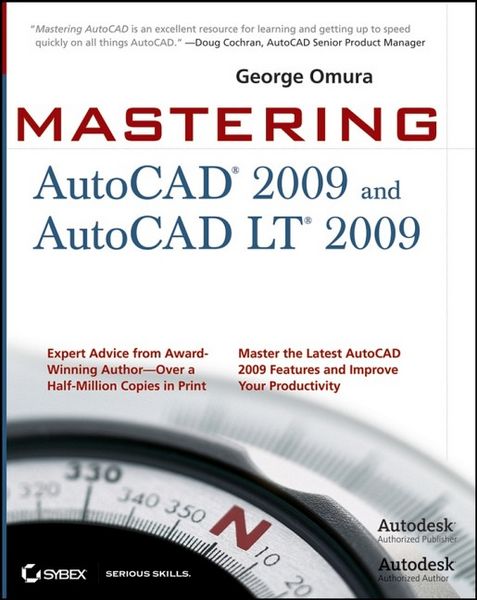
Mastering AutoCAD 2009 and AutoCAD LT 2009
-
- Englisch ausgewählt
-
Verlag:Sybex Inc
- John Wiley & Sons Fr. 72.90
- Sybex Inc Fr. 58.90 ausgewählt
Fr. 58.90
inkl. gesetzl. MwSt.,
Beschreibung
Produktdetails
Einband
Taschenbuch
Erscheinungsdatum
September 2008
Verlag
Sybex IncSeitenzahl
1032
Maße (L/B/H)
6/19.2/23 cm
Gewicht
1468 g
Auflage
1. Auflage
Sprache
Englisch
ISBN
978-0-470-28704-0
The World's Bestselling AutoCAD Resource Fully Updated for 2009
There's a reason why Mastering AutoCAD is so popular year after year. Loaded with concise explanations, step-by-step instructions, and hands-on projects, this comprehensive reference and tutorial from award-winning author George Omura has everything you need to become an AutoCAD expert.
If you're new to AutoCAD, the tutorials will help you build your skills right away. If you're an AutoCAD veteran, Omura's in-depth explanations of the latest features, including the new Ribbon interface and new Action Recorder, will turn you into an AutoCAD pro. Whatever your experience level and however you use AutoCAD, you'll refer to this indispensable reference again and again.
Coverage includes:
* Creating and developing AutoCAD drawings
* Drawing curves and applying solid fills
* Effectively using hatches, fields, and tables
* Manipulating dynamic blocks and attributes
* Linking drawings to databases and spreadsheets
* Rendering realistic interior views with natural lighting
* Giving a hand-drawn look to 3D views
* Presenting 3D models with cutaway and x-ray views
* Making spiral forms with the Helix and Sweep tools
* Finding open drawings fast with the new Quick View Drawings tool
* Browsing recent files and toolbar selections using the new Menu Browser
* Converting multiple layer settings and other layer translator options
* Explore the New Ribbon Interface
* Automate Repetitive Tasks with the Action Recorder
* Organize Drawing Information with Layers
* Annotate, Secure, and Authenticate Files
* Track Your Projects with the Sheet Set Manager
* Publish Drawings over the Internet and eTransmit Your Files
There's a reason why Mastering AutoCAD is so popular year after year. Loaded with concise explanations, step-by-step instructions, and hands-on projects, this comprehensive reference and tutorial from award-winning author George Omura has everything you need to become an AutoCAD expert.
If you're new to AutoCAD, the tutorials will help you build your skills right away. If you're an AutoCAD veteran, Omura's in-depth explanations of the latest features, including the new Ribbon interface and new Action Recorder, will turn you into an AutoCAD pro. Whatever your experience level and however you use AutoCAD, you'll refer to this indispensable reference again and again.
Coverage includes:
* Creating and developing AutoCAD drawings
* Drawing curves and applying solid fills
* Effectively using hatches, fields, and tables
* Manipulating dynamic blocks and attributes
* Linking drawings to databases and spreadsheets
* Rendering realistic interior views with natural lighting
* Giving a hand-drawn look to 3D views
* Presenting 3D models with cutaway and x-ray views
* Making spiral forms with the Helix and Sweep tools
* Finding open drawings fast with the new Quick View Drawings tool
* Browsing recent files and toolbar selections using the new Menu Browser
* Converting multiple layer settings and other layer translator options
* Explore the New Ribbon Interface
* Automate Repetitive Tasks with the Action Recorder
* Organize Drawing Information with Layers
* Annotate, Secure, and Authenticate Files
* Track Your Projects with the Sheet Set Manager
* Publish Drawings over the Internet and eTransmit Your Files
Noch keine Bewertungen vorhanden
Verfassen Sie die erste Bewertung zu diesem Artikel
Helfen Sie anderen Kundinnen und Kunden durch Ihre Meinung.