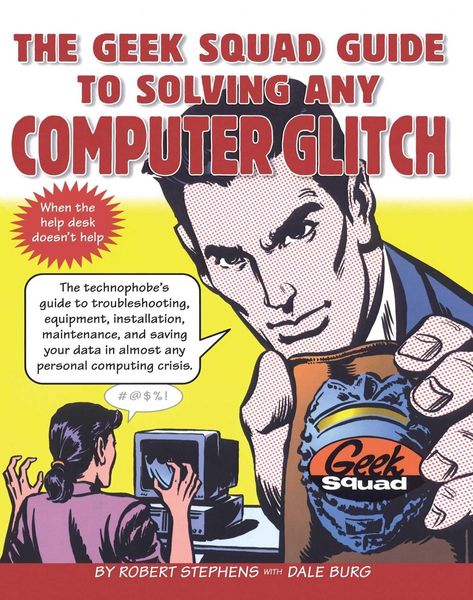
Produktbild: The Geek Squad Guide to Solving Any Computer Glitch

The Geek Squad Guide to Solving Any Computer Glitch

Aus der Reihe No Series

Fr. 25.90

inkl. gesetzl. MwSt., zzgl. Versandkosten


  • Kostenlose Lieferung ab Fr. 30 Einkaufswert

    Schweiz & Liechtenstein:

    Versandkostenfrei ab Fr. 30.00
    Versandkosten bis Fr. 30.00: Fr. 3.50

    Andere Lieferländer

    Fr. 18.00 unabhängig vom Warenwert

Beschreibung

Produktdetails

Einband

Taschenbuch

Erscheinungsdatum

01.09.1999

Verlag

Touchstone

Seitenzahl

226

Maße (L/B/H)

23.5/19.1/1.2 cm

Gewicht

431 g

Sprache

Englisch

ISBN

978-0-684-84343-8

Beschreibung

Produktdetails

Einband

Taschenbuch

Erscheinungsdatum

01.09.1999

Verlag

Touchstone

Seitenzahl

226

Maße (L/B/H)

23.5/19.1/1.2 cm

Gewicht

431 g

Sprache

Englisch

ISBN

978-0-684-84343-8

Herstelleradresse

Libri GmbH
Europaallee 1
36244 Bad Hersfeld
DE

Email: gpsr@libri.de

Noch keine Bewertungen vorhanden

Verfassen Sie die erste Bewertung zu diesem Artikel

Helfen Sie anderen Kundinnen und Kunden durch Ihre Meinung.

Kundinnen und Kunden meinen

Bewertungen (0)

  • Produktbild: The Geek Squad Guide to Solving Any Computer Glitch
  • Contents
    Introduction
    Using This Book
    Chapter One CHOOSING A COMPUTER
    Comparing Brands: Windows-Based Computers vs. Macintosh
    Buying a Used Computer
    Desk-top vs. Laptop
    Comparing Features
    The Deciding Factor: Service and Support
    Buying Printers
    Service Contracts for Other Items
    Where to Buy
    Chapter Two PREVENTING PROBLEMS
    What Makes Computers Act Weird
    Why Geeks Have Fewer Computer Problems
    Getting Along with Your Computer
    General Software Smarts
    Backup Basics
    Preventive Procedures
    Chapter Three STARTUP PROBLEMS
    No Power Light
    Power Light On, Both CPU and Monitor Are On, but You Get No Video
    Mac: There's Nothing on the Desktop
    Windows: Reports "System Configuration Has Changed"
    Windows: Reports "Hard Drive Failure"
    Mac: Disk with Question Mark Appears
    Screen Not as Expected
    Date and Time Errors
    Sad Mac Face or "Beep" Alarm
    Immediate Crash: "System Error," Cursor or Screen Locks Up/Freezes, or Other Disabling Event
    Computer Locks Up/Freezes Ten to Twenty Minutes After Startup
    Chapter Four THE STUBBORN RAM
    Reports "Out of Memory" or "Insufficient Memory"
    Chapter Five VIDEOVAGARIES
    General Weirdness
    Rolling Screen, Static, and/or Lines; No Clear Picture
    Red-, Blue-, or Green-Tinted Screen
    Only Partial Image On-Screen
    Brightness Fluctuates
    Screen Doesn't Respond to Commands
    OldMonitor Problems
    Chapter Six HARD-DRIVE ISSUES
    Mac: Hard-Drive Icon Missing
    Silence
    Knocking
    Windows: Says "Insert System Disk"
    Windows: Reports "Hard Drive Failure"
    Windows: Reports "Data Error Reading Drive C"
    Reports "Not Enough Space to Store" or "Unable to Write to Disk"
    Chapter Seven FLOPPY-DISK FAILURES
    Can't Read Disks from Other People's Computers
    Can't Transfer Information to Floppy
    Disk Is Reportedly Full but That Seems Impossible
    Every Disk Is Locked
    Can't Insert Floppy
    Can't Eject Floppy
    Disk Errors on Floppy
    Noisy Floppy
    Chapter Eight COPING WITH THE CD-ROM DRIVE
    CD Doesn't Show Up When You Put It In/Can't Read CD
    Audio CD Doesn't Play
    Computer Freezes When CD-ROM Is in Use
    Chapter Nine TERRORS OF THE TAPE DRIVE
    Installation Trouble
    Problems Restoring Data
    Freezes
    Chapter Ten REASONING WITH THE REMOVABLE STORAGE DEVICE
    Drive Not Working
    Can't Read Disk
    Disk Noisy When Inserted
    Computer Freezes When Drive Is Used
    Can't Write to Disk/Error Message Appears
    Chapter Eleven CALMING THE KEYBOARD
    Spill on Keyboard
    Windows: Keyboard Not Working
    Mac: Keyboard Not Working
    One Key Doesn't Work
    Pressing One Key Delivers Another Character
    Chapter Twelve TAMING THE MOUSE/POINTER DEVICE
    Mouse Needs CPR
    ? Windows: Mouse Won't Cooperate with Modem
    Mouse Lies Down on the Job
    Chapter Thirteen SCANNER SOLUTIONS
    Scanning for Beginners
    Scanning Without a Scanner
    Scanner Doesn't Scan
    Scanner Light Isn't Working
    Chapter Four-teen POINTERS FOR PRINTERS
    Printer Having a Tantrum
    Not Printing
    Produces Blank Page
    Prints Garbage
    Paper jam
    Won't Grab Paper
    Won't Print from One Particular Program
    Quality Is Poor
    Can't Find Supplies for Printer
    Mac: Printer Quits Partway Through job
    Printing Sideways
    Printing Envelopes
    Chapter Fifteen MAKING THE MODEM MIND YOU
    Modem Not Working
    Seems Slow
    Particular Program Can't See the Modem
    Dialing Problems
    Disabling Call Waiting
    Silent Modem
    Connection Failure
    Faxing on Your Computer
    Chapter Sixteen SOUND-CARD SOLUTIONS
    No Sound
    Sound Unsatisfactory
    Only Some Programs Produce Sound
    Intermittent Sound
    Other Sounds Work but You Cannot Play an Audio CD
    Chapter Seventeen LAPTOP TECHNIQUES
    Can't Find Battery
    Battery Won't Charge
    Won't Turn On
    Doesn't Recognize PC Card
    Can't Eject PC Card
    Doesn't Show Network or Get Dial Tone
    No Video
    Video Problems
    Keyboard Not Working
    Trackball Goes on Strike
    Trackpad Doesn't Work/Cursor Is jumpy
    Won't Go to Sleep
    Traveling with Your Laptop
    Making a Presentation
    Chapter Eighteen APPLICATION/SOFTWARE PROBLEMS
    Can't Install Software or Upgrade
    Software Locks Up/Freezes
    Can't Print from Application
    Mac: Bomb Appears When You Pick a Different Font
    Mac: Application Frequently "Unexpectedly Quits"
    Uninstalling/Reinstalling Application Software
    Identifying Software Version
    Chapter Nineteen DOCUMENT/FILE DILEMMAS
    Problems Transferring Files
    Problems Converting Files
    Problems Finding a File
    File Deleted in Error
    File Cannot Be Opened
    Mac: Application Is Missing
    Mac: Processing Is Slow
    Mac: Calls for Ejected Disk
    Lost Password on a File
    Chapter Twenty RECOVERING DATA
    Limiting Damage in an Emergency
    Reports "Document Cannot Be Read"
    Getting to Data After a Crash
    If You Had No Backup
    Getting Professional Help
    Chapter Twenty-one USING THE INTERNET
    Choosing a Provider
    Trouble Connecting
    Images Slow to Appear
    Sending and Receiving E-Mail on the Road
    Sending and Receiving E-Mail Without Internet Access
    Sending Files
    Credit-Card Protection
    Surfing the Net
    Downloading
    Preventing Unwanted E-Mail
    Controlling What the Kids Can See
    Crashes/Lockups/Freezes While You Are on the Internet
    Browser Error Messages
    "Transfer Is Interrupted"
    Chapter Twenty-two WHEN THE COMPUTER SEEMS TO HAVE A MIND OF ITS OWN
    Any Odd Behavior
    Periodic Freezes/Lockups
    Computer Is Slow
    Routine Operation Gets Strange Results
    Program Opens Other Than the One You Tried to Open
    Mac: Icons Look Strange
    Random Characters Appear
    "Blue Screen of Death"
    Mac: Trash Won't Empty
    Chapter Twenty-three SECURITY ISSUES
    Password Forgotten
    Creating Crack-Proof Passwords
    Preventing Theft
    Removing Information from Your Computer Before You Sell It
    Chapter Twenty-four COMPUTER-TO-COMPUTER COMMUNICATION
    Exchanging Word-Processing Documents
    Exchanging Quicken Files
    Exchanging a Database
    Exchanging Spreadsheets
    Sending/Receiving a Computer File Using a Fax
    Chapter Twenty-five GETTING THE BEST SERVICE
    Guidelines When Calling for a Pickup or Dropping the Computer Off for Repair
    What to Take to the Service Center
    When Sending Away a Computer Under Warranty
    When the Computer Is Not Under Warranty
    When the News Is Bad
    Chapter Twenty-six RETIREMENT PLANNING FOR YOUR COMPUTER
    Upgrade It
    Sell It
    Donate It
    Keep It
    APPENDIX A BASIC PROCEDURES
    Minimum System Startup
    Reinstalling the Operating System
    Resolving Driver/Extension Conflicts -Reinstalling Drivers/ Extensions
    APPENDIX B YEAR (Y2K) PROBLEMS
    Hardware
    Operating System
    Software
    APPENDIX C DEFINITIONS
    APPENDIX D RESOURCES
    INDEX