Beschreibung
Produktdetails
Einband
Taschenbuch
Erscheinungsdatum
April 2009
Verlag
WileySeitenzahl
320
Maße (L/B/H)
3.7/19.3/23.8 cm
Gewicht
916 g
Auflage
1. Auflage
Sprache
Englisch
ISBN
978-0-470-47992-6
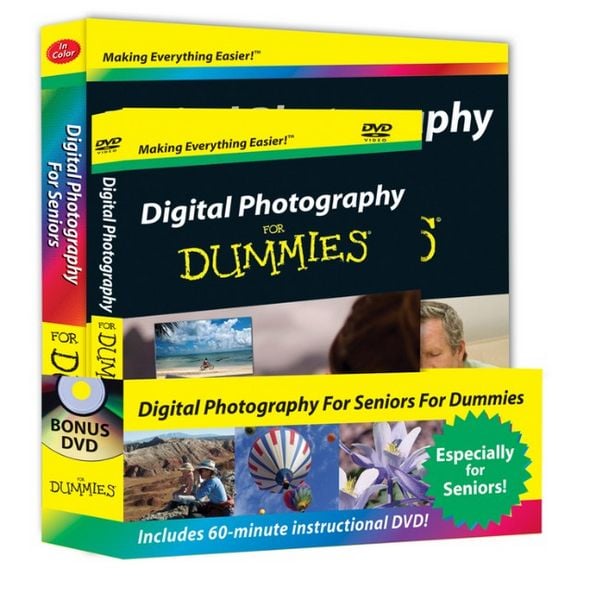
A value-packed bundle for value-conscious seniors!
Digital photography and cameras is a must-have for the over-55 set, but the technology can be intimidating. This book-and-DVD bundle provides all the plain-English guidance of Digital Photography For Seniors For Dummies along with a one-hour DVD filled with tips for using various camera settings, getting terrific photos, and working with images after they're shot.
With advice on choosing and using a digital camera, secrets for super shots, getting images onto the computer and enhancing them, and making prints or sharing pictures online, this value-priced bundle has what seniors want to know.
People over 55 are one of the fastest-growing markets for digital cameras; they want to learn to use the equipment quickly and without being intimidated by technology
This book-and-DVD bundle provides plenty of information in plain English and at a no-nonsense price
Covers choosing a digital camera, understanding the lingo, using the controls, working with different settings, downloading and organizing pictures, performing basic edits, and sharing your photos
Easy-to-read type and plenty of colorful illustrations make Digital Photography For Seniors For Dummies a great way to get up to speed
The Digital Photography For Seniors For Dummies bundle provides exactly what seniors want-no-frills explanations, the visual aspect of DVD instruction, and a great value. Get the right picture with this easy-to-use instructional DVD!
Want to start shooting better photos but don't have the time for a photography class? This instructional video introduces the basics of getting great digital photos. It shows how to use a point-and-shoot camera or a high-end digital SLR to take portraits, action shots, landscapes, close-ups, and night shots. You also get lessons on how to use free photo editing tools to brighten up dark images, get rid of red-eye in your pictures, and send your photos to friends and family.
Discover how to:
Adjust camera settings for action and low-light shots
Choose picture quality settings
Perfect your shutter button techniques
Shoot to avoid red-eye
Send a photo by e-mail
Start an online photo album
Digital photography and cameras is a must-have for the over-55 set, but the technology can be intimidating. This book-and-DVD bundle provides all the plain-English guidance of Digital Photography For Seniors For Dummies along with a one-hour DVD filled with tips for using various camera settings, getting terrific photos, and working with images after they're shot.
With advice on choosing and using a digital camera, secrets for super shots, getting images onto the computer and enhancing them, and making prints or sharing pictures online, this value-priced bundle has what seniors want to know.
People over 55 are one of the fastest-growing markets for digital cameras; they want to learn to use the equipment quickly and without being intimidated by technology
This book-and-DVD bundle provides plenty of information in plain English and at a no-nonsense price
Covers choosing a digital camera, understanding the lingo, using the controls, working with different settings, downloading and organizing pictures, performing basic edits, and sharing your photos
Easy-to-read type and plenty of colorful illustrations make Digital Photography For Seniors For Dummies a great way to get up to speed
The Digital Photography For Seniors For Dummies bundle provides exactly what seniors want-no-frills explanations, the visual aspect of DVD instruction, and a great value. Get the right picture with this easy-to-use instructional DVD!
Want to start shooting better photos but don't have the time for a photography class? This instructional video introduces the basics of getting great digital photos. It shows how to use a point-and-shoot camera or a high-end digital SLR to take portraits, action shots, landscapes, close-ups, and night shots. You also get lessons on how to use free photo editing tools to brighten up dark images, get rid of red-eye in your pictures, and send your photos to friends and family.
Discover how to:
Adjust camera settings for action and low-light shots
Choose picture quality settings
Perfect your shutter button techniques
Shoot to avoid red-eye
Send a photo by e-mail
Start an online photo album
Kundinnen und Kunden meinen
Verfassen Sie die erste Bewertung zu diesem Artikel
Helfen Sie anderen Kund*innen durch Ihre Meinung