KI-Beratung Beta

Produktbild: Word 2010 All-in-One For Dummies

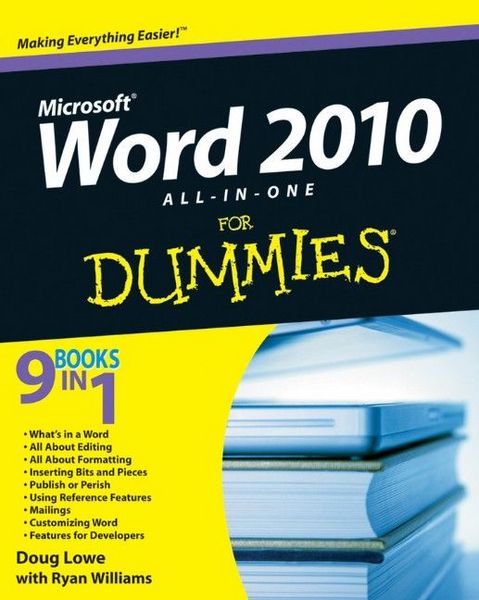
Word 2010 All-in-One For Dummies

Aus der Reihe For Dummies

Fr. 46.90

inkl. gesetzl. MwSt., Versandkostenfrei


Beschreibung

A complete guide to the world's most popular word processing software Microsoft Word is the most popular word processing software on the planet, and the most-used application in the Microsoft Office productivity suite. Along with the rest of Office, Word has been enhanced with new features and capabilities...

Beschreibung

A complete guide to the world's most popular word processing software
Microsoft Word is the most popular word processing software on the planet, and the most-used application in the Microsoft Office productivity suite. Along with the rest of Office, Word has been enhanced with new features and capabilities in the 2010 version.
Word's many users will find new things to learn and use in Word 2010, and this all-in-one guide gets them up to speed while providing a reference for taking Word to the next level.
* Word is the top-selling application in the Microsoft Office suite and is the leading word processing software
* Both newcomers to Word and experienced users will need instruction in Word 2010's new features, including online editing capabilities, online document collaboration, and an improved search function
* Nine minibooks cover Word basics, editing, formatting, inserting bits and pieces, publishing documents, using reference features, mailings, customizing Word, and special features for developers
Word 2010 All-in-One For Dummies makes it easier for Word users everywhere to get up and running with Word 2010 and its new features.

Produktdetails

Einband

Taschenbuch

Verlag John Wiley & Sons Inc
Seitenzahl

648

Maße (L/B/H)

3.4/18.9/23.2 cm

Produktdetails

Einband

Taschenbuch

Verlag John Wiley & Sons Inc
Seitenzahl

648

Maße (L/B/H)

3.4/18.9/23.2 cm

Sprache

Englisch

ISBN

978-0-470-48766-2

Noch keine Bewertungen vorhanden

Verfassen Sie die erste Bewertung zu diesem Artikel

Helfen Sie anderen Kundinnen und Kunden durch Ihre Meinung.

Kundinnen und Kunden meinen

Bewertungen (0)

Die Leseprobe wird geladen.
  • Produktbild: Word 2010 All-in-One For Dummies
  • Introduction.

    Book I: What's in a Word?

    Chapter 1: Getting to Know Word 2010.

    Chapter 2: Your Backstage Pass for Managing Documents.

    Chapter 3: Working with Templates.

    Chapter 4: Printing Your Documents.

    Chapter 5: Help!

    Book II: All about Editing.

    Chapter 1: Getting Around in Your Documents.

    Chapter 2: Basic Text Formatting.

    Chapter 3: Working with Styles.

    Chapter 4: Editing Techniques.

    Chapter 5: All about AutoCorrect and Its Siblings.

    Chapter 6: Spell-Checking and the Thesaurus.

    Book III: All about Formatting.

    Chapter 1: Basic Page Formatting and Sections.

    Chapter 2: Formatting Fancy Pages.

    Chapter 3: Creating Lists.

    Book IV: Inserting Bits and Pieces.

    Chapter 1: Drawing Shapes on Your Document.

    Chapter 2: Inserting Pictures and Clip Art.

    Chapter 3: Creating Charts and Diagrams.

    Chapter 4: Working with Tables.

    Chapter 5: Inserting Fancy Text.

    Chapter 6: Other Things You Can Insert in Your Documents.

    Book V: Publish or Perish.

    Chapter 1: Blogging with Word.

    Chapter 2: Working with SharePoint.

    Chapter 3: Collaborating with the Review Tab.

    Book VI: Using Reference Features.

    Chapter 1: Creating a Table of Contents or Table of Figures.

    Chapter 2: Working with Footnotes and Endnotes.

    Chapter 3: Indexing Your Masterpiece.

    Chapter 4: Citations and Bibliographies.

    Chapter 5: I Object! (To Tables of Authorities, That Is).

    Chapter 6: Working with Outlines and Master Documents.

    Book VII: Mailings.

    Chapter 1: Creating Envelopes and Labels.

    Chapter 2: Faxing and E-Mailing Documents.

    Chapter 3: Using the Mail Merge Wizard.

    Chapter 4: Advanced Mail-Merge Tricks.

    Book VIII: Customizing Word.

    Chapter 1: Customizing the User Interface.

    Chapter 2: Opting for Options.

    Chapter 3: Working with Fields.

    Chapter 4: Creating Custom Forms.

    Book IX: Features for Developers.

    Chapter 1: Recording and Using Macros.

    Chapter 2: Programming with VBA.

    Chapter 3: More Programming: Using Word's Object Model.

    Chapter 4: Creating UserForms.

    Index.