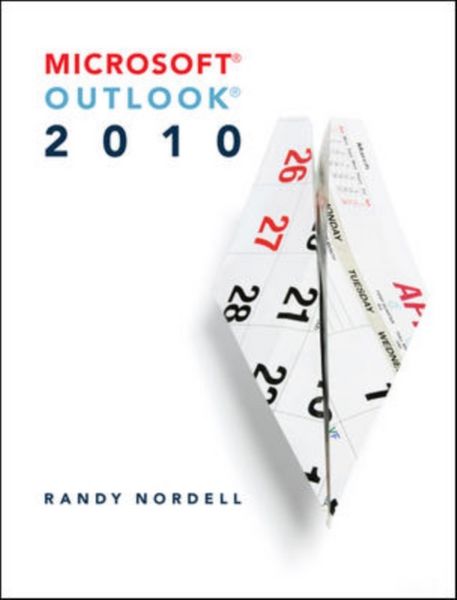
Produktbild: Ms Outlook 2010

Ms Outlook 2010

Fr. 198.00

inkl. gesetzl. MwSt., Versandkostenfrei


Beschreibung

Produktdetails

Einband

Taschenbuch

Erscheinungsdatum

01.01.2011

Abbildungen

543 Illustrations, unspecified

Verlag

McGraw-Hill Education Ltd

Seitenzahl

448

Maße (L/B/H)

27.9/21.1/2 cm

Gewicht

880 g

Sprache

Englisch

ISBN

978-0-07-351928-9

Beschreibung

Produktdetails

Einband

Taschenbuch

Erscheinungsdatum

01.01.2011

Abbildungen

543 Illustrations, unspecified

Verlag

McGraw-Hill Education Ltd

Seitenzahl

448

Maße (L/B/H)

27.9/21.1/2 cm

Gewicht

880 g

Sprache

Englisch

ISBN

978-0-07-351928-9

Noch keine Bewertungen vorhanden

Verfassen Sie die erste Bewertung zu diesem Artikel

Helfen Sie anderen Kundinnen und Kunden durch Ihre Meinung.

Kundinnen und Kunden meinen

Bewertungen (0)

  • Produktbild: Ms Outlook 2010

  • Microsoft Outlook 2010 Chapter 1: Outlook Overview Chapter Flyover Making Outlook Work For You What Is Outlook? Working With Outlook Navigating Outlook What's New in Outlook 2010? Outlook As A Stand-Alone Program Chapter Highlights What Do You Know About Outlook? Putting Outlook to Work Chapter 2: E-Mail Basics Chapter Flyover Making Outlook Work For You Types Of E-mail Accounts Setting Up An E-Mail Account Creating, Sending, And Receiving E-Mail Handling Attachments Understanding Arrangement And Icons Cleaning Up Your Inbox Chapter Highlights What do You Know About Outlook? Putting Outlook to Work Chapter 3: E-mail Special Features Chapter Flyover Making Outlook Work For You Types of E-Mail Format Message Options Voting Buttons Customize Your E-Mail Chapter Highlights What Do You Know About Outlook? Putting Outlook to Work Chapter 4: Contacts Chapter Flyover Making Outlook Work For You What Is A Contact? Creating Contacts Editing Contact Info Changing Views In Contacts Using Contacts Chapter Highlights What Do You Know About Outlook? Putting Outlook to Work Chapter 5: Calendar Chapter Flyover Making Outlook Work For You Benefits Of An Outlook Calendar Calendar Items Navigating The Calendar Views Creating And Editing Calendar Items Creating And Using Meeting Requests Chapter Highlights What Do You Know About Outlook? Putting Outlook to Work Chapter 6: Tasks And To-Do Items Chapter Flyover Making Outlook Work For You Understanding Tasks And To-Do Items Creating Tasks Viewing Tasks And To-Do Items Managing Tasks Chapter Highlights What Do You Know About Outlook? Putting Outlook to Work Chapter 7: Folders, Rules, Quick Steps, Categories, and Follow Up Flags Chapter Flyover Making Outlook Work For You Using Folders Using Rules And Quick Steps Using Categories Using Follow Up Flags Chapter Highlights What Do You Know About Outlook? Putting Outlook to Work Chapter 8: Multiple E-Mail Accounts, Advanced E-Mail Options, and RSS Feeds Chapter Flyover Making Outlook Work For You Setting Up Additional E-Mail Accounts Managing Multiple E-Mail Accounts Customizing E-Mail Options Using RSS Feeds Chapter Highlights What Do You Know About Outlook? Putting Outlook to Work Chapter 9: Advanced Contacts Chapter Flyover Making Outlook Work For You Managing Contacts Business Cards Importing and Exporting Using Contacts With Other Microsoft Office Programs Chapter Highlights What Do You Know About Outlook? Putting Outlook to Work Chapter 10: Advanced Calendars Chapter Flyover Making Outlook Work For You Using Multiple Calendars Calendar Options Printing And Sharing An Outlook Calendar Advanced Calendar Features Chapter Highlights What Do You Know About Outlook? Putting Outlook to Work Chapter 11: Notes, Journal, Search Folders, Shortcuts, and Archiving Chapter Flyover Making Outlook Work For You Using Notes Using The Journal Using Search Folders Using Shortcuts Archiving Highlights Chapter Highlights What Do You Know About Outlook? Putting Outlook to Work Chapter 12: Sharing, Security, Search and User Interface Chapter Flyover Making Outlook Work For You Sharing Your Outlook With Others Security Searching For Outlook Items Customizing Outlook To Fit Your Needs Chapter Highlights What Do You Know About Outlook? Putting Outlook to Work QUICK TIPS AND TROUBLESHOOTING APPENDIX A: SETTING UP OUTLOOK FOR AN ON-STIE OR ONLINE CLASSROOM ENVIRONMENT APPENDIX B: OUTLOOK SHORTCUTS APPENDIX C: OUTLOOK QUICK REFERNCE GUIDE APPENDIX D: EXCHANGE SERVER VERSUS STAND ALONE USAGE GLOSSARY INDEX