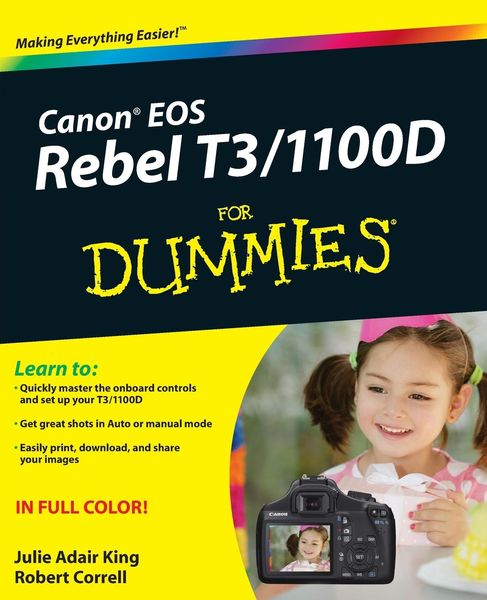
• Produktbild: Canon EOS Rebel T3/1100D For Dummies
  • Produktbild: Canon EOS Rebel T3/1100D For Dummies

Canon EOS Rebel T3/1100D For Dummies

Fr. 48.90

inkl. gesetzl. MwSt., Versandkostenfrei


Beschreibung

Produktdetails

Einband

Taschenbuch

Erscheinungsdatum

16.08.2011

Verlag

John Wiley & Sons

Seitenzahl

400

Maße (L/B/H)

23.5/19.1/2.2 cm

Gewicht

748 g

Auflage

1. Auflage

Sprache

Englisch

ISBN

978-1-118-09497-6

Beschreibung

Produktdetails

Einband

Taschenbuch

Erscheinungsdatum

16.08.2011

Verlag

John Wiley & Sons

Seitenzahl

400

Maße (L/B/H)

23.5/19.1/2.2 cm

Gewicht

748 g

Auflage

1. Auflage

Sprache

Englisch

ISBN

978-1-118-09497-6

Herstelleradresse

Libri GmbH
Europaallee 1
36244 Bad Hersfeld
DE

Email: gpsr@libri.de

Noch keine Bewertungen vorhanden

Verfassen Sie die erste Bewertung zu diesem Artikel

Helfen Sie anderen Kundinnen und Kunden durch Ihre Meinung.

Kundinnen und Kunden meinen

Bewertungen (0)

Die Leseprobe wird geladen.
  • Produktbild: Canon EOS Rebel T3/1100D For Dummies
  • Produktbild: Canon EOS Rebel T3/1100D For Dummies
  • Introduction 1

    A Quick Look at What's Ahead 2

    Icons and Other Stuff to Note 3

    About the Software Shown in This Book 4

    eCheat Sheet 4

    Practice, Be Patient, and Have Fun! 4

    Part I: Fast Track to Super Snaps 5

    Chapter 1: Getting the Lay of the Land 7

    Getting Comfortable with Your Lens 8

    Attaching a lens 8

    Removing a lens 10

    Using an IS (Image Stabilizer) lens 10

    Shifting from autofocus to manual focus 11

    Zooming in and out 13

    Adjusting the Viewfinder Focus 13

    Using the LCD Monitor 14

    Working with Memory Cards 16

    Exploring External Camera Controls 17

    Topside controls 17

    Back-of-the-body controls 19

    Front odds and ends 23

    Connection ports 24

    Viewing and Adjusting Camera Settings 25

    Ordering from menus 26

    Using the Shooting Settings display 28

    Taking advantage of the Quick Control screen 30

    Decoding viewfinder data 31

    Checking the Camera Settings display 33

    Reviewing Basic Setup Options 34

    Setup Menu 1 34

    Setup Menu 2 36

    Setup Menu 3 39

    Two more customization options 39

    Chapter 2: Choosing Basic Picture Settings 41

    Choosing an Exposure Mode 42

    Changing the Drive Mode 43

    Using the Flash 47

    Using flash in the fully automatic modes 48

    Using flash in Creative Auto mode 48

    Enabling flash in the advanced exposure modes 50

    Using Red-Eye Reduction flash 50

    Controlling Picture Quality 52

    Diagnosing quality problems 52

    Decoding the Quality options 54

    Considering Resolution: Large, Medium, or Small? 56

    Understanding File Type (JPEG or Raw) 60

    JPEG: The imaging (and web) standard 61

    Raw (CR2): The purist's choice 62

    Our take: Choose Fine or Raw 64

    Chapter 3: Taking Great Pictures, Automatically 65

    As Easy As It Gets: Auto and Flash Off 66

    Taking Advantage of Scene Modes 71

    Trying out the scene modes 71

    Modifying scene mode results 78

    Gaining More Control with Creative Auto 87

    Chapter 4: Exploring Live View Shooting and Movie Making 93

    Getting Started with Live View 94

    Live View safety tips 96

    Customizing the Live View display 98

    Exploring Your Focusing Options 100

    Manual focusing 101

    Reviewing the three autofocus modes 102

    Shooting Still Pictures in Live View Mode 109

    Viewing and adjusting picture settings 109

    Taking a shot in Live View mode 114

    Recording Your First Movie 116

    Customizing Movie Recording Settings 119

    Movie Menu 1 120

    Movie Menu 2 121

    Movie Menu 3 123

    Playing Movies 124

    Editing Movies 125

    Part II: Working with Picture Files 129

    Chapter 5: Picture Playback 131

    Disabling and Adjusting Image Review 131

    Viewing Pictures in Playback Mode 132

    Viewing multiple images at a time 132

    Using the Quick Control screen during playback 134

    Jumping through images 135

    Rotating pictures 137

    Zooming in for a closer view 140

    Viewing Picture Data 141

    Basic Information display data 142

    Basic Information plus display 143

    Shooting Information display mode 144

    Understanding Histogram display mode 146

    Deleting Photos 149

    Erasing single images 149

    Erasing all images 149

    Erasing selected images 150

    Protecting Photos 151

    Protecting a single photo 152

    Protecting multiple photos 153

    Rating Photos 154

    Presenting a Slide Show 156

    Viewing Your Photos on a Television 160

    Chapter 6: Downloading, Printing, and Sharing Your Photos 163

    Choosing the Right Photo Software 163

    Four free photo programs 164

    Four advanced photo editing programs 166

    Sending Pictures to the Computer 167

    Connecting your camera and computer 168

    Starting the transfer process 170

    Downloading images with Canon tools 170

    Processing Raw (CR2) Files 176

    Planning for Perfect Prints 180

    Check the pixel count before you print 180

    Allow for different print proportions 182

    Get print and monitor colors in sync 183

    Preparing Pictures for Online Sharing 186

    Part III: Taking Creative Control 193

    Chapter 7: Getting Creative with Exposure and Lighting 195

    Kicking Your Camera into Advanced Gear 196

    Introducing the Exposure Trio: Aperture, Shutter Speed, and ISO 197

    Understanding exposure-setting side effects 200

    Doing the exposure balancing act 204

    Monitoring Exposure Settings 205

    Choosing an Exposure Metering Mode 208

    Setting ISO, f-stop, and Shutter Speed 210

    Controlling ISO 211

    Adjusting aperture and shutter speed 214

    Sorting through Your Camera's Exposure-Correction Tools 216

    Overriding autoexposure results with Exposure Compensation 216

    Improving high-contrast shots with Highlight Tone Priority 220

    Experimenting with Auto Lighting Optimizer 223

    Correcting lens vignetting with Peripheral Illumination Correction 226

    Locking Autoexposure Settings 228

    Bracketing Exposures Automatically 230

    Turning auto bracketing on and off 232

    Shooting a bracketed series 235

    Using Flash in Advanced Exposure Modes 235

    Understanding your camera's approach to flash 237

    Using flash outdoors 240

    Adjusting flash power with Flash Exposure Compensation 242

    Locking the flash exposure 244

    Exploring more flash options 245

    Chapter 8: Manipulating Focus and Color 249

    Reviewing Focus Basics 249

    Adjusting Autofocus Performance 252

    AF Selection Point: One focus point or many? 253

    Changing the AF (autofocus) mode 255

    Choosing the right autofocus combo 257

    Manipulating Depth of Field 257

    Using A-DEP mode 263

    Checking depth of field 264

    Controlling Color 265

    Correcting colors with White Balance 265

    Changing the White Balance setting 267

    Creating a custom White Balance setting 269

    Fine-tuning White Balance settings 271

    Bracketing shots with White Balance 274

    Choosing a Color Space: sRGB versus Adobe RGB 277

    Taking a Quick Look at Picture Styles 279

    Chapter 9: Putting It All Together 285

    Recapping Basic Picture Settings 285

    Setting Up for Specific Scenes 287

    Shooting still portraits 287

    Capturing action 293

    Capturing scenic vistas 297

    Capturing dynamic close-ups 300

    Coping with Special Situations 302

    Part IV: The Part of Tens 305

    Chapter 10: Ten Fast Photo-Editing Tricks 307

    Opening and Saving Images 307

    Removing Red-Eye 312

    Cropping Your Photo 314

    Adjusting Color Saturation 317

    Tweaking Color Balance 320

    Adjusting Exposure 322

    Three-point exposure control with the Level Adjustment filter 322

    Gaining more control with the Tone Curve Adjustment filter 325

    Sharpening Focus (Sort Of) 328

    Shifting to AutoPilot 331

    Adding Text 332

    Chapter 11: Ten Special-Purpose Features to Explore on a Rainy Day 335

    Changing the Function of the Set Button 335

    Customizing Exposure and Focus Lock Options 338

    Disabling the AF-Assist Beam 340

    Reassigning the Flash Button 341

    Adding Cleaning Instructions to Images 342

    Turning Off the Shooting Settings Screen 345

    Creating Your Very Own Camera Menu 346

    Creating Custom Folders 348

    Tagging Files with Your Copyright Claim 349

    Setting Up an Eye-Fi Memory Card 351

    Installing Eye-Fi software 352

    Using Eye-Fi 354

    Coming to grips with transfer speeds 356

    Index 357