Beschreibung
Produktdetails
Einband
Taschenbuch
Verlag
John Wiley & SonsSeitenzahl
1056
Maße (B/H)
15/25 cm
Auflage
4. Auflage
Sprache
Englisch
ISBN
978-1-118-48812-6
Top-to-bottom coverage of the top-selling Microsoft Office application
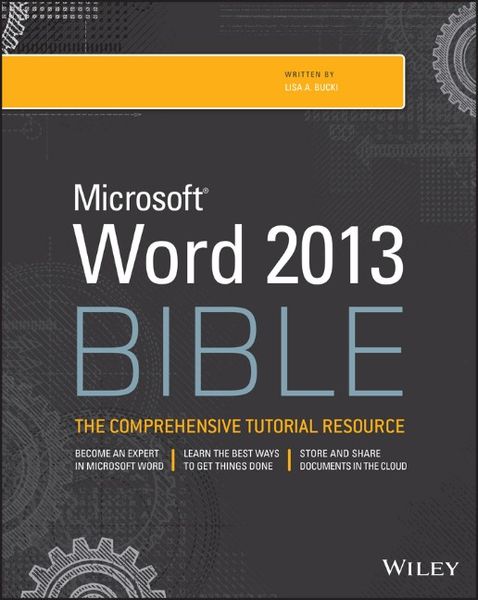
If you want to use Microsoft Word to create more than just simple documents, start with this ultimate Word guide. Packed with the in-depth content that is the hallmark of all Wiley Bibles, this book covers it all. You'll first find out what's new in Word 2013 on the features level - formatting, styles, tables, and more - before you dive into the big stuff that can help you become more efficient. From document design to creating master documents to applying security to collaborating in the Cloud, you'll learn not just how to do tasks, but the best ways to do them, and why.
* Details everything you need to know to get the most out of Word 2013
* Walks you through new or refreshed basics, such as formatting, styles, charts, and tables
* Shows you how to use data sources, create envelopes and labels, and make forms
* Takes your Word skills up a notch with coverage of keyboard customization, security, collaborating on the Cloud, comparing documents, and much more
Start creating documents at a new level and wow your colleagues, with Word 2013 Bible.
If you want to use Microsoft Word to create more than just simple documents, start with this ultimate Word guide. Packed with the in-depth content that is the hallmark of all Wiley Bibles, this book covers it all. You'll first find out what's new in Word 2013 on the features level - formatting, styles, tables, and more - before you dive into the big stuff that can help you become more efficient. From document design to creating master documents to applying security to collaborating in the Cloud, you'll learn not just how to do tasks, but the best ways to do them, and why.
* Details everything you need to know to get the most out of Word 2013
* Walks you through new or refreshed basics, such as formatting, styles, charts, and tables
* Shows you how to use data sources, create envelopes and labels, and make forms
* Takes your Word skills up a notch with coverage of keyboard customization, security, collaborating on the Cloud, comparing documents, and much more
Start creating documents at a new level and wow your colleagues, with Word 2013 Bible.
Noch keine Bewertungen vorhanden
Verfassen Sie die erste Bewertung zu diesem Artikel
Helfen Sie anderen Kundinnen und Kunden durch Ihre Meinung.