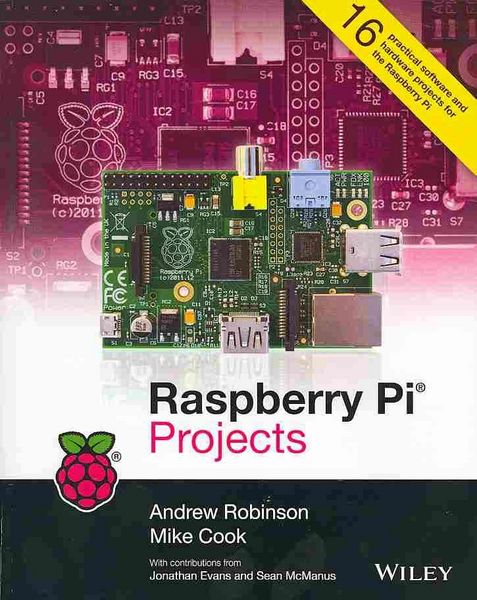
Produktbild: Raspberry Pi Projects

Raspberry Pi Projects

Fr. 27.90

inkl. gesetzl. MwSt., zzgl. Versandkosten


  • Kostenlose Lieferung ab Fr. 30 Einkaufswert

    Schweiz & Liechtenstein:

    Versandkostenfrei ab Fr. 30.00
    Versandkosten bis Fr. 30.00: Fr. 3.50

    Andere Lieferländer

    Fr. 18.00 unabhängig vom Warenwert

Beschreibung

Produktdetails

Einband

Taschenbuch

Verlag

John Wiley & Sons Inc

Seitenzahl

478

Maße (L/B/H)

3/18.9/23.7 cm

Gewicht

815 g

Auflage

2. Auflage

Sprache

Englisch

ISBN

978-1-118-55543-9

Beschreibung

Rezension

"...this book is a must if you want to do more with your Raspberry Pi." (Connected Digital World, January 2014)
"A great introduction to the Pi and the sort of things that can be accomplished." (MmIT, February 2014)
"Books like this...will guide you through a given project and provide you with learning points along the way, which is a great way to learn about Linux, Python, hardware hacking or anything. Beginner or not you'll learn lots by following the guide set out by experts such as these." (RaspberryPi.org, March 2014)

Produktdetails

Einband

Taschenbuch

Verlag

John Wiley & Sons Inc

Seitenzahl

478

Maße (L/B/H)

3/18.9/23.7 cm

Gewicht

815 g

Auflage

2. Auflage

Sprache

Englisch

ISBN

978-1-118-55543-9

Noch keine Bewertungen vorhanden

Verfassen Sie die erste Bewertung zu diesem Artikel

Helfen Sie anderen Kundinnen und Kunden durch Ihre Meinung.

Kundinnen und Kunden meinen

Bewertungen (0)

Die Leseprobe wird geladen.
  • Produktbild: Raspberry Pi Projects
  • Introduction 1

    A History of Making 1

    Consumer Computing 2

    Why Everyone Should Learn About Computing 2

    Enter the Raspberry Pi 3

    About This Book 4

    How to Use Th is Book 4

    The Future 6

    Part I: Getting Started with the Raspberry Pi

    CHAPTER 1 Getting Your Raspberry Pi Up and Running 9

    The Operating System 10

    Connecting Your Raspberry Pi 16

    The Boot Process 25

    Starting the Graphical Desktop 26

    Starting a Terminal under X 26

    Troubleshooting 26

    Let the Fun Begin! 28

    CHAPTER 2 Introductory Software Project: The Insult Generator 29

    Running Your First Python Program 30

    Saving Your Program 33

    Generating an Insult 36

    Insult Your Friends by Name! 39

    Create a Stream of Insults! 41

    Putting It All Together 45

    Part II: Software Projects

    CHAPTER 3 Tic-Tac-Toe 49

    Errors 50

    Making a Start 51

    A Two-Player Game 55

    Getting the Computer to Play 59

    Over to You 70

    CHAPTER 4 Here's the News 71

    Early Teleprompters 72

    The Pi Prompter 73

    What You Need to Do 73

    A Step Closer to a Usable Program 78

    Your Final Pi Prompter Code 84

    The Physical Setup for Your Prompter 89

    Over to You 92

    CHAPTER 5 Ping 93

    Early Commercial Products 94

    The Ping Game 94

    Improving the Ping Game 99

    A Single-Player Game 104

    A Two-Player Game 111

    Over to You 118

    CHAPTER 6 Pie Man 121

    The Pie Man Game 122

    Gather Your Resources 123

    Setting the Stage 127

    The Game Action 133

    Drawing the Screen 141

    The Final Function 144

    Over to You 150

    CHAPTER 7 Minecraft Maze Maker 151

    Installing Minecraft 152

    Starting Minecraft 153

    Playing Minecraft 154

    Preparing for Python 156

    Using the Minecraft Module 156

    Over to You 174

    Part III: Hardware Projects

    CHAPTER 8 Colour Snap 177

    Implementing the Game 178

    The Software for Testing the Game 193

    The Software for the Game 196

    Over to You 202

    CHAPTER 9 Test Your Reactions 203

    Welcome to the Embedded World! 204

    Obtaining Components 205

    Setting up PiFace Digital 206

    Connecting PiFace Digital 210

    Using the Emulator 210

    Interfacing with Python 211

    The Reaction Timer 214

    What Will You Interface? 226

    CHAPTER 10 The Twittering Toy 227

    Hacking the Toy 228

    Making It Talk 232

    Making It Move 235

    Connecting to Twitter 239

    Putting It All Together 245

    Wrapping Up 248

    CHAPTER 11 Disco Lights 251

    Defining Your Sequence 252

    Getting the Code to Do More 254

    A Small Detour into Theory 256

    Designing the Sequencer 257

    Implementing the Sequencer 258

    The Lights 265

    Using Longer Strip Lights 268

    Making the Lights Move 269

    Designing the Circuit 270

    Building the Circuit 273

    Running the Circuit 273

    Over to You 274

    CHAPTER 12 Door Lock 275

    The System Overview 276

    Safety-Critical Systems 276

    The Door Lock Hardware 277

    The Initial High-Level Software Simulation 278

    The Output Block 281

    The Input Block 283

    The Authentication Block 284

    Unlocking Doors Without Touching 286

    Testing the Program and Fitting the Lock 292

    Networking Multiple Doors 293

    Over to You 294

    The Art of Programming 295

    CHAPTER 13 Home Automation 297

    The Internet Of Things 298

    Project 1: How to Create a Motion Sensor and Door Switch 298

    Project 2: How to Monitor Your Home with a Webcam 305

    Project 3: How to Make a Temperature Gauge 312

    Project 4: How to Send an E-mail Alert 317

    Project 5: How to Send an E-mail Using a Wireless Remote 324

    Over to You 331

    CHAPTER 14 Computer-Controlled Slot Car Racing 333

    Obtaining a Slot Car Racer 334

    Hacking Your Slot Car Racer 334

    Getting the Player Input 336

    The Software 346

    The Game 348

    Over to You 354

    CHAPTER 15 Facebook-Enabled Roto-Sketch 355

    The Concept 356

    Rotary Encoder Types 356

    The Encoder Output 357

    Posting to Facebook 366

    The Final Roto-Sketch Program 369

    Creating a Symmetrical Pattern 375

    Over to