KI-Beratung Beta

Gutscheinbedingungen

*Gültig bis 08.11.2026 auf (fast) alles. Ausgeschlossen sind tolino shine, Smartboxen, Zeitschriften, Tickets, Lebensmittel, Gaming-Elektroartikel, Tinte/Toner, Gutscheine, Geschenkkarten, Blumen, Dienstleistungen und Abos | Einlösbar in allen Buchhandlungen von Orell Füssli (ausser bei Transa Books), Barth Bücher, Buchladen Rapunzel, Papeterie Köhler, Schuler Orell Füssli, Stauffacher und ZAP unter Vorweisung des Gutscheins, auf orellfüssli.ch durch Eingabe des Gutscheincodes. Beim Service „eBooks verschenken“ und bei eBook-Käufen via eReader nicht einlösbar | Mindesteinkaufswert: Fr. 30.- | Nicht mit anderen Rabatten kumulierbar.

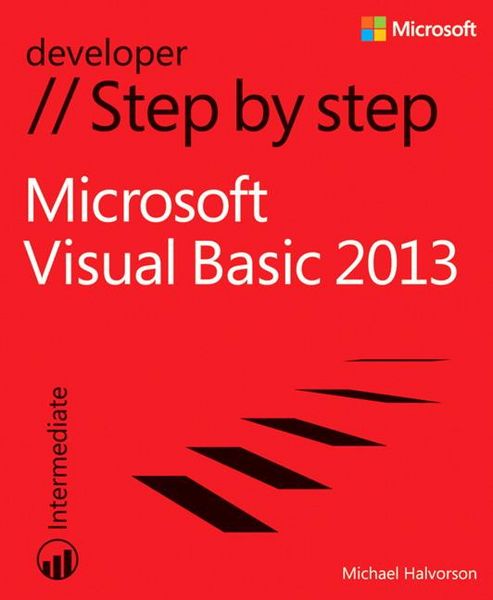
Produktbild: Ms Visual Basic 2013 Step By S

Ms Visual Basic 2013 Step By S

Aus der Reihe Step by Step Developer

Fr. 59.90

inkl. gesetzl. MwSt., Versandkostenfrei


Beschreibung

Produktdetails

Einband

Taschenbuch

Erscheinungsdatum

15.11.2013

Verlag

Microsoft Press

Seitenzahl

700

Maße (L/B/H)

22.6/18.7/4.1 cm

Gewicht

1130 g

Auflage

1.Auflage

Sprache

Englisch

ISBN

978-0-7356-6704-4

Beschreibung

Produktdetails

Einband

Taschenbuch

Erscheinungsdatum

15.11.2013

Verlag

Microsoft Press

Seitenzahl

700

Maße (L/B/H)

22.6/18.7/4.1 cm

Gewicht

1130 g

Auflage

1.Auflage

Sprache

Englisch

ISBN

978-0-7356-6704-4

Noch keine Bewertungen vorhanden

Verfassen Sie die erste Bewertung zu diesem Artikel

Helfen Sie anderen Kundinnen und Kunden durch Ihre Meinung.

Kundinnen und Kunden meinen

Bewertungen (0)

  • Produktbild: Ms Visual Basic 2013 Step By S
    • Introduction
    • Introduction to Visual Studio development
      • Chapter 1: Visual Basic 2013 development opportunities and the Windows Store
      • Chapter 2: The Visual Studio Integrated Development Environment
      • Chapter 3: Creating your first Windows Store application
      • Chapter 4: Windows desktop apps: A walkthrough using Windows Forms
    • Designing the user interface
      • Chapter 5: Working with Windows Store app controls
      • Chapter 6: Working with Windows Forms controls
      • Chapter 7: XAML markup step by step
      • Chapter 8: Using XAML styles
      • Chapter 9: Exploring Windows 8.1 design features: Command bar, flyout, tiles, and touch
      • Chapter 10: Creating console applications
    • Visual Basic programming techniques
      • Chapter 11: Mastering data types, operators, and string processing
      • Chapter 12: Creative decision structures and loops
      • Chapter 13: Trapping errors by using structured error handling
      • Chapter 14: Using arrays, collections, and generics to manage data
      • Chapter 15: Innovative data management with LINQ
      • Chapter 16: Object-oriented programming techniques
    • Database and web programming
      • Chapter 17: Database controls for Windows desktop apps
      • Chapter 18: Data access for Windows Store apps
      • Chapter 19: Visual Studio web development with ASP.NET
    • Microsoft Windows Phone programming
      • Chapter 20: Introduction to Windows Phone 8 development
      • Chapter 21: Creating your first Windows Phone 8 application
    • About the author