KI-Beratung Beta

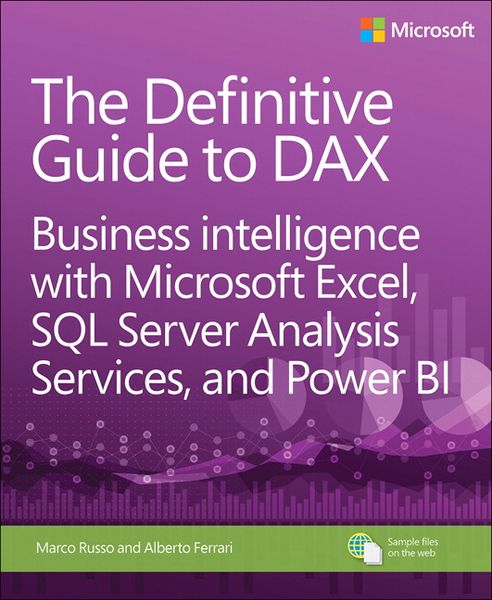
Produktbild: Definitive Guide to DAX, The: Business intelligence with Microsoft Excel, SQL Server Analysis Services, and Power BI

Definitive Guide to DAX, The: Business intelligence with Microsoft Excel, SQL Server Analysis Services, and Power BI

Aus der Reihe Business Skills

Fr. 49.90

inkl. gesetzl. MwSt., Versandkostenfrei


Beschreibung

This comprehensive and authoritative guide will teach you the DAX language for business intelligence, data modeling, and analytics. Leading Microsoft BI consultants Marco Russo and Alberto Ferrari help you master everything from table functions through advanced code and model optimization. You’ll learn...

Beschreibung

This comprehensive and authoritative guide will teach you the DAX language for business intelligence, data modeling, and analytics. Leading Microsoft BI consultants Marco Russo and Alberto Ferrari help you master everything from table functions through advanced code and model optimization. You’ll learn exactly what happens under the hood when you run a DAX expression, how DAX behaves differently from other languages, and how to use this knowledge to write fast, robust code. If you want to leverage all of DAX’s remarkable power and flexibility, this no-compromise “deep dive” is exactly what you need.
 
Perform powerful data analysis with DAX for Microsoft SQL Server Analysis Services, Excel, and Power BI

  • Master core DAX concepts, including calculated columns, measures, and error handling
  • Understand evaluation contexts and the CALCULATE and CALCULATETABLE functions
  • Perform time-based calculations: YTD, MTD, previous year, working days, and more
  • Work with expanded tables, complex functions, and elaborate DAX expressions
  • Perform calculations over hierarchies, including parent/child hierarchies
  • Use DAX to express diverse and unusual relationships
  • Measure DAX query performance with SQL Server Profiler and DAX Studio

Produktdetails

Einband

Taschenbuch

Erscheinungsdatum

13.10.2015

Verlag Pearson Studium
Seitenzahl

592

Produktdetails

Einband

Taschenbuch

Erscheinungsdatum

13.10.2015

Verlag Pearson Studium
Seitenzahl

592

Maße (L/B/H)

3.6/18.8/22.9 cm

Gewicht

953 g

Auflage

1

Sprache

Englisch

ISBN

978-0-7356-9835-2

Herstelleradresse

Pearson Education Limited
The Strand 80
WC2R 0RL London
GB
Email: buchhandel@pearson.de
Url: www.stark-verlag.de
Telephone: +49 811 600040
Fax: +49 811 60004601

Noch keine Bewertungen vorhanden

Verfassen Sie die erste Bewertung zu diesem Artikel

Helfen Sie anderen Kundinnen und Kunden durch Ihre Meinung.

Kundinnen und Kunden meinen

Bewertungen (0)

Die Leseprobe wird geladen.
  • Produktbild: Definitive Guide to DAX, The: Business intelligence with Microsoft Excel, SQL Server Analysis Services, and Power BI
  • Foreword    xvii

    Introduction    xix

    Chapter 1: What is DAX?    1


    Understanding the data model    1

    Understanding the direction of a relationship    3

    DAX for Excel users    5

    Cells versus tables    5

    Excel and DAX: Two functional languages    8

    Using iterators    8

    DAX requires some theory    8

    DAX for SQL developers    9

    Understanding relationship handling    9

    DAX is a functional language    10

    DAX as a programming and querying language    11

    Subqueries and conditions in DAX and SQL    12

    DAX for MDX developers    13

    Multidimensional vs. Tabular    13

    DAX as a programming and querying language    13

    Hierarchies    14

    Leaf-level calculations    15

    Chapter 2: Introducing DAX    17

    Understanding DAX calculations    17

    DAX data types    18

    DAX operators    21

    Understanding calculated columns and measures    22

    Calculated columns    22

    Measures    23

    Variables    26

    Handling errors in DAX expressions    26

    Conversion errors    26

    Arithmetical operations errors    27

    Intercepting errors    30

    Formatting DAX code    32

    Common DAX functions    35

    Aggregate functions    35

    Logical functions    37

    Information functions    39

    Mathematical functions    39

    Trigonometric functions    40

    Text functions    40

    Conversion functions    41

    Date and time functions    42

    Relational functions    42

    Chapter 3: Using basic table functions    45

    Introducing table functions    45

    EVALUATE syntax    47

    Using table expressions    50

    Understanding FILTER    51

    Understanding ALL, ALLEXCEPT, and ALLNOBLANKROW    54

    Understanding VALUES and DISTINCT    58

    Using VALUES as a scalar value    59

    Chapter 4: Understanding evaluation contexts    61

    Introduction to evaluation contexts    62

    Understanding the row context    66

    Testing your evaluation context understanding    67

    Using SUM in a calculated column    67

    Using columns in a measure    68

    Creating a row context with iterators    69

    Using the EARLIER function    70

    Understanding FILTER, ALL, and context interactions    74

    Working with many tables    77

    Row contexts and relationships    78

    Filter context and relationships    80

    Introducing VALUES    84

    Introducing ISFILTERED, ISCROSSFILTERED    85

    Evaluation contexts recap    88

    Creating a parameter table    89

    Chapter 5: Understanding CALCULATE and CALCULATETABLE    93

    Understanding CALCULATE    93

    Understanding the filter context    95

    Introducing CALCULATE    98

    CALCULATE examples    101

    Filtering a single column    101

    Filtering with complex conditions    106

    Using CALCULATETABLE    109

    Understanding context transition    111

    Understanding context transition with measures    114

    How many rows are visible after context transition?    116

    Understanding evaluation order of context transition    117

    Variables and evaluation contexts    118

    Understanding circular dependencies    119

    CALCULATE rules    122

    Introducing ALLSELECTED    123

    Understanding USERELATIONSHIP    125

    Chapter 6: DAX examples    129

    Computing ratios and percentages    129

    Computing cumulative totals    132

    Using ABC (Pareto) classification    136

    Computing sales per day and working day    143

    Computing differences in working days    150

    Computing static moving averages    151

    Chapter 7: Time intelligence calculations    155

    Introduction to time intelligence    155

    Building a Date table    156

    Using CALENDAR and CALENDARAUTO    157

    Working with multiple dates    160

    Handling multiple relationships to the Date table    161

    Handling multiple Date tables    162

    Introduction to time intelligence    164

    Using Mark as Date Table    166

    Aggregating and comparing over time    168

    Year-to-date, quarter-to-date, month-to-date    168

    Computing periods from prior periods    171

    Computing difference over previous periods    174

    Computing the moving annual total    175

    Closing balance over time    178

    Semi-additive measures    178

    OPENINGBALANCE and CLOSINGBALANCE functions    184

    Advanced time intelligence    188

    Understanding periods to date    189

    Understanding DATEADD    191

    Understanding FIRSTDATE and LASTDATE    196

    Understanding FIRSTNONBLANK and LASTNONBLANK    199

    Using drillthrough with time intelligence    200

    Custom calendars    200

    Working with weeks    201

    Custom year-to-date, quarter-to-date, month-to-date    204

    Computing over noncontiguous periods    206

    Custom comparison between periods    210

    Chapter 8: Statistical functions    213

    Using RANKX    213

    Common pitfalls using RANKX    216

    Using RANK.EQ    219

    Computing average and moving average    220

    Computing variance and standard deviation    222

    Computing median and percentiles    223

    Computing interests    225

    Alternative implementation of PRODUCT and GEOMEAN    226

    Using internal rate of return (XIRR)    227

    Using net present value (XNPV)    228

    Using Excel statistical functions    229

    Sampling by using the SAMPLE function    230

    Chapter 9: Advanced table functions    233

    Understanding EVALUATE    233

    Using VAR in EVALUATE    235

    Understanding filter functions    236

    Using CALCULATETABLE    236

    Using TOPN    239

    Understanding projection functions    241

    Using ADDCOLUMNS    241

    Using SELECTCOLUMNS    244

    Using ROW    247

    Understanding lineage and relationships    248

    Understanding grouping/joining functions    250

    Using SUMMARIZE    250

    Using SUMMARIZECOLUMNS    255

    Using GROUPBY    261

    Using ADDMISSINGITEMS    262

    Using NATURALINNERJOIN    265

    Using NATURALLEFTOUTERJOIN    266

    Understanding set functions    267

    Using CROSSJOIN    267

    Using UNION    269

    Using INTERSECT    272

    Using EXCEPT    274

    Using GENERATE, GENERATEALL    275

    Understanding utility functions    278

    Using CONTAINS    278

    Using LOOKUPVALUE    280

    Using SUBSTITUTEWITHINDEX    283

    Using ISONORAFTER    284

    Chapter 10: Advanced evaluation context    285

    Understanding ALLSELECTED    285

    Understanding KEEPFILTERS    294

    Understanding AutoExists    304

    Understanding expanded tables    307

    Difference between table expansion and filtering    315

    Redefining the filter context    316

    Understanding filter context intersection    318

    Understanding filter context overwrite    320

    Understanding arbitrarily shaped filters    321

    Understanding the ALL function    326

    Understanding lineage    329

    Using advanced SetFilter    331

    Learning and mastering evaluation contexts    338

    Chapter 11: Handling hierarchies    339

    Computing percentages over hierarchies     339

    Handling parent-child hierarchies    346

    Handling unary operators    358

    Implementing unary operators by using DAX    359

    Chapter 12: Advanced relationships    367

    Using calculated physical relationships    367

    Computing multiple-column relationships    367

    Computing static segmentation    369

    Using virtual relationships    371

    Using dynamic segmentation    371

    Many-to-many relationships    373

    Using relationships with different granularities    378

    Differences between physical and virtual relationships    381

    Finding missing relationships    382

    Computing number of products not sold    383

    Computing new and returning customers    384

    Examples of complex relationships    386

    Performing currency conversion    386

    Frequent itemset search    392

    Chapter 13: The VertiPaq engine    399

    Understanding database processing    400

    Introduction to columnar databases    400

    Understanding VertiPaq compression    403

    Understanding value encoding    404

    Understanding dictionary encoding    405

    Understanding Run Length Encoding (RLE)    406

    Understanding re-encoding    409

    Finding the best sort order    409

    Understanding hierarchies and relationships    410

    Understanding segmentation and partitioning    412

    Using Dynamic Management Views    413

    Using DISCOVER_OBJECT_MEMORY_USAGE    414

    Using DISCOVER_STORAGE_TABLES    414

    Using DISCOVER_STORAGE_TABLE_COLUMNS    415

    Using DISCOVER_STORAGE_TABLE_COLUMN_SEGMENTS    416

    Understanding materialization    417

    Choosing hardware for VertiPaq    421

    Can you choose hardware?    421

    Set hardware priorities    421

    CPU model    422

    Memory speed    423

    Number of cores    423

    Memory size    424

    Disk I/O and paging    424

    Conclusions    424

    Chapter 14: Optimizing data models    425

    Gathering information about the data model    425

    Denormalization    434

    Columns cardinality    442

    Handling date and time    443

    Calculated columns    447

    Optimizing complex filters with Boolean calculated columns    450

    Choosing the right columns to store    451

    Optimizing column storage    453

    Column split optimization    453

    Optimizing high cardinality columns    454

    Optimizing drill-through attributes    455

    Chapter 15: Analyzing DAX query plans    457

    Introducing the DAX query engine    457

    Understanding the formula engine    458

    Understanding the storage engine (VertiPaq)    459

    Introducing DAX query plans    459

    Logical query plan    460

    Physical query plan    461

    Storage engine query    462

    Capturing profiling information    463

    Using the SQL Server Profiler    463

    Using DAX Studio    467

    Reading storage engine queries    470

    Introducing xmSQL syntax    470

    Understanding scan time    477

    Understanding DISTINCTCOUNT internals    479

    Understanding parallelism and datacache    480

    Understanding the VertiPaq cache    481

    Understanding CallbackDataID    483

    Reading query plans    488

    Chapter 16: Optimizing DAX    495

    Defining optimization strategy    496

    Identifying a single DAX expression to optimize    496

    Creating a reproduction query    499

    Analyzing server timings and query plan information    500

    Identifying bottlenecks in the storage engine or formula engine    503

    Optimizing bottlenecks in the storage engine    504

    Choosing ADDCOLUMNS vs. SUMMARIZE    505

    Reducing CallbackDataID impact    509

    Optimizing filter conditions    512

    Optimizing IF conditions    513

    Optimizing cardinality    515

    Optimizing nested iterators    517

    Optimizing bottlenecks in the formula engine    522

    Creating repro in MDX    527

    Reducing materialization    528

    Optimizing complex bottlenecks    532

    Index    537