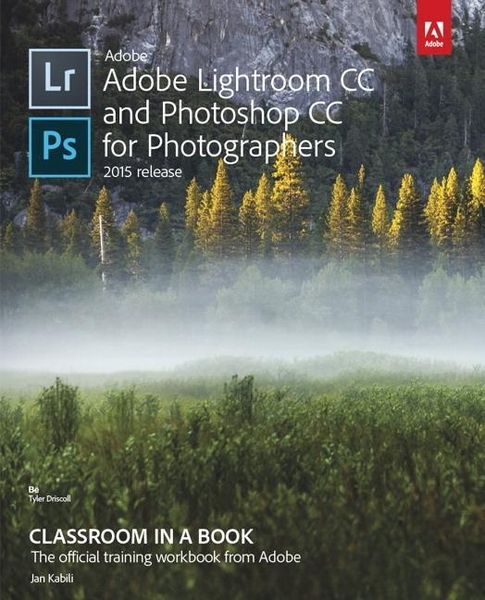
Produktbild: Adobe Lightroom Cc & Photoshop

Adobe Lightroom Cc & Photoshop in a Book: 2015

Fr. 84.90

inkl. gesetzl. MwSt., Versandkostenfrei


Beschreibung

Produktdetails

Einband

Taschenbuch

Erscheinungsdatum

08.09.2016

Verlag

Adobe Press

Seitenzahl

368

Maße (L/B/H)

23.2/18.9/2.2 cm

Gewicht

715 g

Sprache

Englisch

ISBN

978-0-13-428861-1

Beschreibung

Produktdetails

Einband

Taschenbuch

Erscheinungsdatum

08.09.2016

Verlag

Adobe Press

Seitenzahl

368

Maße (L/B/H)

23.2/18.9/2.2 cm

Gewicht

715 g

Sprache

Englisch

ISBN

978-0-13-428861-1

Kundinnen und Kunden meinen

0 Bewertungen

Informationen zu Bewertungen

Zur Abgabe einer Bewertung ist eine Anmeldung im Konto notwendig. Die Authentizität der Bewertungen wird von uns nicht überprüft. Wir behalten uns vor, Bewertungstexte, die unseren Richtlinien widersprechen, entsprechend zu kürzen oder zu löschen.

Die Bewertungen sind nach Format, Anzahl Sterne und Datum sortiert.

Verfassen Sie die erste Bewertung zu diesem Artikel

Helfen Sie anderen Kund*innen durch Ihre Meinung

Kundinnen und Kunden meinen

0 Bewertungen filtern

  • Produktbild: Adobe Lightroom Cc & Photoshop
  • Getting Started

    About Classroom in a Book

    Windows vs. Mac OS instructions

    Prerequisites

    Accessing the Web Edition

    Lesson files

    Installing Lightroom and Photoshop

    Why use both Lightroom and Photoshop

    Creating a Lightroom catalog for use with this book

    Getting help

    Adobe Authorized Training Centers

    1 Importing and Managing Photos in Lightroom

    Lesson overview

    Preparing for this lesson

    Storing your photographs

    Importing photos into a Lightroom catalog

    Organizing your photos

    Finding photos

    2 Using Lightroom's Develop Module for Global Adjustments

    Lesson overview

    Preparing for this lesson

    Using the Develop module

    Mastering the adjustment workflow: The big picture

    Syncing changes to multiple photos

    3 Using Lightroom's Develop Module for Local and Creative Adjustments

    Lesson overview

    Preparing for this lesson

    Using the Graduated Filter tool

    Using the Radial Filter tool

    Using the Adjustment Brush tool

    Removing distractions with the Spot Removal tool

    Adding creative color effects

    Saving metadata to files

    4 Lightroom-Photoshop Roundtrip Workflow

    Lesson overview

    Preparing for this lesson

    Setting up Lightroom and Photoshop for smooth integration

    Sending a raw file from Lightroom to Photoshop

    Sending a JPEG or TIFF from Lightroom to Photoshop

    Sending a photo from Lightroom to Photoshop as a Smart Object

    5 Lightroom to Photoshop for Combining Photos

    Lesson overview

    Preparing for this lesson

    Combining photos for texture and collage effects

    Combining photos into the perfect group shot

    Making HDR images

    Making panoramas

    6 Lightroom to Photoshop for Selecting and Masking

    Lesson overview

    Preparing for this lesson

    Selection basics

    Selecting by shape

    Selecting by color

    Using the Focus Area command

    Selecting hair using the Select and Mask workspace

    Selecting using channels

    7 Lightroom to Photoshop for Retouching

    Lesson overview

    Preparing for this lesson

    Removing unwanted content in Photoshop

    Moving content in Photoshop

    Smoothing skin realistically in Photoshop

    Sculpting a portrait using Photoshop's Liquify filter

    8 Lightroom to Photoshop for Special Effects

    Lesson overview

    Preparing for this lesson

    Artistic portrait treatments

    Adding creative blur effects

    Creating a social media cover photo

    9 Exporting and Showing Off Your Work

    Lesson overview

    Preparing for this lesson

    Setting up an identity plate

    Creating a watermark

    Emailing photos

    Exporting photos

    Exporting and sharing using publish services

    Creating prints

    Books, slideshows, and web galleries

    Next steps