Gutscheinbedingungen

*Gültig bis 18.08.2026 auf (fast) alles. Ausgeschlossen sind Smartboxen, Zeitschriften, Tickets, Lebensmittel, Gaming-Elektroartikel, Tinte/Toner, Gutscheine, Geschenkkarten, Blumen und Abos | Einlösbar in allen Buchhandlungen von Orell Füssli, Barth Bücher, Buchladen Rapunzel, Schuler Orell Füssli, Stauffacher und ZAP unter Vorweisung des Gutscheins, auf www.orellfüssli.ch durch Eingabe des Gutscheincodes. Beim Service „eBooks verschenken“ und bei eBook-Käufen via eReader nicht einlösbar | Mindesteinkaufswert: Fr. 100.- | Nicht mit anderen Rabatten kumulierbar.

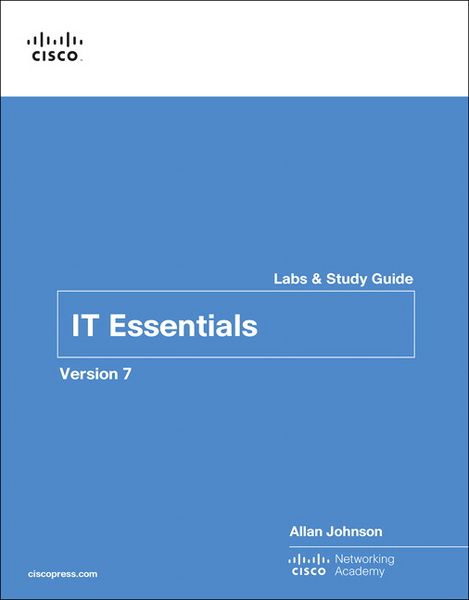
Produktbild: IT Essentials Labs and Study Guide Version 7

IT Essentials Labs and Study Guide Version 7

Fr. 51.90

inkl. gesetzl. MwSt., Versandkostenfrei


Beschreibung

Produktdetails

Einband

Taschenbuch

Erscheinungsdatum

28.05.2024

Verlag

Pearson Education Limited

Seitenzahl

544

Maße (L/B/H)

27.6/21.6/3 cm

Gewicht

1320 g

Auflage

1

Sprache

Englisch

ISBN

978-0-13-561203-3

Beschreibung

Produktdetails

Einband

Taschenbuch

Erscheinungsdatum

28.05.2024

Verlag

Pearson Education Limited

Seitenzahl

544

Maße (L/B/H)

27.6/21.6/3 cm

Gewicht

1320 g

Auflage

1

Sprache

Englisch

ISBN

978-0-13-561203-3

Herstelleradresse


Email: info@bod.de

Noch keine Bewertungen vorhanden

Verfassen Sie die erste Bewertung zu diesem Artikel

Helfen Sie anderen Kundinnen und Kunden durch Ihre Meinung.

Kundinnen und Kunden meinen

Bewertungen (0)

  • Produktbild: IT Essentials Labs and Study Guide Version 7

  •     Introduction   xxxiii


    Chapter 1    Introduction to Personal Computer Hardware  1


        Personal Computers  2


        PC Components    3


        Computer Disassembly  21 The


        Labs and Activities  22


        1.3.2.2 Lab—Disassemble a Computer    23


    Chapter 2    PC Assembly  27


        Assemble the Computer  28


        Labs and Activities  38 Command Reference   38


        2.1.2.5 Lab—Install the Power Supply    39


        2.1.3.10 Lab—Install the Motherboard in a Computer   40


        2.1.4.7 Lab—Install the Drives   42


        2.1.5.6 Lab—Install Adapter Cards    43


        2.1.7.4 Lab—Install Internal Cables    45


        2.1.7.8 Lab—Install Front Panel Cables    47


        2.1.7.11 Lab—Complete the Computer Assembly   48


    Chapter 3    Advanced Computer Hardware  49


        Boot the Computer  50


        Electrical Power   52


        Advanced Computer Functionality  53 CPU


        Computer Configuration  65


        Protecting the Environment    68


        Labs and Activities  69 Command Reference   69


        3.1.1.6 Lab—Investigate BIOS or UEFI Settings   70


        3.1.2.5Lab—Search for BIOS or UEFI Firmware Updates  73


        3.1.2.6Lab—Install Windows   75


        3.1.2.7Lab—Install Third-Party Software in Windows   78


        3.2.1.3 Lab—Ohms Law  80


        3.4.1.7 Lab—Research a Hardware Upgrade    81


    Chapter 4    Preventive Maintenance and Troubleshooting    83


        Preventive Maintenance   84


        Troubleshooting Process    85


        Labs and Activities  90 Command Reference   90


        4.2.3.5Lab—Use a Multimeter and a Power Supply Tester   91


        4.2.3.6Lab—Troubleshoot Hardware Problems    95


    Chapter 5    Networking Concepts   99


        Study Guide   100


        Network Components and Types  100


        Networking Protocols, Standards, and Services  103


        Network Devices   108


        Network Cables   110


        Labs and Activities   117 Command Reference   117


        5.4.2.8 Lab—Build and Test a Network Cable   118


    Chapter 6    Applied Networking   125


        Device-to-Network Connections   126


        Network Troubleshooting    130


        Labs and Activities   134 Command Reference   134


        6.1.2.1 Packet Tracer—Add Computers to an Existing Network   135


        6.1.2.7 Lab—Configure a NIC to Use DHCP in Windows   137


        6.1.3.9Packet Tracer—Connect to a Wireless Network   142


        6.1.3.10Lab—Configure a Wireless Network    147


        6.1.4.7Packet Tracer—Configure Firewall Settings   152


        6.1.4.8Lab—Configure Firewall Settings    155


        6.1.5.3 Packet Tracer—Configure IoT Devices   159


        6.2.2.5 Lab—Troubleshoot Network Problems    161


    Chapter 7    Laptops and Other Mobile Devices  163


        Characteristics of Laptops and Other Mobile Devices    164


        Laptop Configuration  166


        Laptop Hardware and Component Installation and Configuration  167


        Other Mobile Device Hardware Overview 168 Other


        Network Connectivity and Email 170


        Preventive Maintenance and Troubleshooting Laptops and Other Mobile Devices    172


        Basic Troubleshooting Process for Laptops and Other Mobile Devices    173


        Labs and Activities   176 Command Reference   176


        7.1.1.10 Lab—Mobile Device Information    177


        7.1.2.8 Lab—Research Docking Stations and Port Replicators  178


        7.3.1.6 Lab—Research Laptop RAM    181


        7.3.2.4 Lab—Research Laptop Screens    182


        7.3.2.7 Lab—Research Laptop Batteries    183


        7.3.2.10 Lab—Research Laptop Drives    184


        7.5.1.2 Lab—Mobile Wi-Fi  185


        7.7.2.4Lab—Research Laptop Problems    187


        7.7.2.5Lab—Gather Information from the Customer   188


        7.7.2.6Investigate Support Websites and Repair Companies  189


    Chapter 8    Printers  191


        Common Printer Features   192


        Printer Type Comparison  193


        Installing and Configuring Printers    199


        Sharing Printers   201


        Maintaining and Troubleshooting Printers    202


        Labs and Activities   205 Command Reference   205


        8.3.1.2 Lab—Install a Printer in Windows    206


        8.4.1.3 Lab—Share a Printer in Windows    208


        8.5.2.3 Lab—Perform Preventive Maintenance on an Inkjet Printer   210


        8.5.3.2 Lab—Perform Preventive Maintenance on a Laser Printer   212


    Chapter 9    Virtualization and Cloud Computing  215


        Virtualization 216


        Cloud Computing  218


        Labs and Activities   222 Command Reference   222


        9.1.2.5 Lab—Install Linux in a Virtual Machine and Explore the GUI   223


    Chapter 10    Windows Installation  227


        Modern Operating Systems   228


        Install Windows   231


        Installation and Boot Sequence 234


        Labs and Activities   237 Command Reference   237


        10.2.1.8 Lab—Create a Partition in Windows    238


        10.3.1.1 Lab—Windows Installation    242


        10.3.1.4 Lab—Finalize Windows Installation    245


    Chapter 11    Windows Configuration  247


        Windows Desktop and File Explorer 248


        Configure Windows with Control Panels    255


        System Administration  266


        Command-Line Tools  273


        Windows Networking   276


        Common Preventive Maintenance Techniques for Operating Systems  282


        Basic Troubleshooting Process for Windows Operating Systems    283


        Labs and Activities   287 Command Reference   287


        11.1.2.10 Lab—Configure the Windows Desktop   289


        11.1.3.4 Lab—Work with Task Manager    292


        11.1.4.11 Lab—Working with File Explorer    296


        11.2.1.5 Lab—Explore Control Panel Categories   300


        11.2.2.3 Lab—User Accounts    303


        11.2.3.5 Lab—Configure Browser Settings    306


        11.2.6.2 Lab—Use Device Manager    310


        11.2.7.4 Lab—Region and Language Options    312


        11.3.1.11 Lab—Monitor and Manage System Resources   316


        11.3.2.7Lab—System Utilities    321


        11.3.2.8Lab—Manage System Files    325


        11.3.3.8 Lab—Hard Drive Maintenance    328


        11.3.4.6 Lab—Install Third-Party Software    330


        11.4.1.5 Lab—Work in the Windows Command Shell    332


        11.4.2.7 Lab—File System Commands    335


        11.4.3.2 Lab—Disk CLI Commands    342


        11.4.4.2 Lab—Task and System CLI Commands    350


        11.4.5.3 Lab—Other Useful Commands    354


        11.5.1.6 Lab—Network Drive Mapping    359


        Introduction 359


        11.5.2.4 Lab—Share Resources 361


        11.5.4.2 Lab—Connect and Test the Wireless Connection   364


        11.5.5.3 Packet Tracer—Using Telnet and SSH   368


        11.5.6.2 Lab—Windows Remote Desktop and Assistance    370


        11.6.1.2 Lab—Manage the Startup Folder    375


        11.6.1.5 Lab—Schedule a Task Using the GUI and the Command Line   378


        11.6.2.4 Lab—System Restore and Hard Drive Backup   381


        11.7.3.2 Lab—Troubleshoot Operating System Problems  388


    Chapter 12    Mobile, Linux, and macOS Operating Systems    391


        Mobile Operating Systems   392


        Methods for Securing Mobile Devices    394


        Linux and macOS Operating Systems  395


        Labs and Activities   401 Command Reference   401


        12.1.2.2 Lab—Working with Android    402


        12.1.3.2 Lab—Working with iOS   414


        12.1.4.4 Lab—Mobile Device Features    421


        12.2.1.2 Lab—Passcode Locks 425


        12.4.2.4 Lab—Troubleshoot Mobile Devices    434


    Chapter 13    Security  437


        Security Threats   438


        Security Procedures   444


        Securing Windows Workstations  446


        Wireless Security   450


        Basic Troubleshooting Process for Security  452


        Labs and Activities   454 Command Reference   454


        13.2.3.7 Lab—BitLocker and BitLocker To Go    455 Introduction   455


        13.3.2.5 Lab—Configure Windows Local Security Policy  458


        13.3.3.6 Lab—Configure Users and Groups in Windows  462


        13.3.4.6 Lab—Configure Windows Firewall    469


        13.4.1.10 Packet Tracer—Configure Wireless Security   473


        13.5.2.2 Lab—Document Customer Information in a Work Order   475


    Chapter 14    The IT Professional   477


        Communication Skills and the IT Professional    478


        Operational Procedures  482


        Ethical and Legal Considerations    483


        Call Center Technicians  486


        Labs and Activities   490 Command Reference   490


        14.1.1.2 Lab—Technician Resources    491


        14.3.1.5 Lab—Investigate Breaches of PII, PHI, PCI   492


        14.4.1.4Lab—Remote Technician—Repair Boot Problem    494


        Student Technician Sheet   494


        14.4.1.5Lab—Remote Technician—Fix an Operating System Problem    496


        Student Technician Sheet   496


        14.4.1.6Lab—Remote Technician—Fix a Network Problem  498


        Student Technician Sheet   498


        14.4.1.7Lab—Remote Technician—Fix a Security Problem    500


        Student Technician Sheet   500


        14.4.2.7 Lab—Write Basic Scripts in Windows and Linux  502