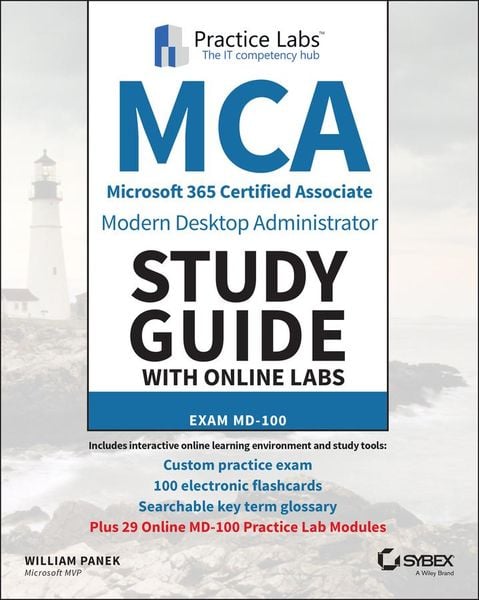
MCA Modern Desktop Administrator Study Guide with Online Labs Exam MD-100
-
- Englisch ausgewählt
Fr. 193.00
inkl. gesetzl. MwSt.,
Beschreibung
Produktdetails
Einband
Taschenbuch
Erscheinungsdatum
27.10.2020
Verlag
John Wiley & Sons IncSeitenzahl
480
Maße (L/B/H)
18.5/23.4/2.5 cm
Gewicht
798 g
Auflage
1. Auflage
Sprache
Englisch
ISBN
978-1-119-78430-2
Virtual, hands-on learning labs allow you to apply your technical skills using live hardware and software hosted in the cloud. So Sybex has bundled Microsoft 365 Certified Associate (MCA) Modern Desktop from Practice Labs, the IT Competency Hub, with our popular MCA Modern Desktop Administrator Study Guide: Exam MD-100. Working in these labs gives you the same experience you need to prepare for the Microsoft 365 Certified Associate (MCA) Modern Desktop MD-100 that you would face in a real-life setting. Used in addition to the book, the labs are a proven way to prepare for the certification and for work in the Windows IT professional field.
The new Microsoft 365 Certified Associate (MCA) Modern Desktop certification exam measures a candidate's ability to deploy Windows, manage devices and data, configure connectivity, and maintain Windows. MCA certification, sought by a growing number of employers, is an important part of any IT professional's resume.
The MCA Modern Desktop Administrator Study Guide: Exam MD-100 is a must-have book for anyone preparing for certification. This clear and accurate study guide covers 100% of exam objectives--providing hands-on exercises, challenging review questions, full explanations, and real-world examples to deploy, configure, secure, manage, and monitor devices and client applications in an enterprise environment. Access to Sybex's comprehensive online learning environment--comprising a self-assessment test, a bonus practice exam, flashcards, a searchable glossary, and chapter exercise videos--is included to fully prepare for exam day. This study guide:
* Covers all Exam: MD-100 objectives
* Prepares readers to implement, install, and configure Windows 10
* Reinforces comprehension and retention of central exam topics
* Helps readers learn new skills or upgrade existing skills to Microsoft's latest desktop client
Demand for competent IT professionals is already high and continues to grow at a rapid pace. The MCA Modern Desktop Administrator Study Guide: Exam MD-100 is a valuable resource for preparing for the new Exam MD-100 and MCA certification.
And with this edition you also get Practice Labs virtual labs that run from your browser. The registration code is included with the book and gives you 6 months unlimited access to Practice Labs Microsoft 365 Certified Associate (MCA) Modern Desktop Labs with 29 unique lab modules to practice your skills.
The new Microsoft 365 Certified Associate (MCA) Modern Desktop certification exam measures a candidate's ability to deploy Windows, manage devices and data, configure connectivity, and maintain Windows. MCA certification, sought by a growing number of employers, is an important part of any IT professional's resume.
The MCA Modern Desktop Administrator Study Guide: Exam MD-100 is a must-have book for anyone preparing for certification. This clear and accurate study guide covers 100% of exam objectives--providing hands-on exercises, challenging review questions, full explanations, and real-world examples to deploy, configure, secure, manage, and monitor devices and client applications in an enterprise environment. Access to Sybex's comprehensive online learning environment--comprising a self-assessment test, a bonus practice exam, flashcards, a searchable glossary, and chapter exercise videos--is included to fully prepare for exam day. This study guide:
* Covers all Exam: MD-100 objectives
* Prepares readers to implement, install, and configure Windows 10
* Reinforces comprehension and retention of central exam topics
* Helps readers learn new skills or upgrade existing skills to Microsoft's latest desktop client
Demand for competent IT professionals is already high and continues to grow at a rapid pace. The MCA Modern Desktop Administrator Study Guide: Exam MD-100 is a valuable resource for preparing for the new Exam MD-100 and MCA certification.
And with this edition you also get Practice Labs virtual labs that run from your browser. The registration code is included with the book and gives you 6 months unlimited access to Practice Labs Microsoft 365 Certified Associate (MCA) Modern Desktop Labs with 29 unique lab modules to practice your skills.
Noch keine Bewertungen vorhanden
Verfassen Sie die erste Bewertung zu diesem Artikel
Helfen Sie anderen Kundinnen und Kunden durch Ihre Meinung.