Beschreibung
Produktdetails
Einband
Taschenbuch
Erscheinungsdatum
14.02.2022
Verlag
John Wiley & Sons IncSeitenzahl
960
Maße (L/B/H)
23.5/18.6/5.1 cm
Gewicht
1224 g
Auflage
2. Auflage
Sprache
Englisch
ISBN
978-1-119-83070-2
Multiply your productivity with the world's most straightforward guide to the world's most popular office software
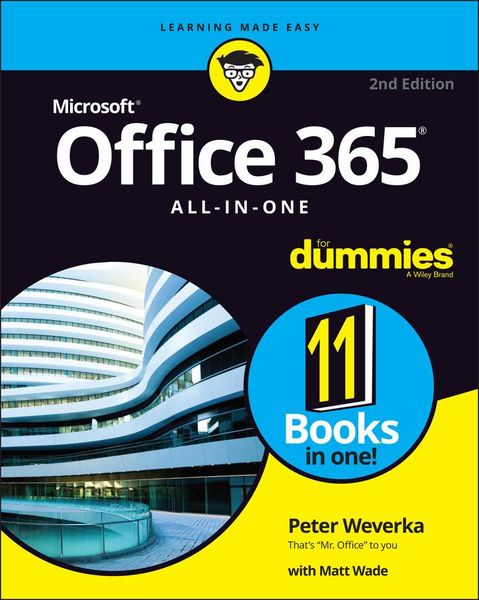
Microsoft Office 365 contains straightforward tools for virtually every office task you could possibly think of. And learning how to use this powerful software is much easier than you might expect! With the latest edition of Office 365 All-in-One For Dummies, you'll get a grip on some of the most popular and effective office software on the planet, including Word, Excel, PowerPoint, Outlook, Access, Publisher, and Teams.
This expanded handbook walks you through the ins and outs of reviewing and composing documents with Word, hosting and joining meetings with Teams, crunching numbers with Excel, and answering emails with Outlook. And it's ideal for anyone who's brand new to Office and those who just need a quick refresher on the latest useful updates from Microsoft.
In this one-stop reference, you'll find:
* Step-by-step instructions on the installation, maintenance, and navigation of all the critical components of Office 365
* Guidance for using Office 365's built-in online and cloud functionality
* Complete explanations of what every part of Office 365 is used for and how to apply them to your life
Office 365 All-in-One For Dummies is the last handbook you'll ever need to apply Microsoft's world-famous software suite to countless everyday tasks.
Microsoft Office 365 contains straightforward tools for virtually every office task you could possibly think of. And learning how to use this powerful software is much easier than you might expect! With the latest edition of Office 365 All-in-One For Dummies, you'll get a grip on some of the most popular and effective office software on the planet, including Word, Excel, PowerPoint, Outlook, Access, Publisher, and Teams.
This expanded handbook walks you through the ins and outs of reviewing and composing documents with Word, hosting and joining meetings with Teams, crunching numbers with Excel, and answering emails with Outlook. And it's ideal for anyone who's brand new to Office and those who just need a quick refresher on the latest useful updates from Microsoft.
In this one-stop reference, you'll find:
* Step-by-step instructions on the installation, maintenance, and navigation of all the critical components of Office 365
* Guidance for using Office 365's built-in online and cloud functionality
* Complete explanations of what every part of Office 365 is used for and how to apply them to your life
Office 365 All-in-One For Dummies is the last handbook you'll ever need to apply Microsoft's world-famous software suite to countless everyday tasks.
Noch keine Bewertungen vorhanden
Verfassen Sie die erste Bewertung zu diesem Artikel
Helfen Sie anderen Kundinnen und Kunden durch Ihre Meinung.