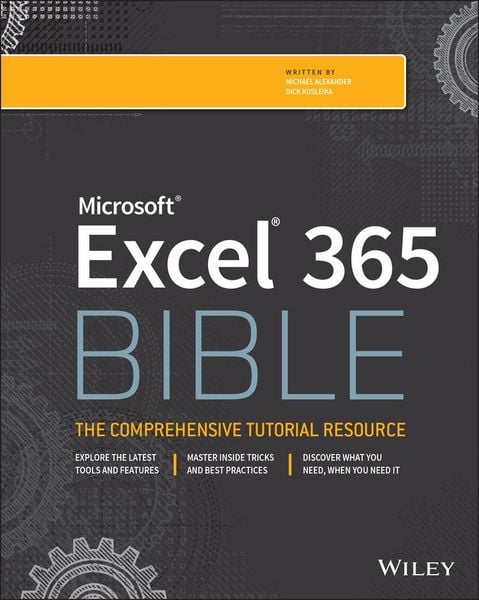
Microsoft Excel 365 Bible
Aus der Reihe
Bible
-
- Englisch ausgewählt
-
Verlag:John Wiley & Sons
- Wiley Fr. 69.90
- John Wiley & Sons Fr. 69.90 ausgewählt
Fr. 69.90
inkl. gesetzl. MwSt.,
Beschreibung
Produktdetails
Einband
Taschenbuch
Verlag
John Wiley & SonsSeitenzahl
1072
Maße (L/B/H)
23.2/18.8/5.7 cm
Gewicht
1880 g
Auflage
1. Auflage
Sprache
Englisch
ISBN
978-1-119-83510-3
Your personal, hands-on guide to the latest and most useful features in Microsoft Excel 365
Excel 365 is Microsoft's latest cloud-based version of its world-famous spreadsheet app. Powerful and user-friendly, it's an ideal solution for businesses and people looking to make sense of--and draw intelligence from--their data.
The Excel 365 Bible carries over the best content from the best-selling Excel 2019 Bible while reflecting how a new generation uses Excel in Excel 365. The authoring team with their decades of Excel and business intelligence experience and recognition from the Excel community as Excel MVPs delivers an accessible and authoritative roadmap to Excel 365. Interested in the basics? You'll learn to create spreadsheets and workbooks and navigate the user interface. If you're ready for more advanced topics you can skip right to the material on creating visualizations, crafting custom functions, and using Visual Basic for Applications to script automations.
You'll also get:
* Over 900 pages of powerful tips, tricks, and strategies to unlock the full potential of Microsoft Excel 365
* Guidance on how to import, manage, and analyze large amounts of data
* Advice on how to craft predictions and "What-If Analyses" based on data you already have
Perfect for anyone new to Excel, as well as experts and advanced users, the Excel 365 Bible is your comprehensive, go-to guide for everything you need to know about the world's most popular, easy-to-use spreadsheet software.
Excel 365 is Microsoft's latest cloud-based version of its world-famous spreadsheet app. Powerful and user-friendly, it's an ideal solution for businesses and people looking to make sense of--and draw intelligence from--their data.
The Excel 365 Bible carries over the best content from the best-selling Excel 2019 Bible while reflecting how a new generation uses Excel in Excel 365. The authoring team with their decades of Excel and business intelligence experience and recognition from the Excel community as Excel MVPs delivers an accessible and authoritative roadmap to Excel 365. Interested in the basics? You'll learn to create spreadsheets and workbooks and navigate the user interface. If you're ready for more advanced topics you can skip right to the material on creating visualizations, crafting custom functions, and using Visual Basic for Applications to script automations.
You'll also get:
* Over 900 pages of powerful tips, tricks, and strategies to unlock the full potential of Microsoft Excel 365
* Guidance on how to import, manage, and analyze large amounts of data
* Advice on how to craft predictions and "What-If Analyses" based on data you already have
Perfect for anyone new to Excel, as well as experts and advanced users, the Excel 365 Bible is your comprehensive, go-to guide for everything you need to know about the world's most popular, easy-to-use spreadsheet software.
Noch keine Bewertungen vorhanden
Verfassen Sie die erste Bewertung zu diesem Artikel
Helfen Sie anderen Kundinnen und Kunden durch Ihre Meinung.