KI-Beratung Beta

Produktbild: Teach Yourself VISUALLY Microsoft 365

Teach Yourself VISUALLY Microsoft 365

Fr. 46.90

inkl. gesetzl. MwSt., Versandkostenfrei


Beschreibung

A fast-paced, useful, and easy introduction to Microsoft 365   For those who need the show as well as the tell, Teach Yourself VISUALLY Microsoft 365 is the visual walkthrough to Microsoft's latest suite of office products that will get you up-to-speed faster than any other resource on the market. This...

Beschreibung

A fast-paced, useful, and easy introduction to Microsoft 365
 
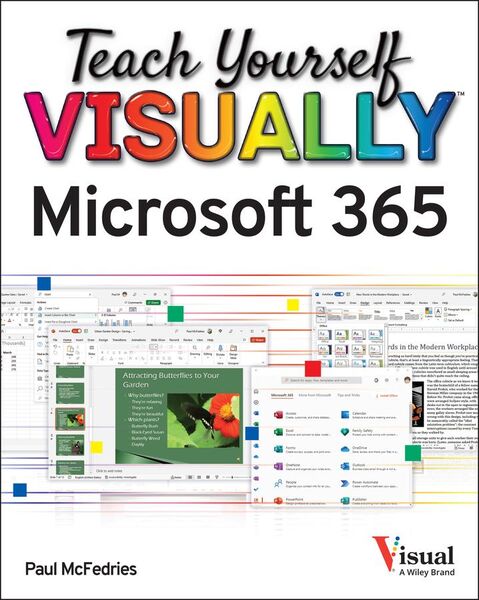
For those who need the show as well as the tell, Teach Yourself VISUALLY Microsoft 365 is the visual walkthrough to Microsoft's latest suite of office products that will get you up-to-speed faster than any other resource on the market. This book offers image- and screenshot-rich tutorials alongside step-by-step instructions so you can see what you need to do to make the most of Microsoft 365.
 
From getting a grip on the most basic Microsoft 365 functions to the advanced, new features known only by power users, the book provides you with the tools you need to make your work more streamlined and efficient. You'll also get:
* Up to date--and visually supported--guidance on the major Office apps that are part of Microsoft 365: Word, Excel, PowerPoint, Outlook, and Access
* Full-color, two-page tutorials that get you up and running fast
* Easy-to-read instructions and stepwise advice to accompany the informative and crystal-clear images
 
Ideal for people using Microsoft 365 for the very first time, Teach Yourself VISUALLY Microsoft 365 is also a can't-miss resource for long-time users of the software suite who need an introduction to the latest version and Office veterans seeking a refresher on what Microsoft 365 is capable of.

Produktdetails

Einband

Taschenbuch

Verlag John Wiley & Sons Inc
Seitenzahl

352

Maße (L/B/H)

23.9/18.7/1.7 cm

Produktdetails

Einband

Taschenbuch

Verlag John Wiley & Sons Inc
Seitenzahl

352

Maße (L/B/H)

23.9/18.7/1.7 cm

Gewicht

694 g

Auflage

1. Auflage

Sprache

Englisch

ISBN

978-1-119-89351-6

Noch keine Bewertungen vorhanden

Verfassen Sie die erste Bewertung zu diesem Artikel

Helfen Sie anderen Kundinnen und Kunden durch Ihre Meinung.

Kundinnen und Kunden meinen

Bewertungen (0)

Die Leseprobe wird geladen.
  • Produktbild: Teach Yourself VISUALLY Microsoft 365
  • Part I Microsoft 365 Features
     
    Chapter 1 Microsoft 365 Basics
     
    Start and Exit Microsoft 365 Apps 4
     
    Explore the App Window 6
     
    Work with Backstage View 7
     
    Change the Color Scheme 8
     
    Search for a Ribbon Command 10
     
    Work with the Ribbon 12
     
    Customize the Quick Access Toolbar 14
     
    Using a Microsoft 365 App with a Touch Screen 16
     
    Chapter 2 Working with Files
     
    Create a New File 18
     
    Save a File 20
     
    Open a File 22
     
    Print a File 24
     
    Select Data 26
     
    Chapter 3 Microsoft 365 Graphics Tools
     
    Insert a Picture from Your PC 28
     
    Insert an Online Picture 30
     
    Resize and Move Graphic Objects 32
     
    Understanding Graphics Modification Techniques 34
     
    Chapter 4 Working with Microsoft 365 Files Online
     
    Microsoft 365 and the Cloud 36
     
    Sign In to Microsoft 365 38
     
    Share a Document from Microsoft 365 40
     
    Sign In to OneDrive 42
     
    Using an Online App in OneDrive 44
     
    Open a Document in a Desktop App from OneDrive 46
     
    Upload a Document to OneDrive 48
     
    Share a Document Using OneDrive 50
     
    Part II Word
     
    Chapter 5 Adding Text
     
    Change Word's Views 54
     
    Type and Edit Text 56
     
    Insert Quick Parts 58
     
    Insert Symbols 60
     
    Chapter 6 Formatting Text
     
    Change the Font, Size, and Color 62
     
    Align Text 66
     
    Set Line Spacing 67
     
    Indent Text 68
     
    Set Tabs 70
     
    Set Margins 72
     
    Create Lists 74
     
    Copy Formatting 76
     
    Clear Formatting 77
     
    Format with Styles 78
     
    Using a Template 80
     
    Chapter 7 Adding Extra Touches
     
    Insert an Online Video 82
     
    Assign a Theme 84
     
    Add Borders 86
     
    Create Columns 88
     
    Insert a Table 90
     
    Apply Table Styles 92
     
    Insert Table Rows or Columns 93
     
    Add Headers and Footers 94
     
    Insert Footnotes and Endnotes 96
     
    Chapter 8 Reviewing Documents
     
    Work in Read Mode View 98
     
    Find and Replace Text 102
     
    Navigate Document Content 104
     
    Check Spelling and Grammar 106
     
    Customize AutoCorrect 108
     
    Using Word's Thesaurus and Dictionary 110
     
    Translate Text 112
     
    Track and Review Document Changes 114
     
    Lock and Unlock Tracking 116
     
    Combine Reviewers' Changes 118
     
    Work with Comments 120
     
    Part III Excel
     
    Chapter 9 Building Spreadsheets
     
    Enter Cell Data 124
     
    Select Cells 126
     
    Using AutoFill for Faster Data Entry 128
     
    Turn On Text Wrapping 130
     
    Center Data Across Columns 131
     
    Adjust Cell Alignment 132
     
    Change the Font and Size 134
     
    Change Number Formats 136
     
    Increase or Decrease Decimals 137
     
    Add Cell Borders and Shading 138
     
    Format Data with Styles 140
     
    Apply Conditional Formatting 142
     
    Insert Rows and Columns 144
     
    Resize Columns and Rows 146
     
    Freeze Column and Row Titles On-Screen 147
     
    Name a Range 148
     
    Clear or Delete Cells 150
     
    Chapter 10 Worksheet Basics
     
    Add a Worksheet 152
     
    Rename a Worksheet 153
     
    Change Page Setup Options 154
     
    Move or Copy Worksheets 156
     
    Delete a Worksheet 157
     
    Find and Replace Data 158
     
    Create a Table 160
     
    Filter or Sort Table Information 162
     
    Analyze Data Quickly 164
     
    Understanding Data Analysis Choices 16