Gutscheinbedingungen

*Gültig bis 20.09.2026 auf (fast) alles. Ausgeschlossen sind Smartboxen, Zeitschriften, Tickets, Lebensmittel, Gaming-Elektroartikel, Tinte/Toner, Gutscheine, Geschenkkarten, Blumen und Abos | Einlösbar in allen Buchhandlungen von Orell Füssli, Barth Bücher, Buchladen Rapunzel, Schuler Orell Füssli, Stauffacher und ZAP unter Vorweisung des Gutscheins, auf www.orellfüssli.ch durch Eingabe des Gutscheincodes. Beim Service „eBooks verschenken“ und bei eBook-Käufen via eReader nicht einlösbar | Mindesteinkaufswert: Fr. 100.- | Nicht mit anderen Rabatten kumulierbar.

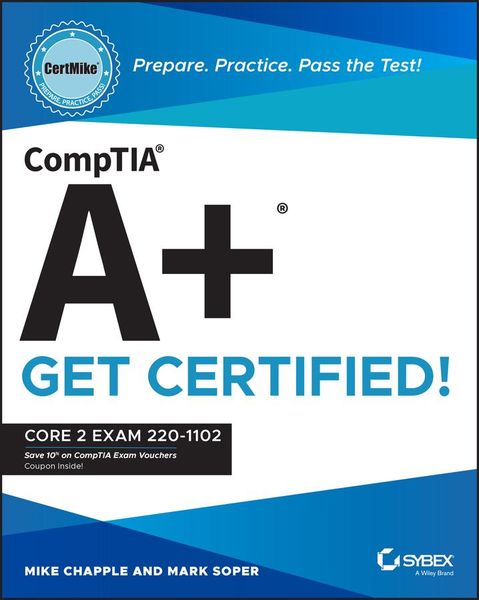
Produktbild: CompTIA A+ CertMike: Prepare. Practice. Pass the Test! Get Certified!

CompTIA A+ CertMike: Prepare. Practice. Pass the Test! Get Certified! Core 2 Exam 220-1102

Aus der Reihe CertMike Get Certified

Fr. 46.90

inkl. gesetzl. MwSt., Versandkostenfrei


Beschreibung

Produktdetails

Einband

Taschenbuch

Verlag

John Wiley & Sons

Seitenzahl

656

Maße (L/B/H)

4/18.8/23.3 cm

Gewicht

884 g

Auflage

1. Auflage

Sprache

Englisch

ISBN

978-1-119-89812-2

Beschreibung

Produktdetails

Einband

Taschenbuch

Verlag

John Wiley & Sons

Seitenzahl

656

Maße (L/B/H)

4/18.8/23.3 cm

Gewicht

884 g

Auflage

1. Auflage

Sprache

Englisch

ISBN

978-1-119-89812-2

Herstelleradresse

Wiley-VCH GmbH
Boschstrasse 12
69469 Weinheim
DE
product_safety@wiley.com

Noch keine Bewertungen vorhanden

Verfassen Sie die erste Bewertung zu diesem Artikel

Helfen Sie anderen Kundinnen und Kunden durch Ihre Meinung.

Kundinnen und Kunden meinen

Bewertungen (0)

Die Leseprobe wird geladen.
  • Produktbild: CompTIA A+ CertMike: Prepare. Practice. Pass the Test! Get Certified!
  • Introduction xxiii

    Part I Domain 1.0: Operating Systems 1

    Chapter 1 Microsoft Windows Editions 3

    Windows 10 Editions 3

    Feature Differences Between Editions 7

    Upgrade Paths 12

    Chapter 2 Microsoft Command- Line Tools 17

    Navigation 17

    Command- Line Tools 20

    Chapter 3 Windows 10 Operating System Tools 37

    Task Manager 38

    Microsoft Management Console (MMC) Snap- In 42

    Additional Tools 51

    Chapter 4 Windows 10 Control Panel 59

    Control Panel Overview 60

    Opening Control Panel 60

    Internet Options 61

    Devices and Printers 62

    Programs and Features 63

    Network and Sharing Center 64

    System 64

    Windows Defender Firewall 65

    Mail 65

    Sound 67

    User Accounts 69

    Device Manager 69

    Indexing Options 71

    Administrative Tools 72

    File Explorer Options 73

    Power Options 78

    Ease of Access 80

    Chapter 5 Windows Settings 85

    Accessing Settings 86

    Time & Language 87

    Update & Security 88

    Personalization 91

    Apps 92

    Privacy 93

    System 94

    Devices 97

    Network & Internet 98

    Gaming 98

    Accounts 99

    Chapter 6 Windows Networking 105

    Workgroup vs. Domain Setup 106

    Local OS Firewall Settings 109

    Client Network Configuration 113

    Establish Network Connections 117

    Proxy Settings 120

    Public Network vs. Private Network 121

    File Explorer Navigation - Network Paths 122

    Metered Connections and Limitations 122

    Chapter 7 Application Installation and Configuration 127

    System Requirements for Applications 128

    OS Requirements for Applications 135

    Distribution Methods 136

    Physical Media vs. Downloadable 137

    ISO Mountable 137

    Other Considerations for New Applications 138

    Chapter 8 Operating System Types 143

    Workstation OSs 143

    Cell Phone/Tablet OSs 148

    Various Filesystem Types 150

    Vendor Life- Cycle Limitations 156

    Compatibility Concerns Between OSs 157

    Chapter 9 Operating System Installations and Upgrades 161

    Boot Methods 162

    Types of Installations 167

    Partitioning 170

    Drive Format 171

    Upgrade Considerations 172

    Feature Updates 173

    Chapter 10 macOS 177

    Installation and Uninstallation of Applications 178

    Apple ID and Corporate Restrictions 180

    Best Practices 181

    System Preferences 182

    Features 188

    Disk Utility 194

    FileVault 195

    Terminal 196

    Force Quit 197

    Chapter 11 Linux 201

    Common Commands 201

    Best Practices 212

    Tools 214

    Part II Domain 2.0: Security 219

    Chapter 12 Physical Security 221

    Physical Security 221

    Physical Security for Staff 224

    Chapter 13 Logical Security 231

    Logical Security 231

    Mobile Device Management (MDM) 238

    Active Directory 238

    Chapter 14 Wireless Security 249

    Protocols and Encryption 249

    Authentication 252

    Chapter 15 Malware 259

    Malware 260

    Malware Prevention and Removal Tools and Methods 262

    Chapter 16 Social Engineering and Security Threats 271

    Social Engineering 271

    Threats 276

    Vulnerabilities 281

    Chapter 17 Windows Security 289

    Defender Antivirus 290

    Firewall 292

    Users and Groups 295

    Login OS Options 297

    NTFS vs. Share Permissions 299

    Run As Administrator vs. Standard User 304

    BitLocker 307

    Bitlocker to Go 308

    Encrypting File System (EFS) 308

    Chapter 18 Workstation Security Configuration 313

    Data- at- Rest Encryption 314

    Password Be