AutoCAD 2019: A Problem - Solving Approach, Basic and Intermediate, 25th Edition
-
- Einzelkauf Download ausgewählt
-
Sprache:Englisch
Fr. 22.00
inkl. gesetzl. MwSt.Beschreibung
Produktdetails
Format
ePUB
Kopierschutz
Ja
Family Sharing
Ja
Text-to-Speech
Ja
Erscheinungsdatum
24.01.2024
Verlag
CADCIM TechnologiesSeitenzahl
(Printausgabe)
Dateigröße
79163 KB
Sprache
Englisch
EAN
9781640570276
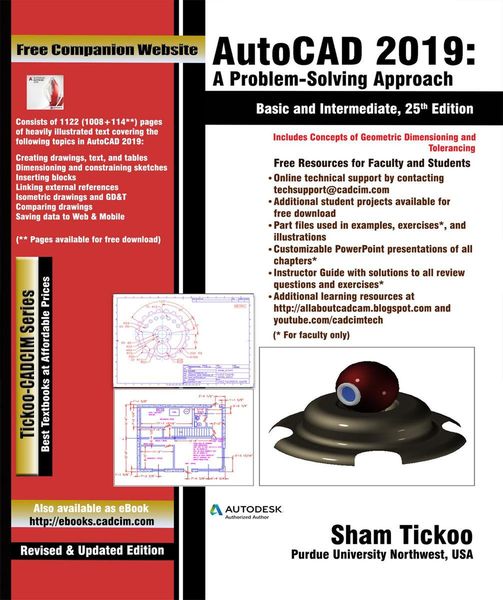
The AutoCAD 2019: A Problem-Solving Approach, Basic and Intermediate, 25th Edition textbook contains a detailed explanation of AutoCAD commands and their applications to solve drafting and design problems. In this textbook, every AutoCAD command is thoroughly explained with the help of examples and illustrations. This makes it easy for the users to understand the functions of the tools and their applications in the drawing. After reading this textbook, the user will be able to use AutoCAD commands to make a drawing, dimension a drawing, apply constraints to sketches, insert symbols as well as create text, blocks and dynamic blocks. The book also covers basic drafting and design concepts such as dimensioning principles and assembly drawings that equip the users with the essential drafting skills to solve the drawing problems in AutoCAD. While reading this textbook, you will discover some new tools introduced in AutoCAD 2019 such as DWG Compare, Save to Web & Mobile, and Shared Views that will enhance the usability of the software.
Some of the features of this text book are:
Comprehensive textbook consisting of 24 chapters that are organized in a pedagogical sequence.
Detailed explanation of all commands and tools.
Summarized content on the first page of the topics that are covered in the chapter.
Hundreds of illustrations for easy understanding of concepts.
Step-by-step instructions to guide the users through the learning process.
More than 30 real-world mechanical engineering designs as examples.
Additional information throughout the book in the form of notes and tips.
Self-Evaluation Tests and Review Questions at the end of each chapter to help the users assess their knowledge.
Technical support by contacting techsupport@cadcim.com.
Noch keine Bewertungen vorhanden
Verfassen Sie die erste Bewertung zu diesem Artikel
Helfen Sie anderen Kundinnen und Kunden durch Ihre Meinung.